

Is your website taking forever to load, leaving visitors clicking away before they even see your content? A slow website doesn't just frustrate users—it hurts your search rankings and costs you potential customers.
We'll walk you through how Google actually measures website loading speed using Core Web Vitals, then show you how to diagnose exactly what's slowing your site down. You'll also learn the most effective strategies for website speed optimization, including reducing file sizes, optimizing images for web, and implementing browser caching to create a fast loading website that keeps visitors engaged and search engines happy.
TL;DR
- A slow website hurts user experience, search rankings, and conversions.
- Google measures speed using Core Web Vitals like LCP, FID (INP), and CLS.
- Test with PageSpeed Insights or Lighthouse, then prioritize high-traffic, high-impact pages.
- Speed up by compressing and minifying code, optimizing images, reducing HTTP requests, and limiting third-party scripts.
- Enable browser caching and improve hosting, CDN, and DNS performance for faster global load times.
How Google Measures Website Loading Speed
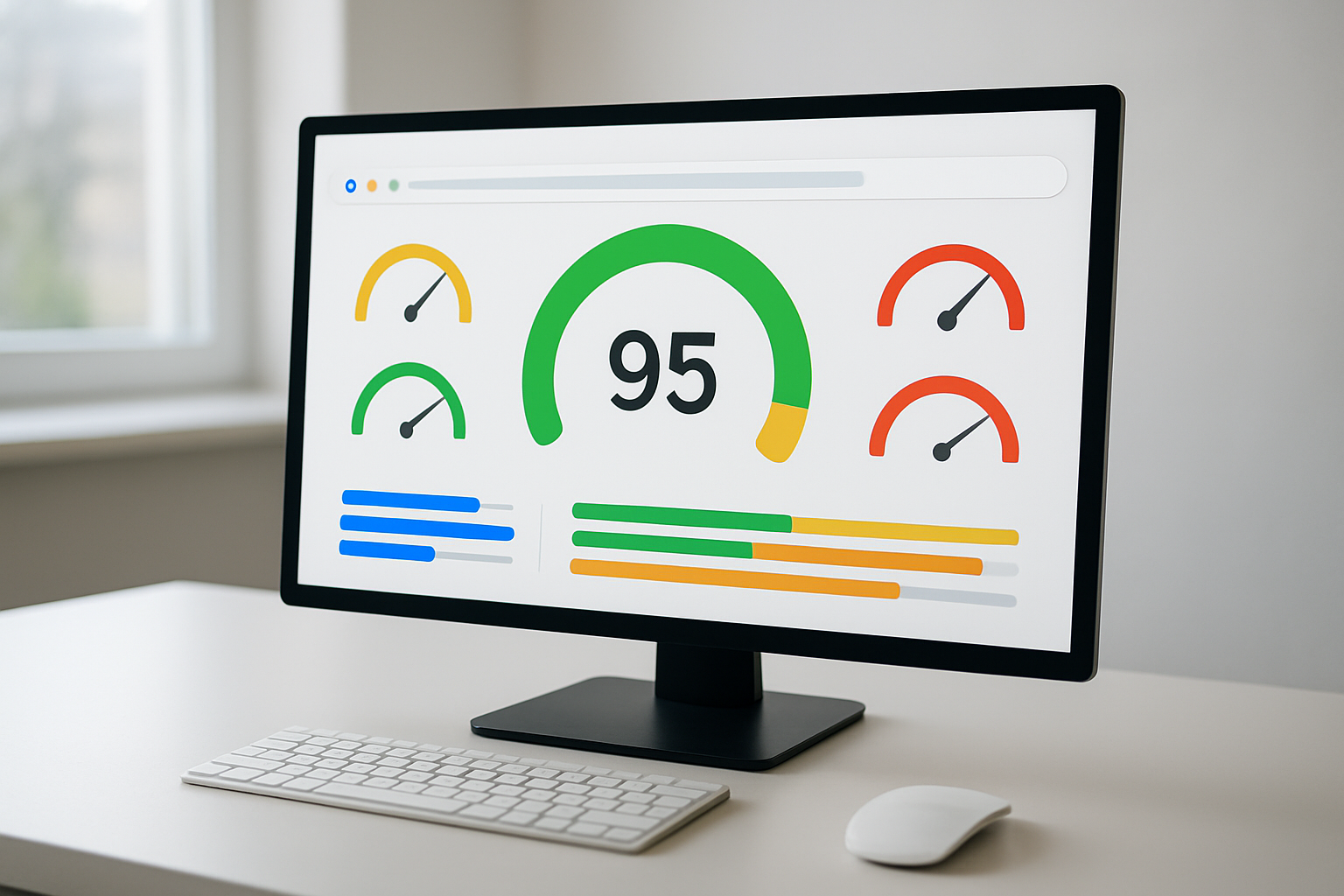
Understanding Core Web Vitals Performance Metrics
Core Web Vitals are signals Google deems important to the web user experience, including site responsiveness, visual stability, and other page factors. Your website's performance is evaluated through Google's SEO page experience algorithm. This comprehensive system combines Core Web Vitals with existing search signals like HTTPS security, mobile-friendliness, and intrusive interstitial guidelines to determine your site's overall user experience quality.
Site speed is an important component of Core Web Vitals and can significantly impact your search results. Understanding these metrics is crucial for your website speed optimization efforts, as they directly influence how Google perceives and ranks your pages in search results.
Largest Contentful Paint Loading Time Standards
Largest Contentful Paint (LCP) tracks the time it takes for your page to load by measuring the duration between First Contentful Paint (FCP) and the largest image, photo, or text loading on your page. This metric focuses on when your main content becomes visible to users, making it a critical indicator of your page loading speed performance.
Your website demonstrates slow loading if LCP takes more than 2.5 seconds. To maintain optimal performance and avoid negative impacts on your search rankings, you should aim to keep your LCP well below this threshold. This measurement captures the user's perception of when your page has finished loading its primary content.
First Input Delay and Interactivity Requirements
First Input Delay (FID) measures how long your page takes to become interactive, such as the time from a user clicking a button to a new link opening. This metric evaluates your website's responsiveness to user interactions, which is essential for providing a smooth user experience.
Google recommends that interactivity should take no longer than 100 milliseconds for optimal performance. When your FID exceeds this benchmark, users may experience frustration with delayed responses to their clicks, taps, or other interactions. Maintaining low FID scores ensures your visitors can seamlessly navigate and interact with your content without experiencing lag or unresponsiveness.
Testing Your Website Speed with Google PageSpeed Insights
Your website speed can be tested using Google's PageSpeed Insights, which measures FCP, FID, LCP, and other Core Web Vitals aspects including Cumulative Layout Shift (CLS), which measures the visual stability of your page's elements. This free tool provides comprehensive analysis of your website performance improvement opportunities.
The tool indicates whether your site passes or fails the assessment, giving you clear guidance on areas that need attention. By regularly conducting website speed tests through PageSpeed Insights, you can monitor your progress and identify specific issues affecting your site's performance across both mobile and desktop platforms.
Diagnosing Your Website's Performance Problems

Identifying the Scope of Slow Loading Issues
Understanding the scope of slow loading problems is crucial for effective website speed optimization, requiring a precise breakdown of both site speed and individual page speed. You need to determine whether your performance issues affect your entire website or are isolated to specific pages. This comprehensive assessment helps you allocate resources efficiently and tackle the most impactful problems first.
To organize your findings effectively, arrange audited pages by slowest load times, highest monthly service volume, or broadest business impact. This systematic approach ensures you prioritize fixing the biggest issues first, maximizing your website performance improvement efforts.
Using Performance Testing Tools to Measure Key Metrics
Performance measurement tools are essential for diagnosing your website's speed issues. Free options include Google Lighthouse, which you can access directly through Chrome DevTools, and Cloudflare Observatory. These tools provide comprehensive insights into your website's Core Web Vitals and other critical performance metrics.
Beyond Core Web Vitals, you should evaluate other important metrics including Time to First Byte (how quickly a page begins loading), DNS lookup speed, and Time to Interactive. Each metric reveals different aspects of your site's performance bottlenecks.
When investigating specific issues like a slow Largest Contentful Paint, check for unnecessary code loading before the largest component and consider its removal. For slow Time to First Byte problems, investigate response times for DNS providers and website hosts, as you may need to reconfigure or replace these services.
Prioritizing Pages by Traffic Volume and Business Impact
You should focus your website speed optimization efforts on pages that deliver the highest return on investment. Organize your page audits by considering both traffic volume and business impact to ensure maximum effectiveness of your optimization work.
Pages with the highest monthly service volume deserve immediate attention, as slow loading speeds here affect the largest number of users. Similarly, pages with the broadest business impact—such as product pages, checkout processes, or lead generation forms—should receive priority treatment regardless of their traffic levels.
Investigating Hosting and CDN Service Quality
For overall site speed problems, you need to investigate poor web hosting service providers or the absence of a Content Delivery Network (CDN) service for global users. Your hosting infrastructure forms the foundation of your website's performance, and inadequate service can create bottlenecks that affect every aspect of your site's speed.
Evaluate your current hosting provider's response times and consider whether their service levels meet your performance requirements. If you're serving a global audience without a CDN, implementing one can significantly improve loading times for users in different geographic locations. These infrastructure improvements often provide the most substantial gains in your fast loading website optimization efforts.
Reducing File Sizes and Unnecessary Code

Compressing HTML, CSS, and JavaScript Files
When it comes to website speed optimization, compressing your HTML, CSS, and JavaScript files is one of the most effective ways to reduce page loading speed. These files contain all the code that tells your browser how to display and function your website, and their size directly impacts how quickly your pages load.
You can significantly reduce the amount of information transmitted between your server and visitors' browsers by implementing proper compression techniques. Tools like HtmlCompressor for HTML files and YUI Compressor for JavaScript and CSS files are specifically designed to help you achieve optimal compression without affecting functionality.
For broader compression needs, GNU Gzip stands out as an excellent option for compressing web objects (excluding images). This tool works by instructing your server to group files before sending them to the browser, dramatically reducing the overall data transfer size and improving your site speed optimization.
Eliminating Excessive White Space and Comments
Your code likely contains numerous unnecessary elements that serve no purpose for your website's actual performance. Excessive white spaces, empty new lines, and comments are prime examples of elements you should eliminate to achieve better website performance improvement.
The process of minifying code involves removing anything a computer doesn't need to execute your website properly. This includes comments that developers use for documentation, unnecessary whitespace that makes code readable for humans, and redundant semicolons or other syntax elements. By removing these elements, you make your files significantly smaller without affecting their functionality.
This optimization technique is particularly crucial for fast loading website performance, as every byte saved contributes to faster transmission and processing times.
Removing Unnecessary Rich Media and Advertisements
Your website may be loaded with elements that significantly slow down loading times without providing substantial value to your users. Rich media display advertisements and inline stylings are common culprits that can dramatically impact your Core Web Vitals scores.
Take a critical look at your current media elements and advertisements. If they're not essential to your user experience or business goals, removing them can provide immediate improvements to your website speed. Inline stylings, in particular, add unnecessary code bulk that could be better handled through external CSS files or eliminated entirely.
Implementing Accelerated Mobile Pages for Content
For content-focused websites, Accelerated Mobile Pages (AMP) represents a powerful solution for ultimate website speed optimization. AMP is a stripped-down, super-lightweight page format specifically designed for maximum readability and lightning-fast loading speeds.
This format works exceptionally well for content-heavy pages such as news articles, blog posts, and informational resources where visual clutter and complex scripts can be stripped away in favor of immediate content delivery.
Before implementing AMP across your site, use web performance tools to identify unnecessary code that loads before your important content appears. This is especially critical for large websites where multiple scripts and elements can create loading bottlenecks that negatively impact user experience.
Optimizing Images for Faster Loading

Choosing the Right Image File Formats
When it comes to website speed optimization, selecting the appropriate image file format can dramatically impact your page loading speed. You'll want to make strategic choices based on the type of images you're displaying on your website.
For photographs and images with complex colors and gradients, JPEGs are your best option. This format efficiently compresses photographic content while maintaining acceptable visual quality, making it ideal for most website imagery including product photos, portraits, and scenic images.
However, when you're working with graphics, logos, or images that contain fewer than 16 colors, PNGs are the superior choice. PNG format excels at preserving sharp edges and solid colors without compression artifacts, making it perfect for simple graphics, icons, and images with transparency requirements.
There are certain file formats you should completely avoid for web use. BMP and TIFF files are particularly problematic as they create unnecessarily large file sizes that will significantly slow down your website performance. These formats weren't designed for web delivery and will negatively impact your Core Web Vitals scores.
Compressing Images Without Quality Loss
Now that we've covered file format selection, let's explore how you can reduce file sizes through effective compression techniques. Image compression is crucial for fast loading website performance, as images often consume the most bandwidth on your pages.
You can achieve significant file size reductions by adjusting your images' resolution and dimensions. Start by reducing the resolution to match your actual display requirements - there's no need to serve high-resolution images if they'll be displayed at smaller sizes on your website.
Cropping unnecessary edges from your images is another effective strategy for reducing file sizes. Remove any empty space or irrelevant portions that don't contribute to your content's visual impact.
Additionally, you can optimize images by reducing color depth when appropriate. This technique works particularly well for graphics and illustrations where a full color spectrum isn't necessary for the visual message.
Avoiding Problematic Image Attributes
With this in mind, next, we'll examine specific image attributes that can harm your website performance improvement efforts. One critical issue you must avoid is using blank src attributes in your image tags. This seemingly minor oversight can cause unnecessary traffic and negatively impact your site speed optimization.
When your HTML contains image elements with empty src attributes, browsers may make additional, wasteful HTTP requests. These unnecessary requests increase your server load and slow down page rendering, directly contradicting your website speed optimization goals.
Following Google's Image Optimization Best Practices
Previously, I've mentioned various optimization techniques, but implementing Google's comprehensive image optimization guidelines will ensure you're following industry-leading standards for website performance improvement. Google provides detailed best practices that address all aspects of image optimization for web delivery.
These guidelines encompass everything from technical implementation details to advanced optimization strategies that can help improve your Core Web Vitals scores. By following Google's recommendations, you'll ensure your images contribute to faster loading rather than hindering your overall page performance.
Remember that image optimization is an ongoing process that requires attention to both technical implementation and content strategy. Each image on your website should serve a purpose while being optimized for the fastest possible delivery to your users.
Minimizing HTTP Requests and External Dependencies

Limiting the Number of Server Requests Per Page
Your website's loading speed directly correlates with the number of HTTP requests each page generates. Every asset your page needs—whether it's images, scripts, or CSS files—requires a separate round trip to the server, and these multiple requests significantly increase your overall load time. To effectively reduce HTTP requests and improve your website speed optimization, you need to strategically limit the total number of assets each page loads.
Start by conducting a website speed test to identify which HTTP requests consume the most time. This analysis will reveal the specific bottlenecks slowing down your site and help you prioritize which assets to address first. Focus on consolidating similar file types and eliminating non-essential elements that don't contribute meaningful value to your user experience.
Reducing External Script Usage and Third-Party Plugins
External scripts and third-party plugins represent one of the most significant drains on your page loading speed. These elements—including external commenting systems, CTA buttons, CMS plugins, and lead-generation popups—must load with each page visit, creating additional server requests that can cause noticeable slowdowns or disruptive content jumping.
You should critically evaluate each third-party service you've integrated into your site. Remove any plugins that aren't absolutely essential to your core functionality or user experience. For the external dependencies you must keep, consider implementing them asynchronously or loading them only when users interact with specific page elements, rather than loading everything immediately upon page load.
Eliminating Unnecessary Redirects
Redirects add precious fractions or even whole seconds to your page load times, making them a critical factor in website performance improvement. Each redirect creates an additional HTTP request and server response cycle, delaying the delivery of your actual content to visitors.
You need to implement clear guidelines regarding redirect usage across your website and establish a systematic approach to managing them. Conduct periodic scans to identify unnecessary redirects that may have accumulated over time due to URL changes, moved content, or outdated linking structures. When redirects are necessary, ensure they're implemented efficiently and review them regularly to maintain optimal site speed optimization.
Streamlining Stylesheets and JavaScript Files
Your CSS and JavaScript files often contain unnecessary elements that bloat file sizes and increase bandwidth usage. By minifying these files—removing comments, whitespace, and unnecessary semicolons—you can significantly reduce their size and improve loading performance.
Beyond minification, you should address the problem of having too many separate stylesheet and JavaScript files. Consolidating multiple files into fewer, well-organized resources reduces the number of HTTP requests your pages generate. This streamlining approach not only improves your fast loading website performance but also makes your code easier to maintain and update over time.
Implementing Browser Caching Strategies

Enabling Browser Cache for Static Website Elements
You can significantly boost your website speed optimization by enabling browser caching for static elements that don't change frequently. When you implement browser caching, you're essentially instructing visitors' browsers to store static portions of your site in their local cache memory. This means that on subsequent visits, your website can serve content directly from the cached memory instead of downloading everything from scratch.
To enable browser caching effectively, you'll need to configure HTTP response headers from your hosting server. These headers tell browsers which elements to cache and for how long. Static elements like CSS files, JavaScript libraries, fonts, and other unchanging resources are perfect candidates for browser caching since they remain consistent across visits.
Caching Images, Database Queries, and HTTP Responses
Your caching strategy should extend beyond just static files to include various types of content that can benefit from storage optimization. You can apply caching to images, which often represent the largest portion of your website's file size. When you cache images properly, returning visitors won't need to re-download the same photos or graphics they've already seen.
Database queries present another excellent opportunity for caching implementation. By caching frequently requested database information, you reduce the server processing time needed to retrieve the same data repeatedly. Additionally, HTTP responses can be cached to eliminate redundant server communications, further improving your page loading speed.
Improving Return Visitor Experience Through Smart Caching
Smart caching dramatically enhances the experience for visitors who return to your site. When you implement effective browser caching, you're reducing the amount of data the server needs to transfer on subsequent visits. This reduction in data transfer has been shown to reduce load times by nearly two seconds in some tests, which represents a substantial improvement in website performance.
Your return visitors will notice faster page loads because their browsers can instantly access cached elements instead of waiting for fresh downloads. This improved experience not only benefits user satisfaction but also contributes positively to your Core Web Vitals scores, which Google uses to evaluate site speed optimization.
Reducing Server Load with Effective Cache Management
Effective cache management serves a dual purpose: improving user experience while simultaneously reducing server load. When you properly configure caching, your server handles fewer requests for static content, freeing up resources to process dynamic content more efficiently. This reduction in server load can prevent performance bottlenecks during peak traffic periods.
Your cache management strategy should focus on setting appropriate expiration times for different types of content. Elements that rarely change can have longer cache periods, while more dynamic content should have shorter cache durations. By balancing these cache lifespans, you create an optimal fast loading website experience that maintains content freshness while maximizing performance benefits.
Choosing High-Performance Third-Party Services

Selecting Fast and Reliable Web Hosting Providers
Your web hosting provider forms the foundation of your website's performance, making it crucial to choose one that prioritizes speed and reliability. When evaluating hosting options, you should focus on providers that maintain an average server response time under 200 milliseconds. This metric directly impacts your site speed optimization and overall website performance improvement.
A reliable hosting provider with a proven track record ensures your website remains accessible to visitors consistently. You'll want to research uptime statistics and customer reviews to verify the provider's reliability claims. Poor hosting can single-handedly sabotage all your other website speed optimization efforts, making this choice fundamental to achieving a fast loading website.
Implementing Content Delivery Networks for Global Speed
Content Delivery Networks represent one of the most effective solutions for improving page loading speed across different geographical locations. CDNs work by caching your web content in multiple worldwide locations, strategically positioning your data closer to your users.
When you implement a CDN, user requests no longer need to travel the full distance to your origin server. Instead, the content is served from the nearest CDN location, dramatically reducing loading times. This approach is particularly beneficial if your audience spans multiple continents, as it ensures consistent performance regardless of user location. The reduction in distance that data travels translates directly into faster website performance and improved Core Web Vitals scores.
Using High-Performance DNS Services
Your DNS service plays a critical role in how quickly domain names resolve to IP addresses, affecting initial connection times. Rather than relying on your web host's default DNS services, you should consider upgrading to high-performance DNS providers that specialize in quick and reliable domain name resolution.
High-performance DNS services typically offer faster response times and better reliability than generic hosting DNS solutions. This upgrade can shave precious milliseconds off your initial page load times, contributing to your overall site speed optimization strategy.
Protecting Against DDoS Attacks and Malicious Traffic
Security and performance go hand-in-hand when it comes to maintaining a fast loading website. You need to implement protection against DDoS attacks, malicious bots, and other cyber threats that can severely impact your website's performance. The key is choosing a web application security provider that effectively filters out malicious traffic without slowing down legitimate user requests.
This protection ensures that your server resources remain available for genuine visitors, preventing performance degradation during attacks. Quality security services work transparently, maintaining your website speed optimization efforts while providing robust protection against various online threats.
Conclusion
Website speed isn't just a technical concern—it's the foundation of your online success. By implementing the strategies covered in this guide, from optimizing images and minimizing HTTP requests to enabling browser caching and choosing high-performance hosting, you can significantly improve your site's loading times. Remember that Google's Core Web Vitals directly impact your search rankings, making speed optimization crucial for both user experience and SEO performance.
Don't let slow loading times cost you visitors and conversions. Start by testing your current website speed using tools like Google PageSpeed Insights, then prioritize the fixes that will have the biggest impact on your specific site. Whether you're reducing file sizes, implementing caching strategies, or upgrading your hosting provider, every improvement brings you closer to delivering the fast, seamless experience your users expect and deserve.