
You've set up a Google Ads campaign, budgeted a few hundred dollars a month, and now you're staring at a dropdown menu asking you to pick a bidding strategy. Choose wrong and you'll burn through your budget on clicks that never turn into calls or customers. This is where most small business owners in Orange County get stuck, because Google Ads bidding strategies aren't explained anywhere in plain language, and Google's own help docs assume you already know what a target CPA is.
Bid management in Google Ads simply means telling Google how you want it to spend your money to get results, whether that's clicks, conversions, or visibility. Google Ads bid management isn't a one-time setup either. It's an ongoing process of watching performance and adjusting so your budget goes toward the keywords and audiences actually bringing in leads.
Below, we break down nine bidding strategies you can choose from, what each one does best, and when to use it based on your goals and budget. We work with local service businesses every day on exactly this kind of campaign optimization, and this list reflects what actually moves the needle for small business advertising in a competitive market like Orange County.
1. Manual CPC bidding
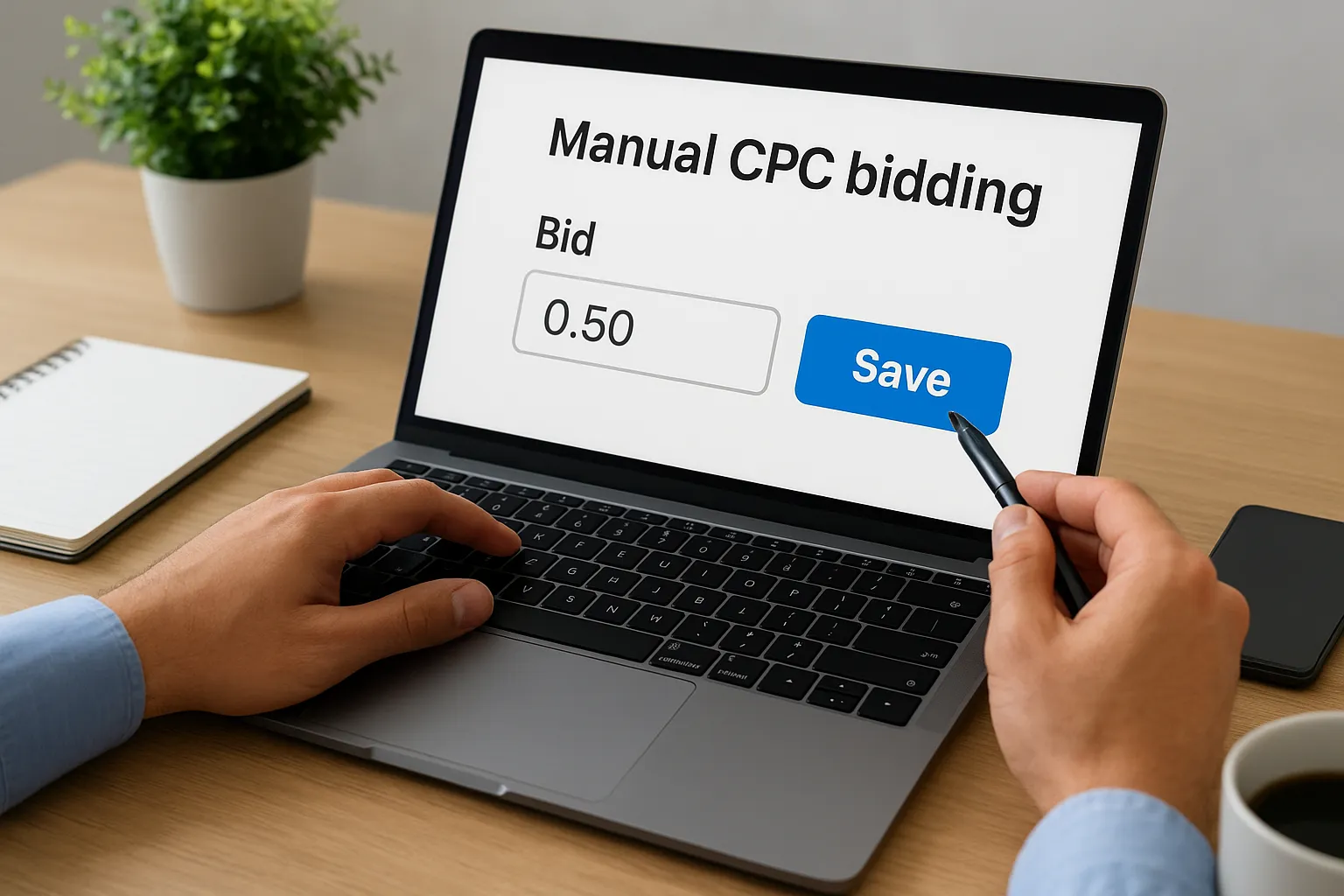
Manual CPC bidding puts you in the driver's seat. You set the maximum cost-per-click for each keyword or ad group yourself, and Google won't spend more than that amount per click no matter what. This is the oldest bidding model in Google Ads bidding strategies and the one every advertiser used before automation took over. If you want granular control over exactly what you pay for each search term, this is where you start.
How it works
Manual CPC works keyword by keyword. You assign a bid ceiling to each keyword or ad group, and Google's ad auction uses that number, along with quality score and competitor bids, to decide whether your ad shows and where it lands. You can raise bids on your highest-converting keywords and lower them on ones that drain budget without producing leads. Optionally, you can layer on Enhanced CPC (covered next) to let Google nudge your bids slightly based on conversion likelihood, but the core control still sits with you. Managing this well means checking the search terms report weekly and adjusting bids as patterns emerge, which is exactly the kind of hands-on bid management google ads work we handle for clients who don't have hours to spend in the platform every day, and the main reason many owners end up comparing agencies that run Google Ads accounts for small businesses.
Who it's best for
Manual CPC suits advertisers who already have conversion data or strong intuition about which keywords perform, and who want to protect a tight budget from Google's automated guessing. It also works well for brand-new accounts with no conversion history yet, since Smart Bidding strategies need conversion data to optimize properly and won't perform well without it. A window replacement company running its first month of ads, for example, is often better off with manual bids until there's enough data, usually 15 to 30 conversions, to switch to an automated strategy with confidence.
Manual CPC gives you the most control, but it also demands the most attention. If you're not checking bids weekly, you're leaving money on the table either way.
Pros and cons
Manual bidding isn't right or wrong on its own, it's a tradeoff between control and time investment. Here's how the tradeoffs break down:
| Aspect | Manual CPC |
|---|---|
| Control level | Full control over every keyword bid |
| Setup time | Low to start, high to maintain |
| Data required | None, works from day one |
| Best budget size | Any, especially useful for small budgets |
| Time commitment | High, needs regular review |
| Risk | Overspending on underperforming keywords if left unchecked |
On the upside, you decide exactly how much you're willing to pay for a click on "emergency window repair Orange County" versus a broader term like "window replacement," which matters a lot when your budget is $500 a month, before you even factor in Google Ads management pricing, and every dollar needs to count. You also get transparency, since there's no algorithm making decisions behind the scenes that you can't explain to a business partner or client.
On the downside, manual bidding is labor-intensive. Google's ad auction happens in milliseconds and considers dozens of signals, including device, location, time of day, and user history, that you simply can't factor into a single static bid. That means you're always bidding a bit blind compared to what Smart Bidding can do with the same signals. Small business owners managing their own accounts often set bids once and forget them for months, which wastes budget on keywords that stopped converting weeks earlier. If you don't have the bandwidth to review performance regularly, manual CPC can end up costing more than an automated strategy would, which is one reason we recommend a quick account audit before locking into any approach when we build out Google Ads campaigns for Orange County clients.
2. Enhanced CPC bidding
Enhanced CPC is the bridge between manual bidding and full automation. You still set your own maximum bids like you would with Manual CPC, but Google gets permission to raise or lower those bids by up to 30% (sometimes more) when its systems think a click is more or less likely to convert. Think of it as Google Ads bid management with training wheels, you keep the steering wheel, but the algorithm gets to tap the brake or gas pedal when it spots a signal you can't see.
How it works
Enhanced CPC layers on top of your manual bids rather than replacing them entirely. When someone searches your keyword, Google checks contextual signals like device type, time of day, location, and past conversion patterns from your account, then adjusts your bid up or down for that specific auction. A search from a mobile user at 9pm who matches your typical converting customer profile might get a bid boost, while a search that historically never leads to a call might get bid down. You toggle Enhanced CPC on inside your bid strategy settings, and it works quietly in the background without changing anything about how you manage individual keyword bids day to day.
Who it's best for
Enhanced CPC fits advertisers who already have some conversion tracking set up but aren't ready to hand full control to Smart Bidding. A tax preparation service with a few months of call-tracking data, for example, benefits from Enhanced CPC because it lets Google fine-tune bids using real conversion signals while the owner still controls the ceiling on each keyword. It's also a reasonable middle step for accounts transitioning off pure manual bidding before committing to Target CPA or Maximize Conversions.
Enhanced CPC lets Google make small, smart adjustments without giving up the budget guardrails manual bidding gives you.
Pros and cons
Enhanced CPC's biggest strength is that it reduces the guesswork of manual bidding without removing your control entirely. You still cap what you're willing to pay, so there's no risk of a runaway campaign burning through your budget overnight. It also requires less day-to-day babysitting than pure manual bidding, since the algorithm handles micro-adjustments for you.
The downside is that Enhanced CPC needs decent conversion data to make good decisions, and accounts with fewer than 15 conversions in the last 30 days often see inconsistent results. It's also a bit of a hybrid that doesn't fully commit to either approach, so advertisers sometimes find it confusing to explain why a bid moved the way it did. If you're already comfortable trusting the algorithm, Maximize Conversions (covered next) usually delivers better results with less manual oversight.
3. Maximize clicks bidding
Maximize clicks is Google's simplest automated bidding strategy, and it does exactly what the name says: it sets bids to get you as many clicks as possible within your daily budget. There's no conversion optimization happening here at all, just volume. If your goal is traffic and you haven't set up conversion tracking yet, this is the strategy Google defaults many new advertisers toward, sometimes without them realizing what tradeoff they're making.
How it works
Google's algorithm looks at your daily budget and automatically adjusts bids across your keywords to spend that budget while pulling in the highest click volume it can. You can set an optional maximum CPC bid limit to prevent any single click from costing more than you're comfortable with, which is worth doing since Maximize Clicks has a reputation for chasing cheap, low-quality clicks if left unrestricted. Because it optimizes purely for clicks and not for who's clicking, it doesn't care whether that visitor calls your business or bounces off your site in five seconds. Setup takes about two minutes inside the campaign settings, no historical data required.
Who it's best for
This strategy suits brand-new campaigns still building conversion history, or businesses running a pure awareness push, like a new location announcement or a limited-time promotion where foot traffic matters more than tracked leads. A landscaping company launching in a new Orange County city, for example, might use Maximize Clicks for the first few weeks just to get the phone ringing and gather data, then switch to a conversion-focused strategy once there's enough signal to work with. It's rarely the right long-term choice for a lead-generation business, though.
Maximize Clicks fills your funnel with traffic, but traffic alone doesn't pay the bills, conversions do.
Pros and cons
Setting up Maximize Clicks takes almost no effort, and it's a fast way to spend a full budget while you're still gathering the conversion data other strategies need to work well. It also gives you a quick read on which keywords generate interest at all, which is useful intel even if those clicks aren't converting yet.
The drawback is that this strategy has no built-in sense of lead quality, so you can easily end up paying for a flood of clicks from people who were never going to become customers, which is where improving your conversion rate matters as much as the bidding itself. Without a max CPC cap, it can also bid up costs on competitive terms just to hit a click quota. We rarely leave client accounts on Maximize Clicks past the data-gathering phase during our Google Ads management work, because it optimizes for the wrong metric once you actually know what a conversion is worth to you.
4. Maximize conversions bidding
Maximize conversions is where Smart Bidding really starts to earn its keep. Instead of chasing clicks, Google's algorithm sets bids to get you the highest number of conversions possible from your daily budget, using your account's conversion tracking as its guide. This is one of the more popular Google Ads bidding strategies for small businesses because it takes the guesswork out of bid management entirely, once you've got conversion tracking wired up correctly.
How it works
Google's machine learning model looks at historical conversion data across your account, then predicts, auction by auction, how likely a given search is to turn into a lead, call, or purchase. It raises bids when the signals look strong (say, a searcher on mobile at lunchtime who matches your past converting customers) and pulls back when they don't. Unlike Manual CPC, you don't set individual keyword bids at all, you hand that decision entirely to the algorithm and let your daily budget act as the only real constraint. Google typically needs 15 to 30 conversions in the last 30 days before this strategy has enough data to perform reliably, which is why we usually wait until an account clears that threshold before switching over.
Who it's best for
This strategy fits businesses that already have conversion tracking set up (calls, form fills, or booked appointments) and want Google to handle the bidding without babysitting individual keywords. A document preparation service with steady monthly lead volume, for example, benefits because Maximize Conversions can react to daily fluctuations in search behavior faster than a person manually adjusting bids ever could. It's a natural next step once Maximize Clicks or Manual CPC has generated enough conversion history to trust the algorithm.
Maximize conversions works best when you feed it clean data first, garbage conversion tracking in means garbage bidding decisions out.
Pros and cons
The biggest advantage here is that it removes manual bid management almost entirely, freeing up hours you'd otherwise spend adjusting keyword bids by hand. It also adapts to real-time auction signals, like device and location, far faster than any person could, which often lowers your cost per lead once the algorithm has enough history to work with.
The tradeoff is that Maximize Conversions optimizes for volume, not value, so it will happily generate ten cheap low-value leads over five expensive high-value ones unless you tell it otherwise. It also needs accurate conversion tracking to work, and a broken tracking pixel or miscounted form submission can send bids in the wrong direction fast. When we set up campaign optimization for clients through our paid advertising management services, verifying conversion tracking always comes before flipping on this strategy, not after.
5. Maximize conversion value bidding
Maximize conversion value flips the question Google's algorithm asks. Instead of "how many conversions can I get," it asks "how much revenue or lead value can I generate" from your daily budget. This matters because not every conversion is worth the same amount, a $3,000 kitchen remodel lead and a $200 handyman call both count as one conversion under Maximize Conversions, but they're worth very different amounts to your business. Among the Google Ads bidding strategies built for businesses with varying deal sizes, this one is the closest thing to telling Google to chase your best customers, not just any customer.
How it works
Google's system pulls from the conversion values you assign in your tracking setup, whether that's actual revenue from an ecommerce cart, a fixed dollar value per lead type, or a tiered score based on service package. It then bids more aggressively in auctions where it predicts a high-value outcome and pulls back where the predicted value is low, even if the click itself looked identical to a lower-value one on the surface. This requires more setup than Maximize Conversions because you have to configure value tracking correctly, either through dynamic revenue data or by manually assigning static values to different conversion actions in Google Ads. Skip that step and the algorithm has nothing meaningful to optimize toward.
If every lead is worth the same to your business, skip this strategy. If some leads are worth ten times more than others, this is the one that protects your margins.
Who it's best for
This strategy fits businesses where deal size varies a lot, think an immigration consultant with package tiers ranging from a simple form filing to a full case representation, or an ecommerce store selling both $20 accessories and $2,000 furniture pieces. Owners who've already assigned realistic values to their conversion actions get the most out of it. Businesses that haven't bothered to differentiate lead value yet should hold off, since bid management google ads decisions built on flat or guessed values won't outperform Maximize Conversions.
Pros and cons
The upside is real: your ad spend shifts toward the traffic most likely to become your most profitable customers, not just any customer. Small budgets benefit especially, since every dollar gets pointed at higher-value opportunities instead of spread evenly.
The downside shows up when value tracking is sloppy. Overestimate a lead's worth and the algorithm overspends chasing a mirage; underestimate it and you'll miss real opportunities. It also needs a healthy conversion history to calibrate, so newer accounts often see shaky results for the first few weeks.
6. Target CPA bidding
Target CPA bidding tells Google exactly what you want to pay for each conversion, and the algorithm sets bids to hit that average across your campaign. Where Maximize Conversions just grabs as many conversions as your budget allows, Target CPA bidding adds a cost ceiling to the equation. This makes it one of the more predictable Google Ads bidding strategies for businesses that know their numbers and want to protect profit margins while still automating the bid-setting work.
How it works
You pick a target cost-per-acquisition, say $75 for a booked consultation, and Google's Smart Bidding model adjusts bids auction by auction to land at that average over time. Some conversions will cost more, some less, but the campaign as a whole should trend toward your target as data accumulates. Google draws on the same signals it uses for Maximize Conversions, device, location, time of day, past converting behavior, but now weighs those signals against your cost target instead of pure volume. You'll typically need 30 conversions in the trailing 30 days before Google gives this strategy enough runway to stabilize, and expect a learning period of one to two weeks where performance looks rougher than usual.
Who it's best for
Businesses that know their break-even cost per lead get the most value here. A tax preparation service that knows a new client is worth $250 in fees can set a $60 target CPA and trust the algorithm to hold spend near that line, rather than guessing at manual bids every week. It also suits accounts moving off Maximize Conversions once there's enough data to set a realistic cost target instead of letting Google chase volume with no ceiling.
Target CPA works when you know your numbers cold, guess at the target and you'll either starve the campaign of clicks or bleed budget chasing an unrealistic goal.
Pros and cons
The biggest benefit is cost predictability. Once the campaign stabilizes, you can forecast monthly lead costs with reasonable confidence, which matters a lot when you're running a fixed marketing budget. It also removes manual bid guesswork entirely, similar to Maximize Conversions, but with a cost guardrail built in.
The downside surfaces when you set the target too aggressively. A CPA target set below what the market actually supports will throttle your impression share and starve the campaign of traffic entirely, since Google simply won't bid high enough to compete. It also needs solid conversion volume to calibrate properly, so brand-new accounts or ones with sparse tracking often see volatile results. We usually test a realistic starting target based on campaign optimization history before locking in a number for clients through our Google Ads management services.
7. Target ROAS bidding
Target ROAS (return on ad spend) bidding asks Google to hit a specific revenue return for every dollar you spend, rather than a flat cost per lead. Set a target of 400%, and Google aims to generate $4 in tracked revenue for every $1 it spends on clicks. This is the natural next step up from Target CPA once you've got real dollar values flowing into your conversion tracking, and it's one of the more advanced Google Ads bidding strategies because it requires accurate revenue data, not just a conversion count.
How it works
Google pulls the conversion values you've assigned, whether that's live ecommerce revenue or fixed dollar amounts per lead type, then bids more aggressively in auctions where it predicts a return above your target and pulls back where the predicted return falls short. Setting this up means entering a target percentage inside your bidding settings, but the real work happens beforehand: your value tracking has to reflect what a conversion is actually worth, not a rough guess. Google generally wants to see at least 30 conversions with reliable value data in the trailing 30 days, and campaigns with thin or inconsistent revenue tracking will produce shaky, unpredictable bids until that data smooths out.
Who it's best for
Roofing or window companies quoting jobs from $500 repairs up to $25,000 full replacements benefit here, since the algorithm can chase the bigger jobs instead of treating every lead the same. Ecommerce stores with a wide price range across products fit too, as do service businesses that have already moved to Maximize Conversion Value and want a firmer target instead of letting the algorithm chase value with no ceiling. Skip this strategy if your revenue tracking is still guesswork, since a target built on shaky numbers won't outperform simpler bidding.
Target ROAS only works as well as the revenue numbers behind it, feed it accurate values and it protects your margins, feed it guesses and it protects nothing.
Pros and cons
Done right, Target ROAS ties your ad spend directly to profitability instead of lead volume, which matters when some customers spend ten times more than others. It also gives owners a clean, board-meeting-friendly number, a percentage return, to judge campaign performance against rather than a raw cost figure.
On the downside, setting an unrealistic target throttles impression share fast, since Google won't bid into auctions it predicts will miss your goal. Accounts also need meaningful spend and conversion history before this strategy stabilizes, so newer or lower-budget campaigns often see inconsistent results for the first several weeks before the algorithm has enough to work with.
8. Target impression share bidding
Target impression share bidding takes a completely different angle than everything above it on this list. Instead of optimizing toward clicks or conversions, it sets bids to make sure your ad shows up a specific percentage of the time whenever someone searches your keyword. Visibility, not performance, is the goal here, which makes this one of the more niche Google Ads bidding strategies on this list, useful in specific situations but wrong for most everyday lead-generation campaigns.

How it works
You pick a target, say showing up in 90% of eligible searches, and choose whether you want that visibility at the absolute top of the page, anywhere on top of the page, or anywhere on the results page at all. Google then raises bids as needed to hit that impression share goal, and you can set a maximum CPC bid limit to keep costs from spiraling in a competitive auction. Because this strategy chases position rather than a conversion outcome, it can burn through budget fast on keywords where competitors are bidding aggressively, so the bid cap matters more here than with almost any other strategy on this list.
Who it's best for
Brand protection campaigns fit this strategy well, especially when a business wants to make sure it outranks competitors bidding on its own company name. A tax preparation service worried about a rival agency buying ads against its brand name, for example, might use Target Impression Share just for that campaign, while running Target CPA or Maximize Conversions everywhere else. Franchises and multi-location businesses defending territory in a specific city sometimes lean on it too, but general lead generation almost never calls for it.
Target Impression Share buys you visibility, not customers, and confusing the two is the fastest way to overspend for nothing.
Pros and cons
The clearest benefit is guaranteed visibility. If being seen matters more than being clicked, whether for brand defense or a high-stakes local event, this strategy delivers that reliably as long as your budget can support the bids required. It's also simple to set up compared to Smart Bidding strategies that need conversion data to calibrate.
The downside is cost. Chasing a high impression share on competitive keywords can push your average CPC well above what a conversion-focused strategy would ever justify, since the algorithm isn't weighing whether that click turns into a lead. We rarely recommend it as a primary strategy during our Google Ads management work, reserving it instead for narrow brand-defense campaigns layered alongside a conversion-focused strategy running the rest of the account.
9. Viewable CPM bidding
Viewable CPM bidding closes out this list because it's built for a completely different goal than the other eight strategies. Instead of paying for clicks or conversions, you pay for viewable impressions, meaning your ad actually had a chance to be seen on someone's screen, not just loaded somewhere off-page. This strategy lives on the Google Display Network and is meant for brand awareness, not lead generation, which is why most small businesses running search campaigns never touch it.
How it works
Google charges you a set price for every 1,000 viewable impressions your display ad receives, using the Media Rating Council's viewability standard, which counts an impression as viewable once at least 50% of the ad is on screen for one second (two seconds for video). You set a target CPM bid, and Google's system serves your ad across the Display Network, adjusting delivery to maximize viewable impressions within that price. There's no conversion tracking required to run this strategy, and no algorithm chasing leads behind the scenes, it simply optimizes for eyeballs on your ad.
If your goal is people seeing your name repeatedly, Viewable CPM works. If your goal is people calling your business, this is the wrong tool for the job.
Who it's best for
This strategy suits businesses running a specific awareness push rather than everyday lead generation, think a new Orange County location opening, a seasonal promotion that needs broad visibility, or a franchise trying to build local name recognition before a service campaign even launches. A window and door company entering a new city, for example, might run Viewable CPM display ads for a month to build familiarity before switching that budget toward Target CPA search campaigns once the brand has some recognition behind it. It rarely makes sense as a standalone strategy for a business that needs calls and form fills next week.
Pros and cons
Viewable CPM gives you predictable, transparent costs since you're paying for a defined unit, a viewable impression, rather than an outcome that depends on user behavior. It also works well alongside a search campaign, building the brand recognition that can lower costs on Target CPA or Maximize Conversions campaigns later, since users who recognize your name click through and convert at better rates.
Cost efficiency for actual lead generation is the tradeoff. You're paying regardless of whether anyone acts on the ad, so budgets here don't translate directly into calls or sales the way the other eight strategies do. We treat it as a supporting tactic in our paid advertising management work, never the main driver of a small business's ad spend.
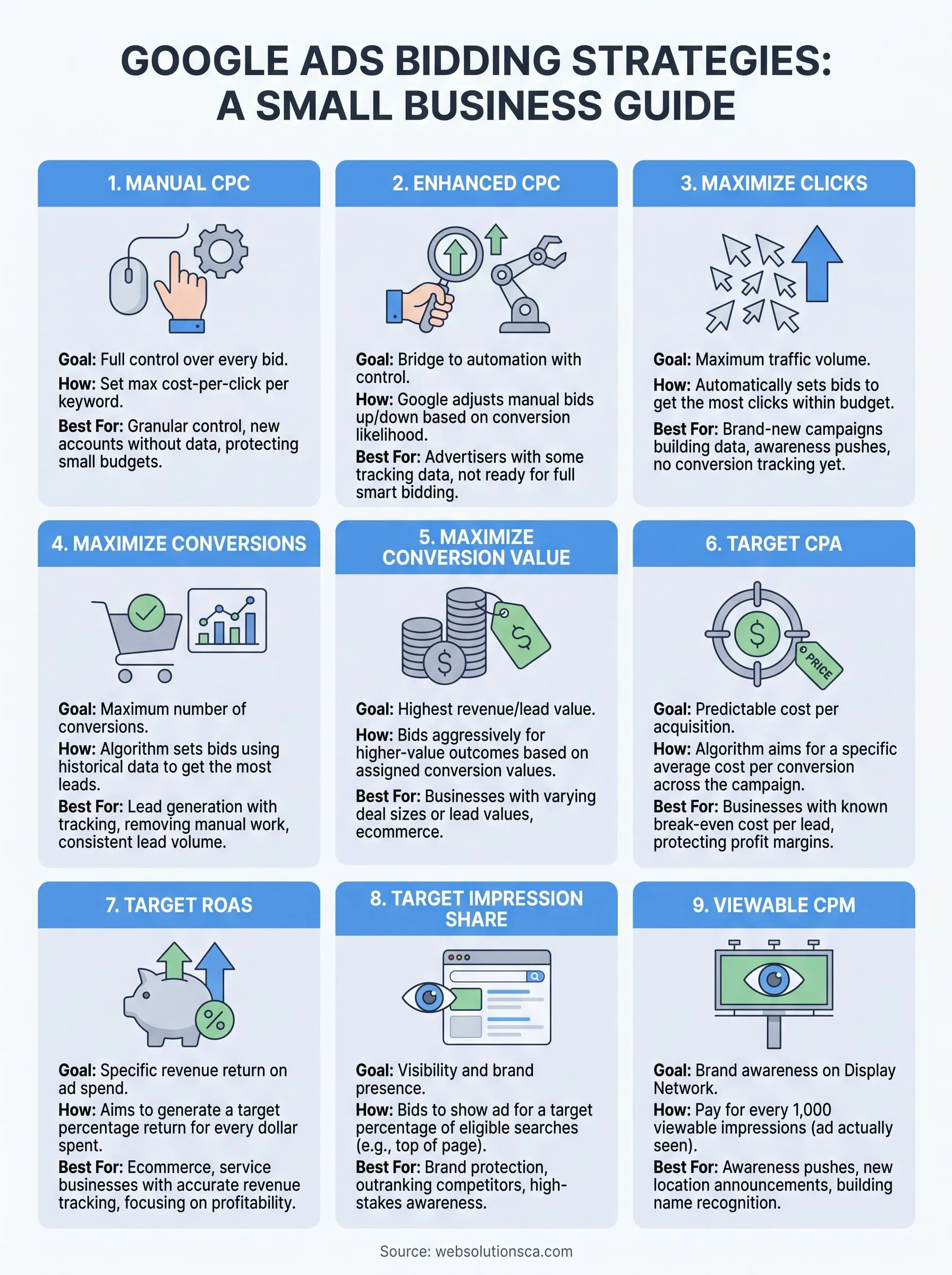
Choosing the right bid strategy for your goals
Nine options sound like a lot, but the decision usually comes down to one question: how much conversion data do you have right now? No data yet, start with Manual CPC or Maximize Clicks. Steady conversions but varying deal sizes, move toward Target ROAS or Maximize Conversion Value. Need a firm cost ceiling, Target CPA keeps you honest. The Google Ads bidding strategies covered here aren't a one-time choice either, your account should graduate through them as tracking improves and budget grows.
Getting bid management google ads decisions right takes ongoing testing, not a set-it-and-forget-it dropdown selection. Most small business owners in Orange County don't have hours a week to babysit bids, run the search terms report, and rebuild conversion values every quarter. That's the gap we fill. If you'd rather hand this off to someone who lives in these campaigns daily, look at our Google Ads management for Orange County businesses and let us run your bid strategy for you.