
If your business isn't showing up in the Google Map Pack when someone nearby searches for what you offer, you're losing customers to competitors who took the time to set things up right. Google Business Profile optimization is the fastest way to fix that, and it costs nothing but time and attention to detail.
This guide walks you through exactly how to turn a bare-bones listing into a lead-generating asset. You'll learn how to claim and verify your profile correctly, choose the right categories and attributes, write descriptions that convert browsers into callers, and build a steady stream of reviews that boost rankings. We'll also cover photos, posts, Q&A, and the small technical details Google actually rewards in local search.
We've optimized dozens of profiles for Orange County businesses at Web Solutions CA, from tax preparers to window installers, and we've seen firsthand how much this one free tool can move the needle when it's done properly. Follow these steps in order, and you'll have a profile built to rank and bring in real customers.
Why Google Business Profile optimization matters
Most people don't scroll past the first page of Google anymore, and for local searches, they don't even scroll past the map. When someone types "tax preparer near me" or "window installation Orange County," Google shows three businesses at the top of the results before anything else. That's the Map Pack, and it captures the overwhelming majority of clicks for local queries. If your business isn't one of those three listings, or close to it, you're invisible to a customer who's ready to buy right now, not someone browsing for later.
How Google decides who shows up
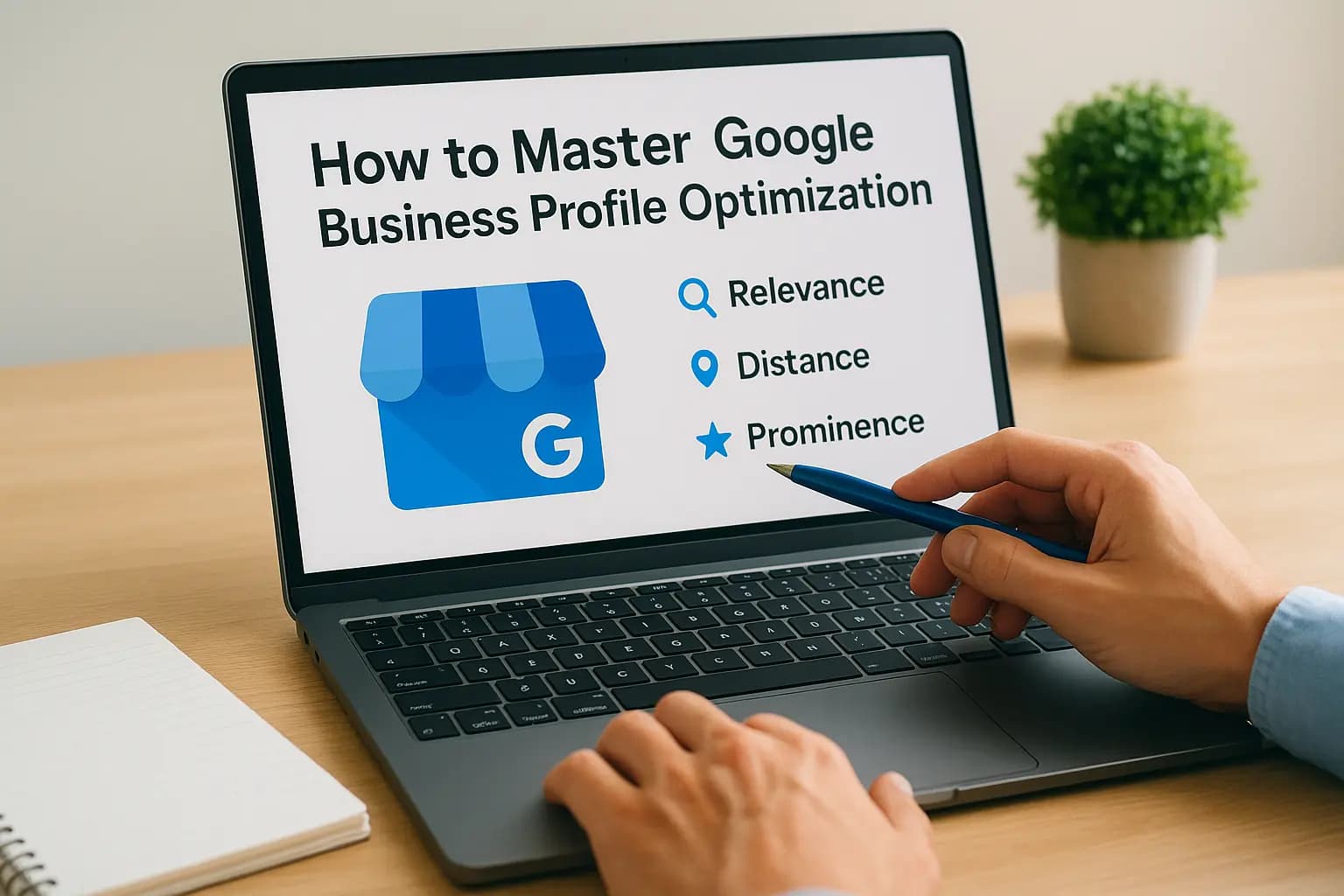
Google ranks Business Profiles using three main signals: relevance, distance, and prominence. Relevance means how well your profile matches what someone searched for, which depends on your categories, services, and description. Distance is exactly what it sounds like, how close your business is to the searcher or the location they typed in. Prominence covers how well-known and trusted your business is, based on reviews, links, citations, and how complete your profile is overall. You can read Google's own breakdown of these factors in its local search ranking guide. None of these signals are secret, and none of them require a big budget to improve. They require consistent, deliberate work on the profile itself.
A complete, active Google Business Profile is one of the only ranking factors a small business can fully control without spending a dollar on ads.
What a strong profile actually does for revenue
Customers use your profile to make a decision before they ever visit your website. They check your star rating, scan a few reviews, look at your hours, and glance at your photos, all inside the search results. A profile with 50 recent five-star reviews and sharp photos of finished work converts that browser into a phone call far more often than a bare listing with three reviews from 2019. This is free marketing infrastructure that Google hands every business owner, and most people leave it half-finished.
The cost of leaving your profile incomplete
We see the same pattern across almost every Orange County client before we touch their profile: missing categories, no posts, stale photos, and reviews left unanswered for months. Here's what that typically costs a business compared to a fully optimized profile:
| Profile Status | Typical Map Pack Visibility | Customer Trust Signal | Lead Flow |
|---|---|---|---|
| Unclaimed or unverified | None | Low | Near zero |
| Claimed but incomplete | Rare, low-ranking spots | Mixed | Inconsistent |
| Fully optimized and active | Frequent Map Pack placement | High | Steady, qualified |
Skipping this work doesn't just mean you rank lower, it means competitors with weaker services but better profiles get the calls that should be yours. Understanding why this matters is the easy part. The next four steps show you exactly how to close that gap, starting with the foundation: claiming and verifying your listing correctly.
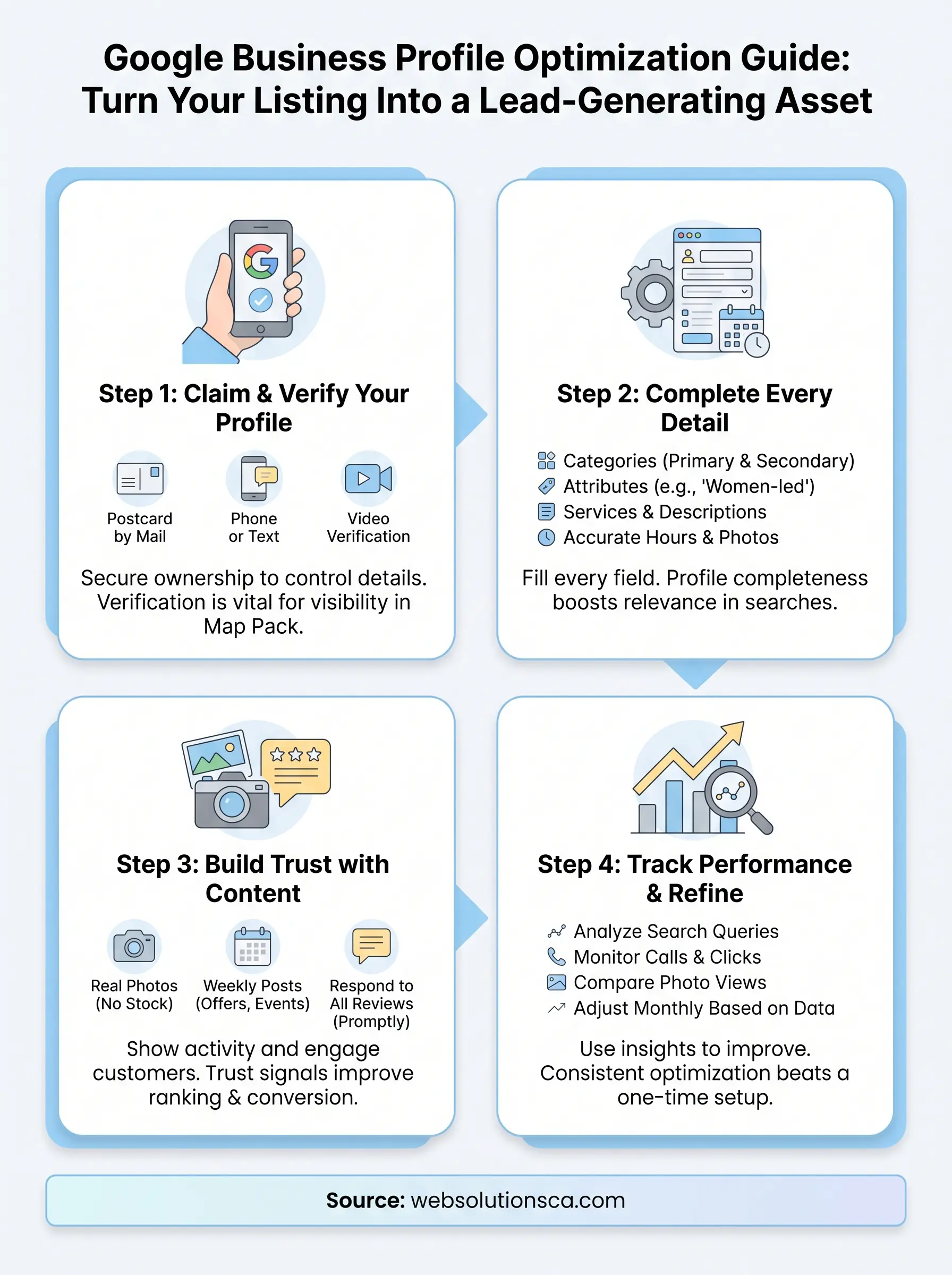
Step 1. Claim and verify your Google Business Profile
Before you can optimize anything, you need to actually own your listing. Search your business name on Google first. If a profile already exists, someone else, sometimes a past employee or a directory bot, may have created it without your input. Claiming your profile through Google Business Profile Manager puts you in control of every detail customers see.
Finding or creating your listing
Go to google.com/business and sign in with the Google account you want tied to your business. Search your business name and address. If a listing pops up, click "claim this business." If nothing shows up, create a new profile from scratch, using your legal business name exactly as it appears on your signage and paperwork. Don't add keywords to your business name field. Google's guidelines explicitly prohibit this, and it can get your profile suspended.
Verifying your business
Google won't let your listing go live in search results until you verify it. Verification proves you're the real owner, not a competitor or a bad actor squatting on your name. Depending on your business type, Google offers a few methods:
- Postcard by mail: Google sends a code to your business address, usually within five business days
- Phone or text: available for some business categories, delivers a code instantly
- Email: sent to a business domain email if Google recognizes it
- Video verification: increasingly common, requires a short walkthrough of your business location
Check Google's verification requirements for your specific category, since availability varies.
An unverified profile is invisible in the Map Pack, no matter how good the rest of your listing looks.
Avoiding common verification mistakes
We've seen Orange County business owners lose weeks over avoidable errors. Use a real street address, not a P.O. box, even if you're service-area only and hide the address later. Match your business name, address, and phone number exactly across your website and other directories, since mismatched information delays or fails verification. If you manage multiple locations, verify each one separately rather than trying to bulk-claim without individual confirmation. Once verified, you'll get full access to edit hours, categories, photos, and respond to reviews, which sets up everything in Step 2.
Step 2. Complete every profile detail
Once you're verified, Google rewards you for filling out every available field, not just the basics. Profile completeness directly feeds the relevance signal we covered earlier, so an empty attribute or missing service isn't a cosmetic issue, it's a ranking gap competitors will fill if you don't.
Categories and attributes
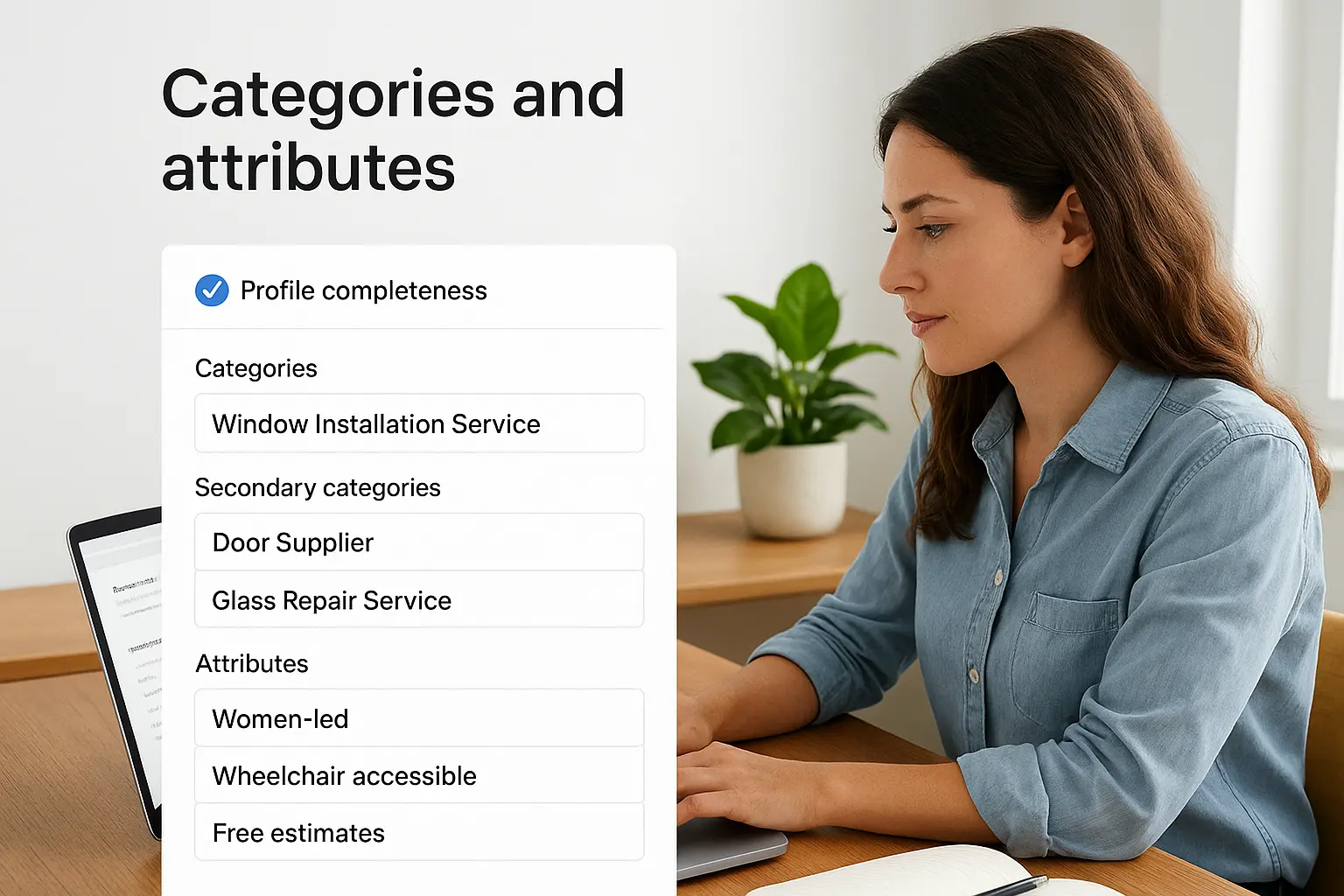
Your primary category matters more than almost anything else on the profile. Pick the most specific option that matches your core service, then add secondary categories for everything else you offer. A window installer, for example, might set "Window Installation Service" as primary and add "Door Supplier" and "Glass Repair Service" as secondary categories. Attributes like "women-led," "wheelchair accessible," or "free estimates" seem small, but they let you match more specific searches and filters customers use.
Your primary category shapes more of your local ranking than almost any other single setting on the profile.
Services, hours, and description
List every service you actually perform, with short descriptions for each, not just a generic label. Set accurate hours, including holiday hours, since Google flags listings that show as open when they're closed and that hurts trust immediately. Your business description gets 750 characters, and it's prime real estate for natural keyword placement. Write it for a human first: what you do, who you serve, and what makes you different, then work in terms like "tax preparer in Costa Mesa" or "window installation Orange County" where they fit naturally.
Fields to fill out completely
- Business name, address, phone: exact match to your website and citations
- Website URL: link to your homepage or a dedicated location page
- Service areas: list every city you actually serve, not just your home base
- Products: add items with prices if you sell physical goods
- Appointment links: connect your booking tool if you take scheduled appointments
- Messaging: turn on if you can respond to texts within a few hours
Skipping any of these leaves points on the table. Google's own guide to managing your Business Profile walks through where each field lives in the dashboard, so there's no excuse for a half-finished listing once you're verified.
Step 3. Build trust with photos, posts, and reviews
Once your details are filled out, the next layer of Google Business Profile optimization is proving your business is active and trustworthy. Google and customers both read activity as a signal of legitimacy. A profile that hasn't posted a photo or update in eight months looks abandoned, even if you're busy behind the scenes. This step is where you turn a static listing into something that feels alive.
Photos that do the selling for you
Upload real photos, not stock images. Show your storefront, your team, and finished work, tax returns filed, windows installed, documents processed, whatever proves you deliver. Aim for at least one new photo every week. Businesses with more photos than competitors consistently get more clicks and direction requests, since Google surfaces photo count directly in the listing preview.

Posts keep your profile active
Google Posts function like a mini social feed inside your listing. Use them for:
- Weekly specials or seasonal offers
- New service announcements
- Recent project photos with a short caption
- Local events or community involvement
- Answers to questions you get often from customers
Each post stays live for seven days before it disappears from the default view, so treat this like a habit, not a one-time task.
Reviews move rankings and revenue
Reviews carry more weight than almost any other prominence signal. Ask every satisfied customer directly, ideally right after you finish the job or file the return, when the experience is freshest. Send a direct link to your review form by text or email rather than hoping they find it themselves.
A steady flow of recent, responded-to reviews tells Google and customers the same thing: this business is active, trusted, and worth choosing.
Respond to every review, good or bad, within 48 hours. A thoughtful reply to a negative review often does more for trust than a pile of five-star reviews with no owner engagement, because it shows a real person is paying attention. Keep responses specific, thank the customer by name, and mention the service they used. That specificity reinforces relevance for Google's algorithm while showing future customers you actually read what people say.
Step 4. Track performance and keep refining
A finished profile isn't a finished job. Google Business Profile optimization only pays off long term when you check what's working and adjust what isn't. Google gives you free performance data inside the dashboard, and ignoring it means you're guessing instead of improving.
Reading the numbers that matter
Open the Performance tab in your profile dashboard and look past the vanity metrics. Focus on how customers actually found you and what they did next. Key figures to check monthly:
- Search queries: the exact terms people used to find your listing
- Discovery vs. direct searches: whether new customers found you or people searched your name directly
- Calls, direction requests, and website clicks: your real conversion actions
- Photo views compared to competitors: a quick read on visual engagement
Google explains each metric in its Business Profile performance guide, which is worth bookmarking since the dashboard layout shifts occasionally.
If you're not checking your Business Profile insights monthly, you're optimizing blind.
Turning insights into action
Queries reveal gaps fast. If "emergency window repair" shows up often but you never mention emergency service anywhere on your profile, add it to your description and services list. Low photo views usually mean it's time for a fresh batch, not a redesign. A sudden drop in calls after a slow review month tells you exactly where to focus next, ask more customers for reviews before touching anything else.
Building a monthly review habit
Set a recurring 30-minute block on your calendar each month for profile review. Check your metrics, respond to any unanswered reviews, post an update if you haven't in a week, and confirm your hours and services are still accurate. Businesses that treat this as a routine, rather than a one-time setup, keep climbing the Map Pack while competitors stall out after the initial claim-and-verify step. Consistency beats a perfect launch every time, and Google notices the difference in ranking within a few months.
Keeping your profile working for you
Getting your Google Business Profile to the top of the Map Pack isn't about one big fix, it's about the steady combination of a verified listing, complete details, active photos and reviews, and monthly attention to what the data tells you. Skip any one of those steps and you leave visibility on the table for a competitor who didn't.
Google Business Profile optimization rewards businesses that treat it as ongoing work, not a task you check off once and forget. The four steps in this guide give you everything you need to build a listing that actually generates calls and leads, not just page views.
If you'd rather hand this off to people who do it every day for Orange County businesses, talk to Web Solutions CA about getting your profile, and the rest of your local presence, working the way it should.