
The short answer to how to remove Google reviews is that you cannot delete someone else's review yourself. You flag it from your Business Profile (Read reviews, then Report), pick the policy it breaks, and Google decides. Reviews that break Google's content rules usually come down. Honest negative reviews stay, and a calm public reply is your best move with those. If you wrote the review yourself, you can delete it in Google Maps in under a minute.
One bad review can sting out of proportion. It sits next to your business name in Search and Maps and drags your average down. Google also does not check whether the reviewer was ever your customer. Reports get rejected without a clear explanation, and plenty of websites promise guaranteed removal. Much of that advice is wrong or risky.
At Web Solutions CA, we help small businesses with Google Business Profile optimization as part of our SEO services. This guide starts with what Google will and won't remove. It then walks through four steps: flag the review, track the report and appeal, reply or escalate, and delete a review you wrote yourself.
What Google will and won't remove
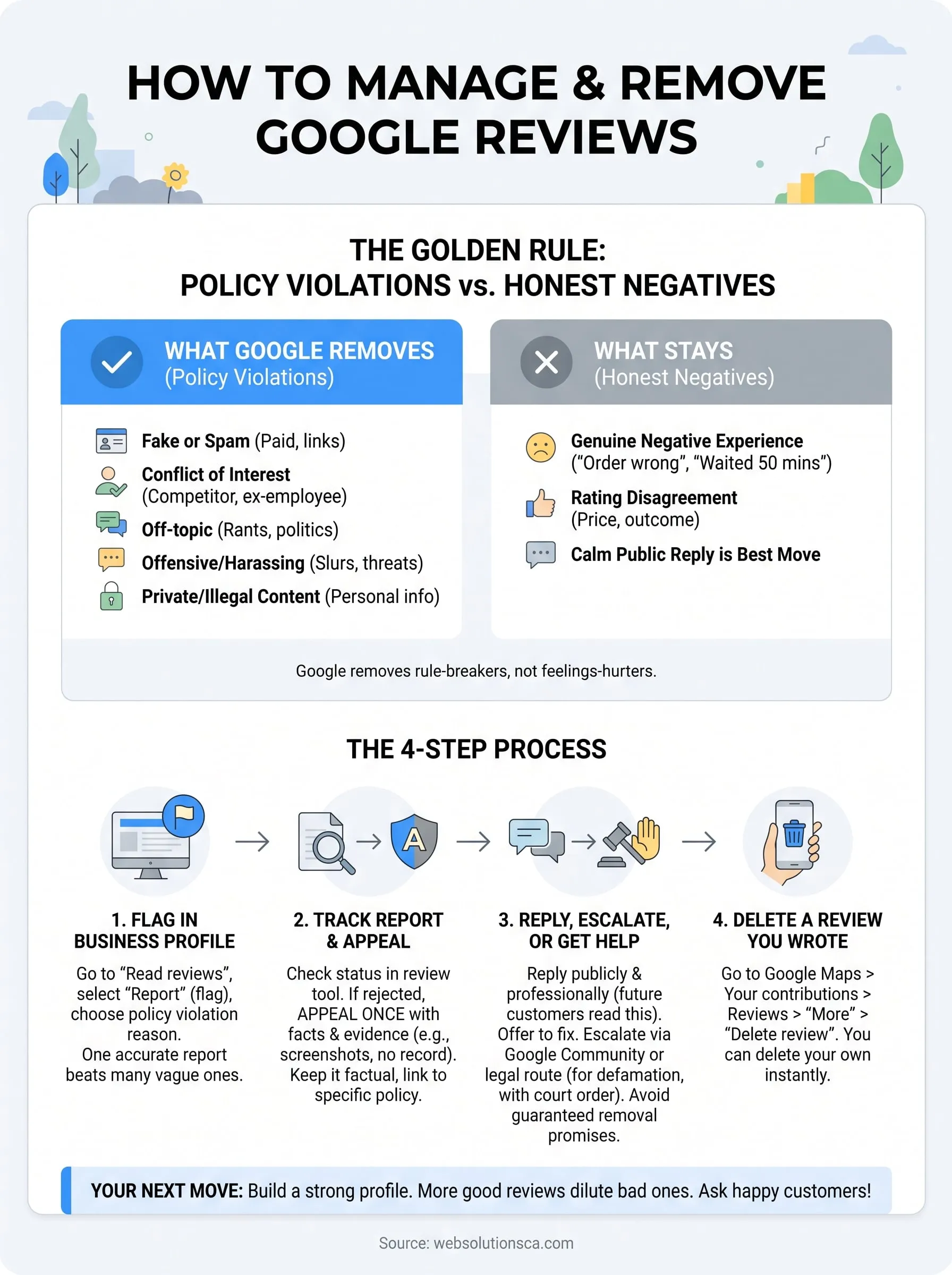
Google removes reviews that violate its content policy, not reviews that are merely unfair or negative. Before you flag anything, decide which side of that line your review falls on. A report that names the wrong violation wastes your time.
Reviews that break Google's policy
Google's prohibited and restricted content policy is the standard every report is measured against. The table below turns it into the cases business owners run into most.
| Review type | Removal likely? | Example |
|---|---|---|
| Fake or spam | Yes | Posted by a competitor, paid for, or stuffed with links |
| Conflict of interest | Yes | A former employee settling a score, or the owner reviewing their own business |
| Off-topic | Yes | A rant about politics or a news story, not a customer experience |
| Offensive or harassing | Yes | Slurs, threats, or personal attacks on named staff |
| Private or illegal content | Yes | Someone's home address or phone number |
| Honest negative experience | No | "Waited 50 minutes and the order was wrong" |
| Rating you think is unfair | No | A customer who disagrees about price or outcome |
Reviews that stay, and who can remove them
A 1-star review from a real customer with a real complaint stays, even when you disagree with it. If you suspect the reviewer was never a customer, you can still flag it, but Google can't verify purchases, so specific evidence matters. You also cannot turn reviews off for your profile.
Only three parties can take a review down: Google, the reviewer, or a court order that Google acts on. Everything else you read online about "deleting reviews on Google" comes back to one of those three.
Google removes reviews that break its rules, not reviews that hurt your feelings.
Step 1. Flag the review in your Business Profile
Flagging takes about two minutes and is the only direct way to ask Google to remove someone else's review. Do it from the Google account that manages your profile, following Google's reporting instructions.
Report the review
- Sign in and open your Business Profile by searching your business name on Google or Maps.
- Select Read reviews.
- Find the review and select the Report (flag) icon next to it.
- Choose the reason that matches the violation.
- Submit the report.
Pick the right reason and keep evidence
Choose the most specific policy your review breaks. "Off-topic" for a review about a political rant is stronger than a generic complaint category. One accurate report beats several, and reporting the same review over and over does not speed anything up.
Before you move on, save a screenshot of the review, the reviewer's profile, and the date. If you think the reviewer was never a customer, note that you found no matching invoice, booking, or CRM record. You will need this material if the report is rejected or the dispute turns legal.
One precise report with evidence beats five vague ones.
Step 2. Track the report and appeal a rejection
After you report a review, Google checks it against its policy and you can follow the result. If Google declines, you can appeal once with better facts. Most decisions arrive within days, though some take longer.
Check the status
Google's review management tool, reachable from its help page for reporting reviews, shows what happened to each review you reported. A review is either removed or left up because Google found no violation. Don't resubmit the same report while it is pending. Duplicate reports add noise, not weight.
Appeal with specifics
If Google leaves the review up and you still believe it breaks policy, use the appeal option in the same tool. You can also post in the Google Business Profile Community, where Product Experts can sometimes escalate a case. Keep the appeal factual and short. Copy this template and fill it in:
Business name: [your business]
Business Profile link: [link]
Reviewer name and review date: [name, date]
Policy violated: [e.g., fake engagement, conflict of interest, off-topic]
Why it violates the policy: [two factual sentences, e.g., "No customer
with this name appears in our records for the date described. The review
mentions a service we do not offer."]
Evidence available: [screenshots, booking records]
Leave emotion out. Reviewers at Google read many of these, and specific facts tied to a named policy get further than frustration.
An appeal works when it names the policy and shows the proof.
Step 3. Reply, escalate, or hire help
When Google keeps the review, you still have options. Reply publicly, dilute the damage with genuine reviews, and use legal or paid help only in narrow cases.
Reply in public
Your reply is read less by the reviewer than by the next customer comparing you with a competitor. Thank the person, state the facts calmly, and offer to fix it offline. Never accuse or argue. If you resolve the issue, ask the reviewer to edit or delete the review. That is the only route to removal that needs no approval from Google.
Dilute the damage with real reviews
Volume protects your rating. With 19 five-star reviews and one 1-star review, your average is 4.8. With 99 five-star reviews and one 1-star, it is 4.96. Ask happy customers for reviews as a routine part of your service. Our Local SEO service, starting at $499.99/month, includes Google Business Profile work and reviews and reputation signals.
Legal route and removal services
If a review is defamatory, Google has a legal removal request process, and it generally expects a court order. Talk to an attorney first. As for removal services, they file the same policy reports you can file, so none can guarantee success, because Google decides.
A service can be worth it when you have clear violations that were rejected more than once, when many fake reviews arrive at once, or when you lack the time. Skip it for honest negative reviews. Walk away from anyone who promises guaranteed removal, claims a "special contact" at Google, or uses tactics like false copyright notices, mass reporting, or fake reviews. These can backfire on your business.
No one can guarantee removal. Google makes the call, and shortcuts create bigger problems.
Step 4. Delete a review you wrote yourself
If you wrote the review, you can delete or edit it at any time, and Google does not need to approve it. This answers "how do I remove reviews from Google that I posted," and it works the same for your personal account and for a review you left on any business.
On desktop and phone
- Open Google Maps and go to your profile (on desktop, open the menu and choose Your contributions).
- Open your Reviews.
- Select More next to the review.
- Choose Delete review and confirm.
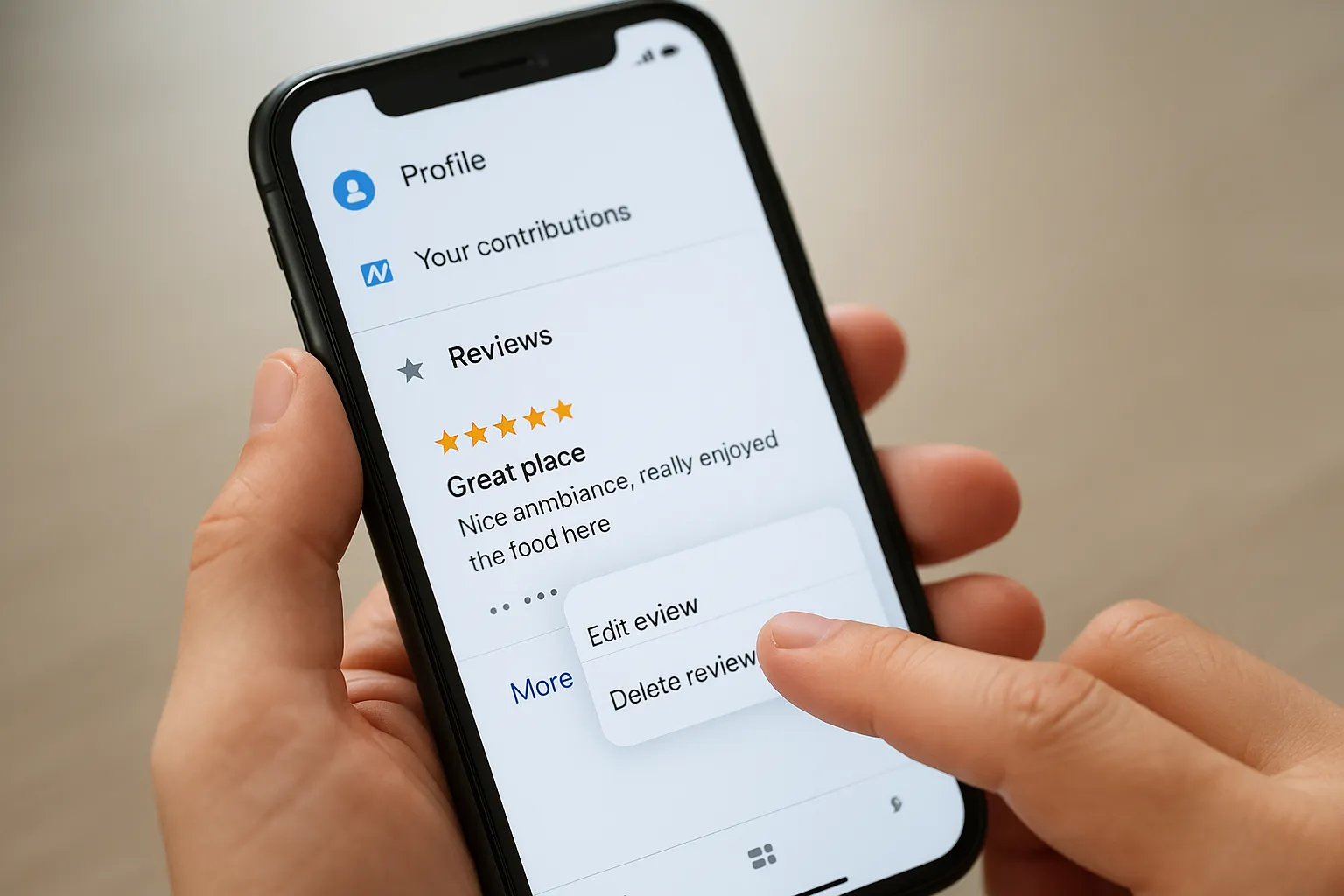
Google's page on adding, editing, or deleting Google Maps reviews covers the same steps.
Edit instead of delete
Deleting removes both the text and your star rating, and you cannot undo it. If a business fixed your problem, edit the review instead and update the rating and the story. That is more useful to other readers, and it gives the business credit for resolving the issue.
You can always delete your own review in seconds. Nobody else's review works that way.
Your next move for unwanted reviews
Start with the policy question. If a review breaks Google's rules, flag it with the right reason and evidence, track the report, and appeal once with facts. If it doesn't, reply professionally, ask for the reviewer's update, and build a steady stream of honest reviews so one complaint carries less weight. Reserve legal help and removal services for clear violations, and avoid anyone who promises a guarantee.
A strong Google Business Profile makes every bad review matter less. If you want help with yours, talk to Web Solutions CA or ask for our free initial SEO audit, which includes a Google Business Profile alignment check.