
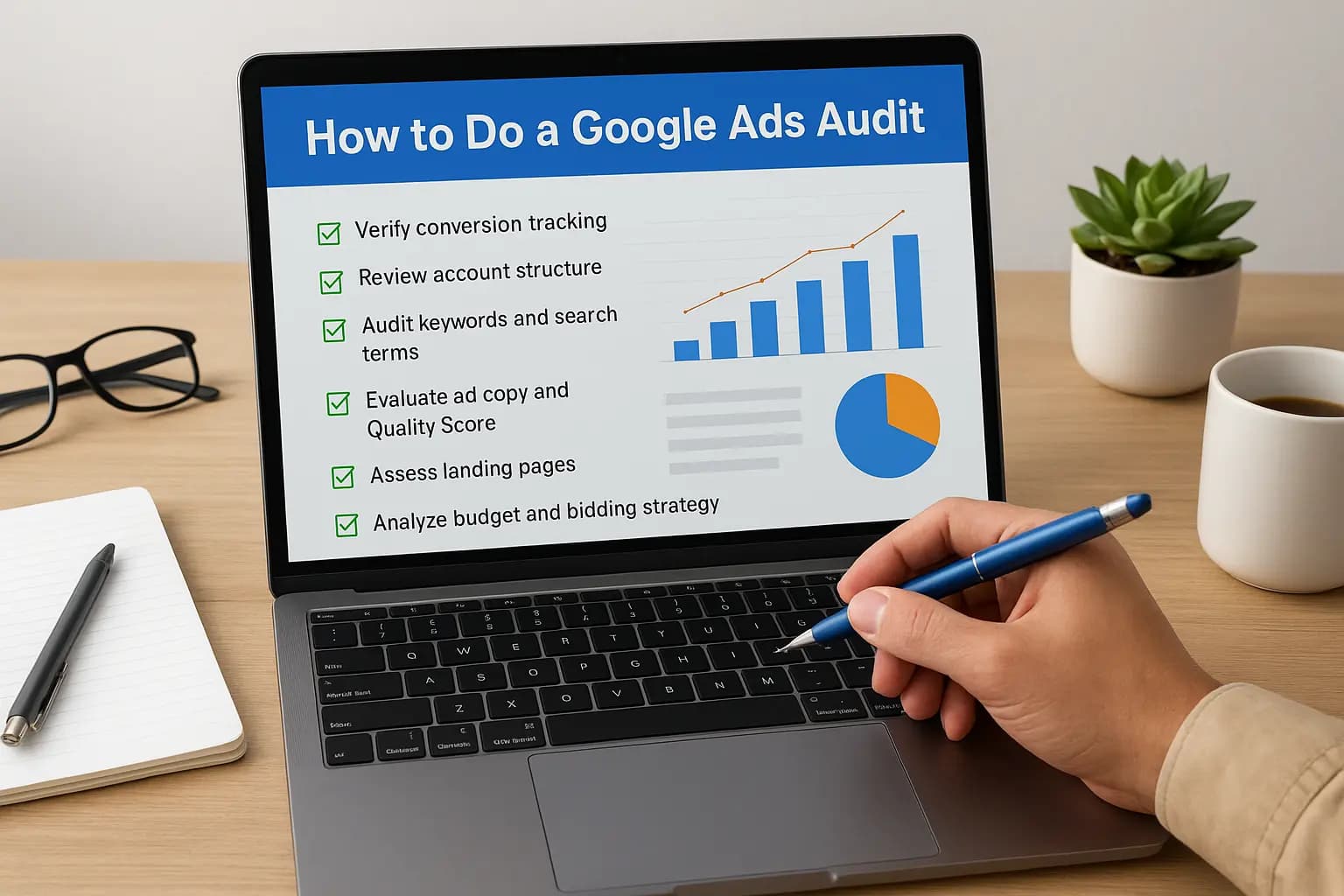
If you're running a google ads audit on your own account for the first time, you already suspect something's off. Maybe your cost per lead crept up over the last quarter, or you're spending money on clicks that never turn into calls. Either way, you're not alone. We see this constantly with small business owners in Orange County who set up campaigns months ago, walked away, and never checked whether the settings still make sense.
This guide gives you the exact step-by-step checklist we use when we take over a client's account, no fluff, no vague advice about "optimizing performance." You'll learn how to check your campaign structure, dig into search terms for wasted spend, review bidding strategy, and confirm your conversion tracking actually fires correctly, because a huge number of accounts we audit have broken or missing tracking.
By the end, you'll have a clear picture of what's working, what's bleeding budget, and what to fix first. Whether you manage the account yourself or want a second opinion before handing it to one of the best Google Ads management agencies for small business, this process works the same way for a $500 monthly budget or a $10,000 one.
Why a Google Ads audit matters for your business
Google Ads doesn't punish you for neglect with a warning message. It just quietly keeps spending your budget on whatever settings you left in place, whether that's a bid strategy from two years ago or a keyword list nobody's touched since launch. Account decay happens slowly, and most business owners don't notice until they compare this quarter's cost per lead against last year's and see a number that makes them wince. An audit is how you catch that decay before it eats another few thousand dollars.
What happens when accounts go unchecked
We've opened accounts for new clients where the conversion tracking broke six months earlier and nobody caught it. The campaigns kept running, the reports still showed clicks and impressions, but the actual lead data was garbage. Nobody was lying to the client on purpose. The account just drifted, and drift is the default state of any campaign that isn't reviewed on a schedule. A google ads audit forces you to stop trusting the dashboard at face value and actually verify what's happening underneath it.
An unaudited Google Ads account doesn't fail loudly, it just wastes money quietly until someone finally checks.
Signs you need an audit right now
Some accounts need attention more urgently than others. If any of these sound familiar, don't wait for a slow news week to get to it:
- Your cost per lead has climbed for two or more consecutive months without a clear reason
- Nobody on your team can explain why certain keywords are still active
- You've never looked at the search terms report to see what people actually typed before your ad showed up
- Conversion numbers in Google Ads don't match what your sales team or CRM shows
- You changed website platforms, redesigned pages, or moved to a new domain and never re-checked tracking
- An agency ran the account previously and you inherited it with no documentation
Any one of these is reason enough to run a full campaign performance review. Two or three together usually mean real money is leaking out somewhere in the account.
The cost of skipping an audit
The math on this is straightforward once you see it laid out. Small inefficiencies compound over months, and by the time you notice, you've usually paid for the fix several times over in wasted spend.
| Common issue found in audits | Typical impact on budget |
|---|---|
| Broken or missing conversion tracking | Skews all optimization decisions, campaigns optimize toward the wrong signal |
| No negative keyword list | 15 to 30 percent of spend often goes to irrelevant search terms |
| Outdated bid strategy (manual CPC left running for years) | Overpaying for clicks Google would otherwise price more efficiently |
| Ads pointing to slow or mismatched landing pages | Higher cost per conversion, lower Quality Score |
| Overlapping ad groups bidding against each other | Wasted internal competition, inflated CPCs |
Every row in that table represents money that could be going toward more leads instead of covering for a mistake nobody caught. This is exactly why we treat the audit as the starting point for every new client relationship, not an optional add-on. You can't fix what you haven't measured, and you can't trust results built on shaky tracking.
Running this process yourself takes an afternoon if you're organized about it. Handing it to a specialist takes less time and usually surfaces things a business owner wouldn't think to check, like duplicate conversion actions inflating your numbers or auto-applied recommendations Google quietly turned on, though it helps to know what Google Ads management costs before you decide. Either way, the next six steps walk you through exactly what to look at, in the order that matters most.
Step 1. Confirm your tracking and conversion data
Start here before touching anything else. If your conversion tracking is broken, every other step in this audit builds on bad information. You could fix your keywords, rewrite your ads, and rebuild your landing pages, and none of it will matter if Google is optimizing toward the wrong signal or counting the wrong actions as conversions.

Check what's actually being counted as a conversion
Open Google Ads and go to Tools and Settings, then Conversions. Look at every conversion action listed and ask whether it represents something valuable, like a phone call, a form submission, or a completed purchase. We regularly find accounts counting page views or button clicks as conversions, which inflates the numbers and hides the real cost per lead. Compare the conversion count in Google Ads against your CRM or call log for the same date range. If Google shows 40 leads and your CRM shows 12, you have a tracking problem, not a marketing problem.
A campaign optimized around fake conversions will always look successful and never actually perform.
Verify the tracking code is firing correctly
Use Google Tag Assistant or the Google Tag Manager preview mode to confirm your conversion tags fire on the right pages at the right moment. Walk through your own site like a customer would: fill out the form, submit it, and check whether the conversion registers in Google Ads within a few hours. Don't assume it works because it worked at launch. Site redesigns, plugin updates, and platform migrations break tracking constantly, and nobody notices until the numbers stop making sense.
Run through this checklist for every conversion action:
- Confirm the tag fires only once per genuine conversion, not on every page refresh
- Check that phone call tracking captures calls from both the website and Google Business Profile
- Verify form submissions on mobile devices trigger the same tag as desktop
- Test the tracking after any site update, no exceptions
- Confirm you're not double-counting the same conversion action twice under different names
Reconcile the numbers before moving forward
Finally, cross-reference a full month of Google Ads conversion data against your actual sales pipeline. This single step catches more wasted budget than any other part of the audit. If the numbers line up, you can trust the rest of your analysis. If they don't, fix tracking first and wait two to three weeks to gather clean data before you touch bids, keywords, or ad copy. Everything downstream depends on this foundation being solid.
Step 2. Review your account structure and settings
Once your tracking checks out, look at how the account itself is built. A messy account structure makes it nearly impossible to control spend or measure what's working, because budget, location targeting, and bidding all get set at the campaign level. If three unrelated services share one campaign, you can't tell which one is actually profitable.
Map out your campaign and ad group organization
Open the Campaigns tab and list every active campaign, then note what each one is supposed to target. Ask yourself if the grouping still makes sense for how your business actually operates today. We often find campaigns built around services a client stopped offering two years ago, still eating budget every day. Ad groups should be tight, usually five to fifteen closely related keywords each, not a junk drawer of every term someone thought might convert.
If you can't explain why a campaign exists in one sentence, it probably shouldn't.
Check settings that quietly waste budget
Settings drift is one of the most common problems we find in a google ads audit, because these fields rarely get revisited after setup. Work through this list for every campaign:
- Location targeting set to "Presence or interest" instead of "Presence," which serves ads to people outside your actual service area
- Ad rotation left on "Optimize" when you meant to test ad variations manually
- Display Network or Search Partners enabled on a campaign meant only for Google Search
- Language targeting missing English, or including languages you don't serve
- Ad scheduling that runs 24/7 for a business that only takes calls during business hours
- Device bid adjustments left at default when mobile and desktop perform very differently
Each of these looks minor on its own, but stacked together they explain a lot of unexplained spend.
Review automated rules and recommendations
Finally, check the Recommendations tab and your account's Optimization Score. Google auto-applies some recommendations by default, and not all of them help you. Broad match suggestions and automatic bid increases can inflate spend fast without a matching lift in leads. Go into Auto-Apply settings under account preferences and turn off anything you haven't personally reviewed. If you'd rather have someone else own this ongoing review, our paid advertising management for Orange County businesses handles exactly this kind of maintenance so nothing drifts unnoticed between audits.
Step 3. Audit your keywords and negative keywords
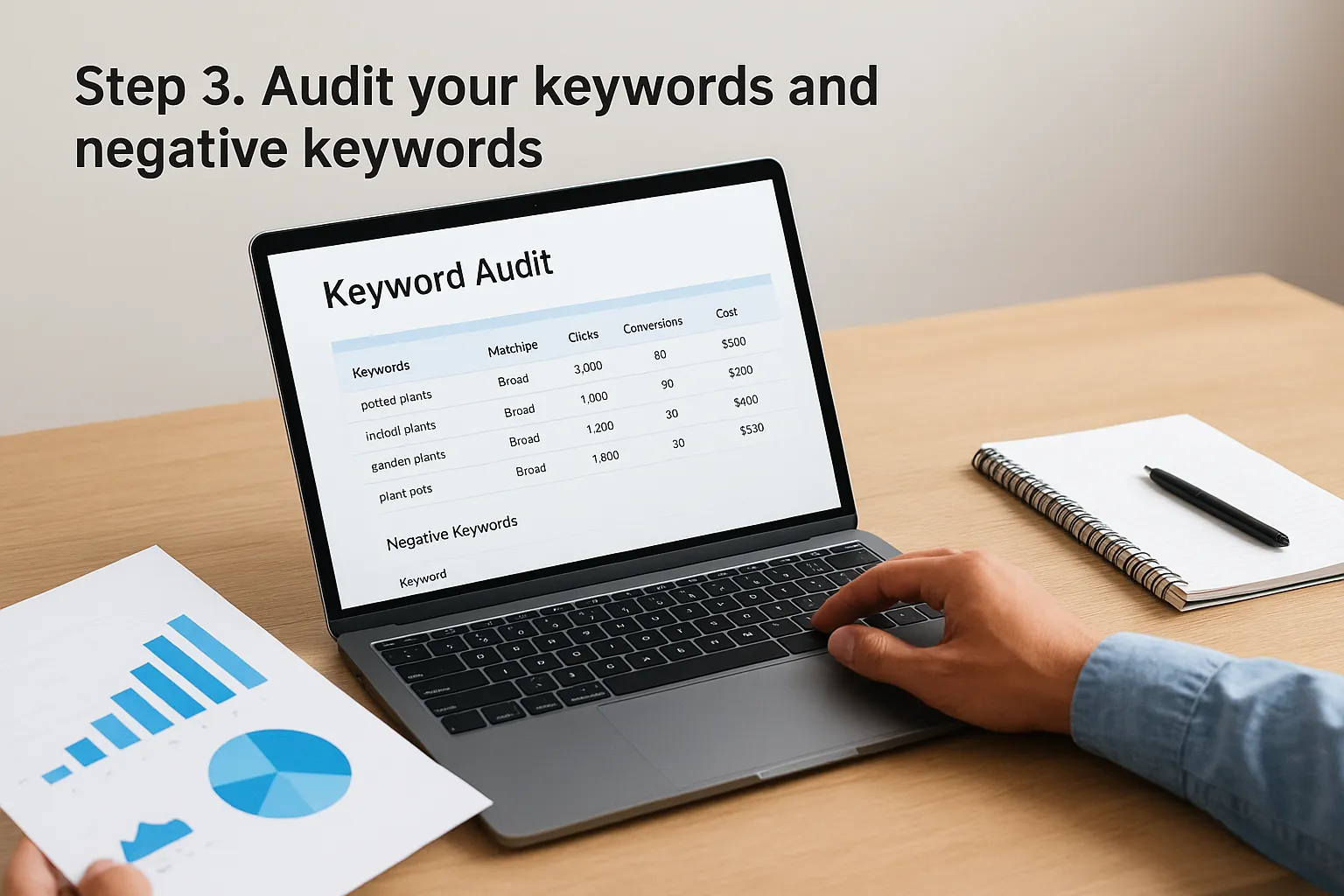
Once your structure makes sense, look at what's actually triggering your ads. This is where a keyword audit turns up the most obvious waste, because search terms drift further from your original intent every month an account runs unattended. Pull the Search Terms report for the last 90 days and read through it line by line. You'll likely find your ads showing for queries that have nothing to do with what you sell.
Find where your budget is leaking
Sort the search terms report by cost, then scan the top 20 entries. Anything irrelevant, like a competitor's brand name, a job search, or a DIY query when you sell a service, is money you can reclaim immediately. Add these as negative keywords at the campaign or ad group level, whichever matches how broadly the problem shows up. A missing negative keyword list is one of the most common issues we find in a google ads audit, and it's usually the fastest fix with the biggest immediate payoff.
One bad search term left unblocked can quietly drain hundreds of dollars a month before anyone notices.
Check match types and keyword relevance
Next, review your match type mix. Accounts left on autopilot tend to lean too heavily on broad match, which trades control for reach. Work through this checklist for every ad group:
- Confirm each keyword still reflects a service you actually offer today
- Check whether broad match keywords are pulling in search terms too far from user intent
- Pause keywords with high spend and zero conversions over the last 90 days
- Look for duplicate keywords competing against each other across campaigns
- Add phrase or exact match versions of your best-performing broad terms for tighter control
Build a negative keyword list you'll actually maintain
Finally, don't treat this as a one-time cleanup. Set a recurring reminder, monthly at minimum, to review new search terms and add fresh negatives before they accumulate. Accounts we take over almost never have a maintained negative list, which means the same wasted spend keeps repeating quarter after quarter. A short list reviewed often beats a long list built once and forgotten.
Step 4. Evaluate your ads and Quality Score
Now that your keywords are clean, look at what people actually see when your ad shows up. Ad relevance and Quality Score feed directly into your cost per click, and a low score means you're paying a penalty on every auction. Open each ad group and read your ads the way a stranger would, not the way you wrote them six months ago.
Check ad strength and messaging
Google's Ad Strength label under each responsive search ad gives you a quick read on whether you're using enough headline and description variety. Aim for "Good" or "Excellent" on every active ad, and pause anything still stuck on "Poor." Beyond the label itself, check whether your ad copy actually matches the keywords sitting in that ad group. An ad group about emergency plumbing repair shouldn't run generic ads about "quality service you can trust." Specificity in the headline is what earns the click and the lower cost per click.
A generic ad in a specific ad group is the fastest way to overpay for underperforming clicks.
Review Quality Score components individually
Quality Score breaks into three parts, and each one points to a different fix:
| Component | What it measures | Common fix |
|---|---|---|
| Expected click-through rate | How likely people are to click your ad | Rewrite headlines to match search intent more closely |
| Ad relevance | How closely your ad matches the keyword | Split ad groups into tighter themes |
| Landing page experience | How well your page matches the ad and loads | Improve speed and message match, covered in Step 5 |
Pull the Quality Score column for every keyword in your account and sort from lowest to highest. Anything below 5 is worth rewriting or restructuring before you spend another dollar on it.
Test new ad variations regularly
Testing shouldn't stop once an ad performs decently. Rotate in at least one new ad variation per ad group every few weeks, and let each test run long enough to gather real data before you declare a winner. Skipping this step is how accounts end up running the same tired ad for years while competitors slowly out-message you in the auction. If writing and testing ad copy consistently isn't something you have time for, our Google Ads management service handles this as part of ongoing account maintenance.
Step 5. Audit your landing pages
Good ads pointed at a bad page still lose. Once your ad copy earns the click, the landing page has to close the loop, and this is where a lot of otherwise solid accounts fall apart. Open every landing page tied to an active ad group and look at it the way a first-time visitor would, on both desktop and a phone with average signal, not office wifi.
Check message match between ad and page
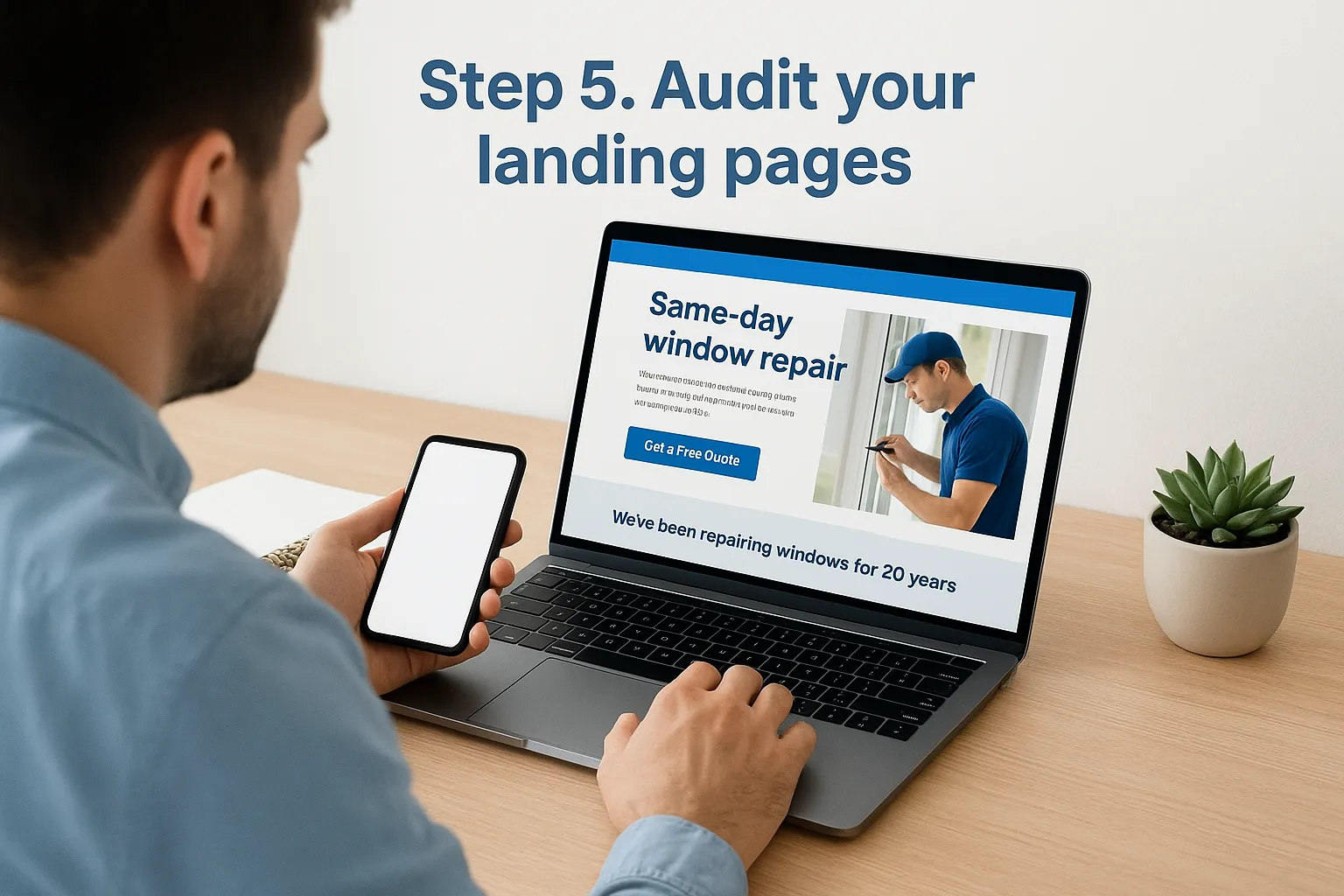
Click through each ad yourself and confirm the headline on the page echoes what the ad promised. If the ad says "same-day window repair" and the page talks about your company's 20-year history before mentioning repairs at all, that mismatch costs you conversions and drags down your Quality Score. A landing page audit should flag every instance where the ad's specific offer doesn't appear clearly within the first screen a visitor sees, which is the starting point for designing a landing page that converts.
If a visitor has to scroll to find what your ad promised, you've already lost most of them.
Test page speed and mobile experience
Run each landing page through Google PageSpeed Insights and note anything scoring below 50 on mobile. Slow pages bleed conversions long before anyone reads your headline. Work through this checklist for every page receiving paid traffic:
- Confirm the page loads in under 3 seconds on mobile
- Check that the phone number is clickable and visible without scrolling
- Verify the contact form has no more than 3 to 4 fields
- Test that the page renders correctly on both iOS and Android
- Remove navigation menus or exit links that let visitors wander off before converting
Confirm the page asks for the right action
Finally, look at the call to action itself. Vague buttons like "Learn More" underperform specific ones like "Get a Free Quote" or "Call Now," and the difference in conversion rate is rarely small. Dedicated landing pages built for a single service almost always outperform sending traffic to a general homepage, because there's nothing competing for attention. If your current pages weren't built with paid traffic in mind, our website design and development team can build conversion-focused pages that match what your ads actually promise, which fixes this problem at the source instead of patching it repeatedly, and it's worth understanding the reasons most websites never convert their visitors first.
Step 6. Analyze budget, bids, and performance metrics
With tracking, structure, keywords, ads, and landing pages checked, it's time to look at the money itself. This budget and bid analysis is where you confirm whether your spend actually lines up with what's driving results, or whether dollars are quietly flowing toward campaigns that stopped earning their keep months ago.

Compare spend against actual results
Pull a 90-day report broken out by campaign, showing spend, conversions, and cost per conversion side by side. Sort by spend first, then check whether your highest-spending campaign is also your best performer. It often isn't. We regularly find accounts where the campaign eating 60 percent of the budget produces the fewest leads, simply because nobody reallocated funds after the first month. Shift budget toward what's converting and pull it back from what isn't, rather than spreading spend evenly across everything by default.
Spending the most on your worst campaign is the single easiest thing to fix in any account.
Review your bidding strategy
Check which bid strategy each campaign runs under, whether that's Manual CPC, Maximize Conversions, or Target CPA. A strategy chosen years ago rarely fits current goals. Accounts stuck on Manual CPC almost always leave performance on the table once there's enough conversion data for Google's automated bidding to work with. Run through this checklist for every campaign:
- Confirm the bid strategy matches your actual goal, leads versus calls versus purchases
- Check whether Target CPA is set realistically based on your actual cost per lead, not a guess
- Look for campaigns still on Manual CPC with 30-plus conversions a month, which usually qualify for smarter automated bidding
- Verify budget caps aren't limiting an otherwise profitable campaign
- Check impression share lost due to budget, which shows exactly how much reach you're missing
Track the metrics that actually matter
| Metric | Why it matters |
|---|---|
| Cost per conversion | Shows true cost of each lead, not just clicks |
| Conversion rate | Flags landing page or targeting problems |
| Impression share lost (budget) | Reveals missed opportunity from capped spend |
| Search impression share | Shows how much of the market you're actually reaching |
Focus on these four numbers over vanity metrics like click-through rate alone, since clicks without conversions just mean you're paying for traffic that goes nowhere.
Tools that make a Google Ads audit easier
You can run this entire audit with a spreadsheet and patience, but the right audit tools save hours and catch things a manual review misses. None of these replace the checklist you just worked through, they just make each step faster and less error-prone. Think of them as a way to double-check your own eyes, not a shortcut around doing the work.
Built-in Google tools you already have access to
Google Ads itself contains most of what you need for a basic Google Ads audit checklist. The Recommendations tab, Auto-Apply settings, and Search Terms report cost nothing and require no setup. Pair those with Google Tag Assistant for verifying conversion tracking and Google PageSpeed Insights for landing page speed, and you've covered tracking, structure, and page performance without installing anything new.
The best audit tool is the one you actually open every month, not the one with the most features.
Third-party tools worth the cost
Once your account grows past a handful of campaigns, dedicated PPC audit software starts paying for itself in time saved. These tools pull data Google's own interface buries several clicks deep and flag anomalies automatically, and pairing them with conversion optimization tools for small businesses covers what happens after the click.
| Tool | Best for | Cost |
|---|---|---|
| Optmyzr | Automated audits, bid rule suggestions | Paid, monthly subscription |
| SEMrush PPC Toolkit | Competitor ad and keyword research | Paid, part of broader SEO suite |
| Google Analytics 4 | Cross-referencing conversions and site behavior | Free |
| Looker Studio | Custom reporting dashboards pulled from Ads data | Free |
Each of these solves a specific gap. Analytics catches conversions Google Ads might miscount, while Looker Studio makes it easy to spot trends across months instead of squinting at native reports.
When a tool isn't enough
Software flags problems, but someone still has to decide what to fix first and in what order. If your audit turns up more issues than you have hours to address, or you'd rather have a second set of eyes confirm what you found, our Google Ads and paid advertising management team runs this exact process for Orange County businesses every week and can take the ongoing maintenance off your plate entirely.
Putting your audit results to work
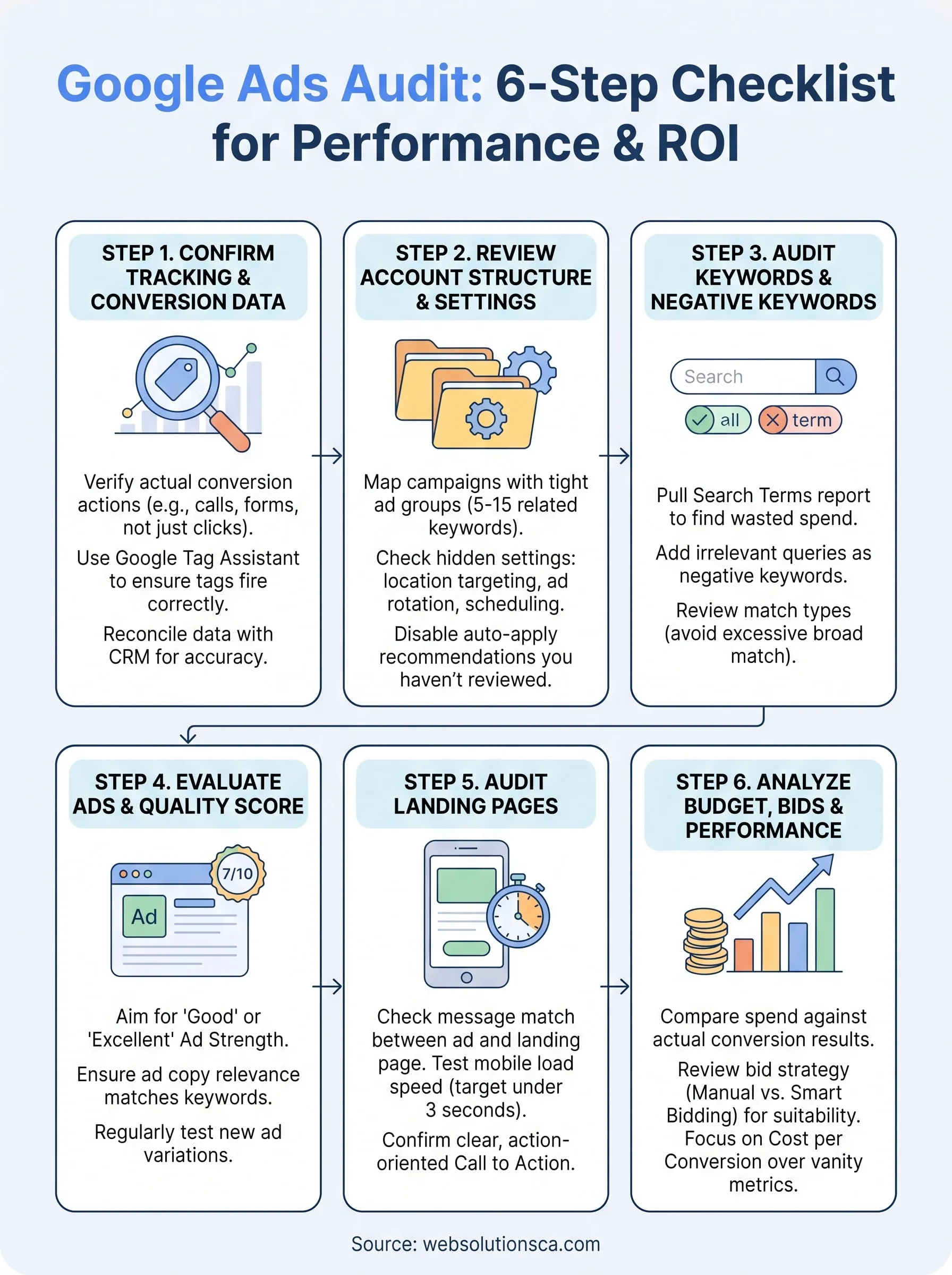
You've now walked through the same six steps we use on every account we take over. Tracking, structure, keywords, ads, landing pages, and budget each expose a different kind of waste, and together they give you a full picture instead of a guess. The point of a google ads audit isn't a tidy report to file away. It's a prioritized list: fix broken tracking first, then negative keywords, then whatever's bleeding the most budget in your specific account.
Grade your own findings honestly. Some fixes take ten minutes, like adding negatives. Others, like rebuilding landing pages or restructuring campaigns, take real time you may not have. That's fine. Knowing exactly what's wrong is already worth more than the vague feeling you started with.
If you'd rather hand the fixes to people who do this daily, our Orange County Google Ads management team will turn your audit into a working plan.