
If you're pouring money into Google Ads and watching your budget disappear without enough calls or leads to show for it, you're not alone. Most small business owners in Orange County set up a campaign, let it run on autopilot, and wonder why their cost per lead keeps climbing while competitors seem to show up everywhere. Google Ads optimization isn't about spending more, it's about fixing the specific settings and habits that quietly drain your budget.
This article gives you ten practical, actionable fixes you can apply this week to improve your click-through rate and stop wasting spend on searches that never convert. These aren't theoretical tips pulled from Google's help docs. They're the same adjustments we make for local service businesses and startups here at Web Solutions CA when we audit underperforming accounts, covering everything from negative keywords to landing page alignment.
We'll walk through bid strategy adjustments, ad copy testing, audience targeting, and conversion tracking fixes that directly impact your ROI. Whether you're running your first campaign or trying to rescue one that's been bleeding budget for months, these tips will help you get more qualified clicks for the same spend.
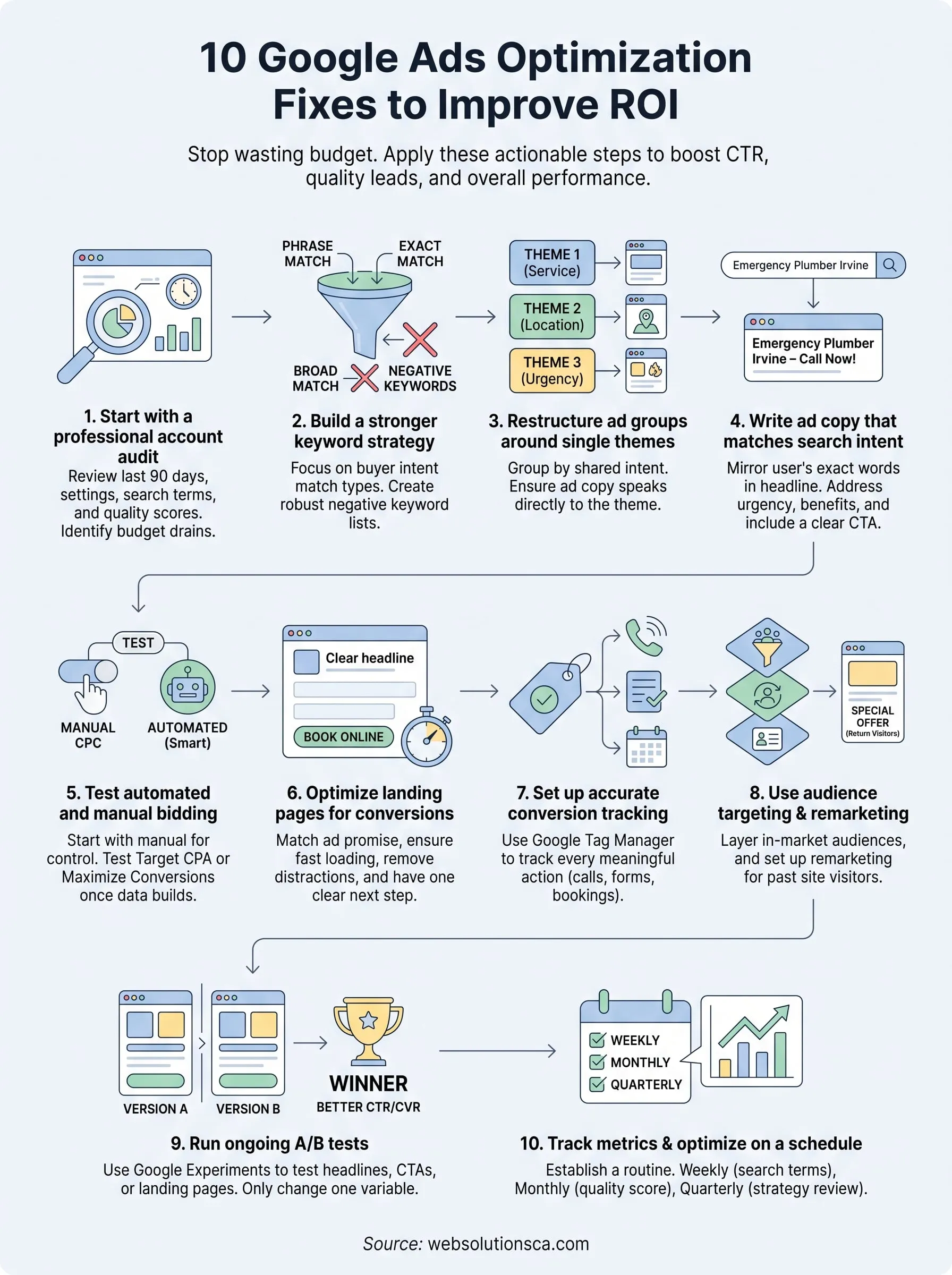
1. Start with a professional Google Ads account audit
Before you touch a single bid or write new ad copy, you need to know exactly where your money is going. An audit is a full review of every layer of your account, from campaign structure down to individual search terms, so you can see what's actually driving results versus what's quietly burning cash. Most accounts we review at Web Solutions CA have never had a real audit, just small tweaks here and there whenever performance dipped.
What it is
A Google Ads audit means pulling data across the last 90 days and checking campaign settings, keyword match types, quality scores, ad extensions, device performance, and geographic targeting against your actual business goals. It's the diagnostic step that tells you whether your problem is bidding, targeting, ad copy, or your landing page before you waste more budget guessing.
A campaign you've never audited is a campaign you're funding blind.
How to implement it
Work through your account systematically rather than jumping between tabs. Here's the checklist we run through on every new client account:
- Pull the Search Terms report and flag every irrelevant query that triggered your ads
- Check quality scores below 5 and identify why (ad relevance, expected CTR, or landing page experience)
- Review campaign settings for network defaults, since Display Network and Search Partners are often switched on by default and quietly drain budget
- Confirm location targeting matches your actual service area, not the whole country
- Check device and time-of-day performance splits to spot wasted spend patterns
Google's own Google Ads Help Center has a built-in recommendations tab worth reviewing too, though treat its suggestions critically since some are designed to increase your spend rather than your ROI.
Common mistake to avoid
Don't accept Google's auto-applied recommendations without reviewing them first. Many business owners click "apply all" thinking it's a shortcut to better performance, when in reality some of those suggestions widen match types or raise bids in ways that hurt efficiency. Treat every recommendation as optional, and only apply changes that align with data you've verified yourself.
2. Build a stronger keyword strategy
Keyword strategy is where most Google Ads optimization work actually starts paying off, because every dollar you spend traces back to a search term someone typed. If your keywords are too broad or too generic, you're paying for clicks that never had a chance of converting, no matter how good your ads are.
What it is
A stronger keyword strategy means matching your match types to buyer intent and building out negative keyword lists that filter out irrelevant traffic before it costs you anything. It's less about finding more keywords and more about narrowing to the ones that actually match how your customers search.
The right keyword list saves you more money than any bid adjustment ever will.
How to implement it
Start by shifting away from broad match toward phrase and exact match for your core terms, then build a negative keyword list from your search terms report every two weeks. Layer in long-tail keywords specific to your service area, like "emergency window repair Costa Mesa" instead of just "window repair," since these convert at a much higher rate with less competition, and research the local search terms your customers actually type before you commit budget to them.
Common mistake to avoid
Avoid relying solely on broad match keywords paired with automated bidding, since Google's algorithm will often expand your reach into loosely related searches to hit volume targets. Small businesses with limited budgets can't afford that kind of waste, so keep tighter control over match types even if it means fewer total impressions.
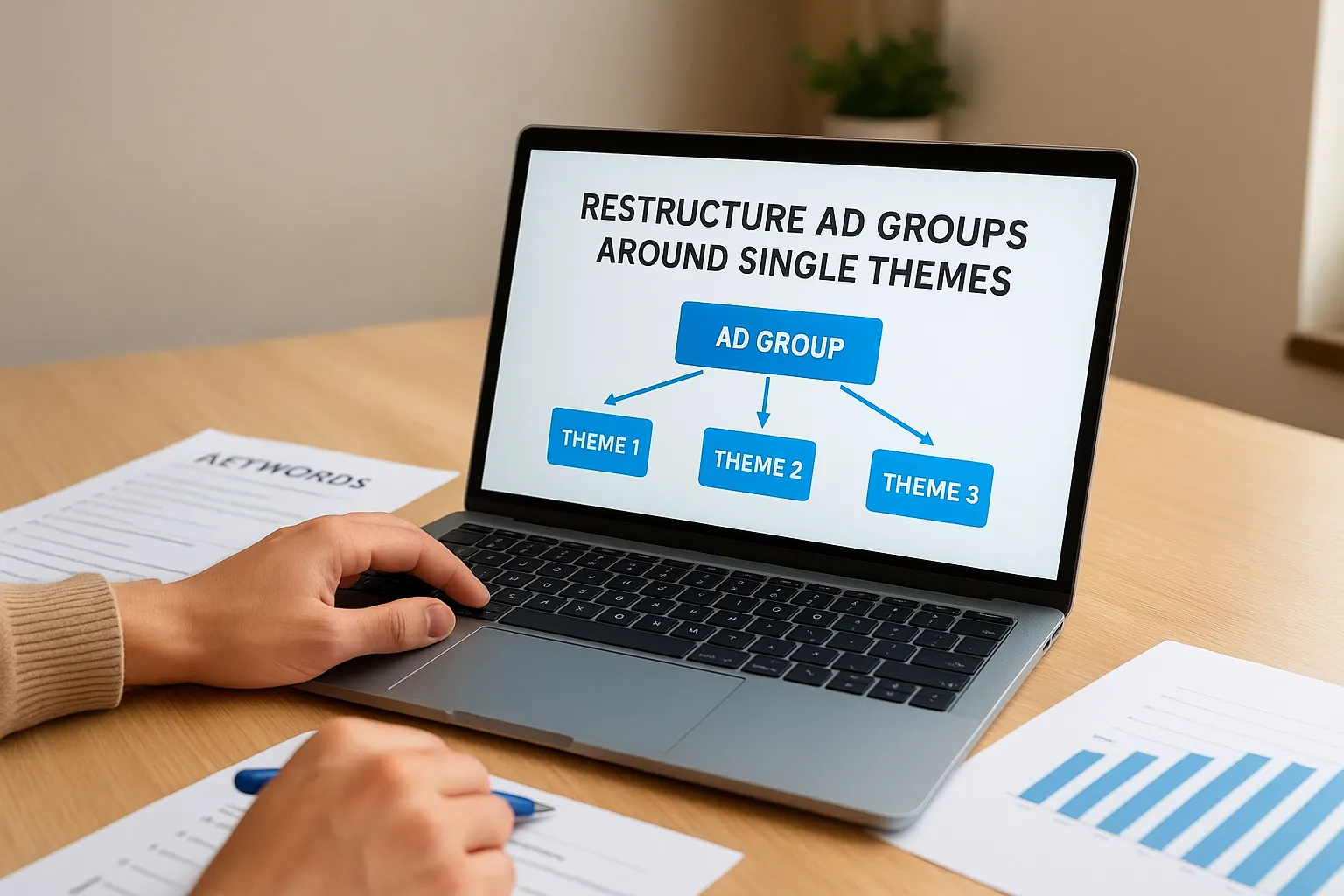
3. Restructure ad groups around single themes
Once your keywords are cleaned up, the next problem is usually how they're grouped. Many accounts we inspect cram twenty or thirty unrelated keywords into a single ad group, forcing one generic ad to try to match every possible search. That mismatch is exactly why click-through rates stall even after keyword research improves.
What it is
Single-theme ad groups mean every keyword in a group shares the same intent and wording, so the ad copy can speak directly to that search instead of hedging with vague language. This is sometimes called SKAG structuring (single keyword ad groups) when taken to its tightest form, though a small handful of closely related terms per group works just as well for most local businesses.
A tightly themed ad group lets your ad copy sound like it was written for one exact search, because it was.
How to implement it
Break large ad groups apart using this process:
- Sort keywords by theme (service type, location, urgency level)
- Create separate ad groups for each theme, with 5 to 15 tightly related keywords
- Write ad copy that repeats the shared keyword phrase in the headline
- Retire the old catch-all ad group once new ones show data
Common mistake to avoid
Don't over-fragment into single-keyword groups for every term you own, since managing hundreds of tiny ad groups becomes unsustainable for a small business without a dedicated ad manager or one of the best Google Ads management agencies for small business handling the account. Group by genuine theme similarity, not by individual keyword variation.
4. Write ad copy that matches search intent
Now that your ad groups are tightly themed, your copy needs to actually speak to the person searching, not just describe your business in general terms. Weak ad copy is the most common reason a well-structured account still posts a mediocre click-through rate, because the words on the page don't match what the searcher expected to find.
What it is
Writing to search intent means your headlines and descriptions reflect the specific problem, urgency, or question behind a keyword, rather than generic branding language. Someone searching "emergency plumber Irvine" wants speed and availability in the first headline, not a company slogan.
Ad copy that mirrors the exact words someone just typed will always outperform copy that merely describes your business.
How to implement it
Pull the top keyword from each ad group and place it directly in headline one. Address urgency, price, or location in headline two, and use the description lines for a concrete benefit plus a clear call to action like "Call now" or "Book online today." Run at least three headline variations per ad group so Google's Responsive Search Ads can test combinations against real traffic, and check the asset performance report every few weeks to remove low-rated headlines.
Common mistake to avoid
Don't reuse the same three headlines across every ad group in the account. Copy-pasting generic messaging is exactly why Google Ads optimization efforts stall even after keyword and structure fixes, since the ad still fails to feel relevant to the exact search that triggered it.
5. Test automated and manual bidding strategies
Bidding strategy decides how much you pay per click and, more importantly, who Google shows your ad to. Plenty of small business accounts get stuck on one setting for years, either because someone set it up once and forgot about it, or because they're afraid to touch it and break what little performance they have. Real Google Ads optimization means treating your bid strategy as something you test and revisit, not a one-time setup.
What it is
Automated bidding strategies like Maximize Conversions or Target CPA let Google's machine learning adjust bids in real time based on signals like device, time, and location, while manual CPC gives you full control over every keyword's max bid. Neither one is universally better. The right choice depends on how much conversion data your account has already collected.
Automated bidding needs data to work well, so feeding it garbage conversions guarantees garbage bids.
How to implement it
If you're getting fewer than 15 conversions a month, stick with manual CPC or Enhanced CPC until volume builds. Once you clear that threshold, test Target CPA against your current setup for at least two weeks before comparing cost per lead. Never switch strategies more than once every 10 to 14 days, since Google's algorithm needs a learning period to adjust.
Common mistake to avoid
Don't jump to Target ROAS or Maximize Conversions immediately after launching a brand new campaign. Without enough historical data, automated bidding guesses wildly and often overspends chasing volume instead of quality leads.
6. Optimize your landing pages for conversions
Great ad copy that sends clicks to a slow or generic homepage is one of the fastest ways to waste a budget. Google Ads optimization stops at the click unless the page behind it actually converts, and plenty of small business accounts we review still point every ad group to the same homepage instead of a page built for that specific search.
What it is
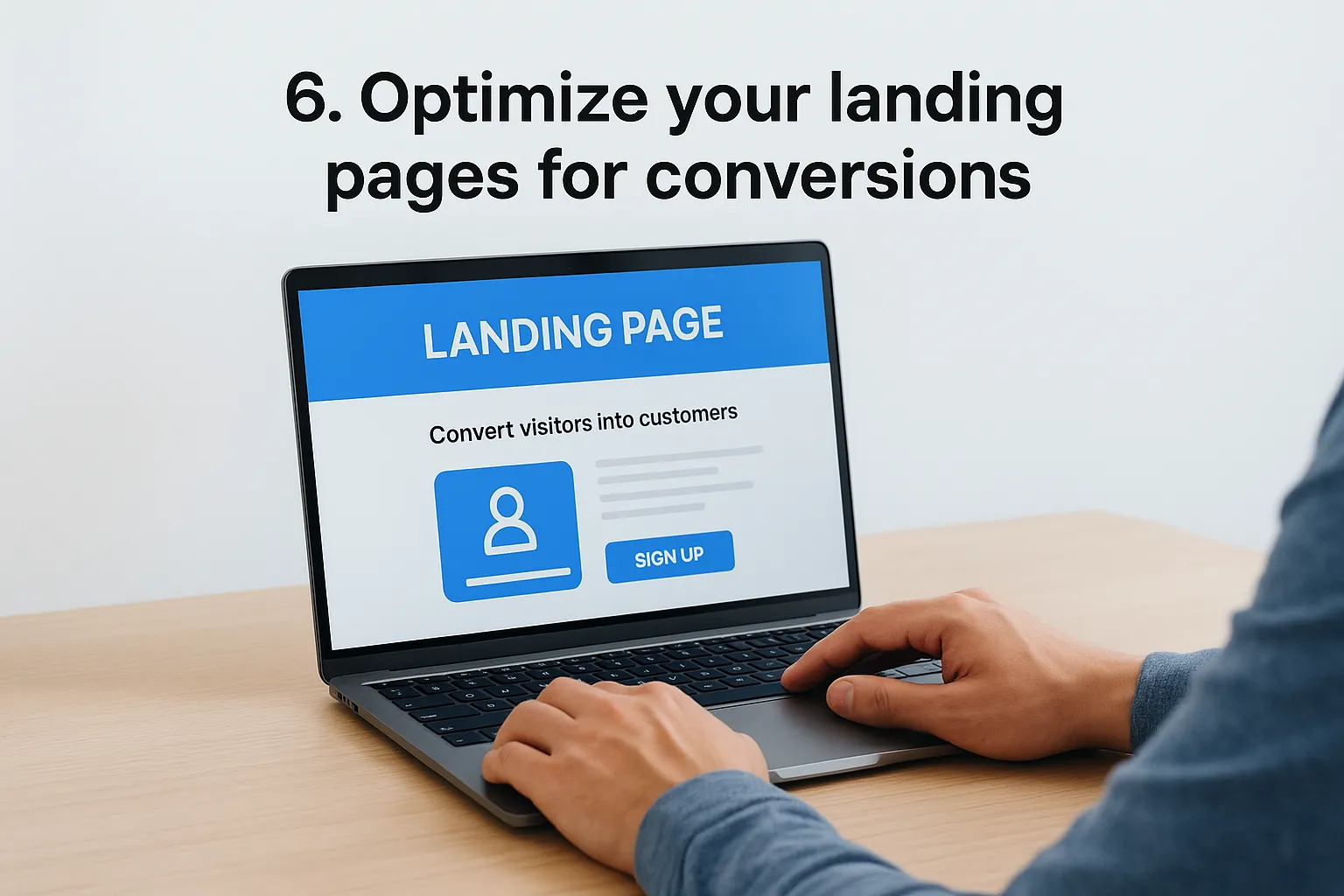
A conversion-focused landing page designed to convert visitors matches the promise made in your ad, loads fast, and gives the visitor one clear next step, whether that's calling, filling out a form, or booking online. It skips the navigation menu and extra links that tempt visitors away before they take action.
A landing page with two competing calls to action usually gets zero conversions instead of one.
How to implement it
Build a dedicated page for each major service or ad group rather than reusing your homepage, the same way you'd build a separate page for every city you serve:
- Match the headline to the exact keyword and ad copy that brought the visitor there
- Keep the form above the fold with three fields or fewer
- Add a phone number as a clickable button on mobile
- Remove the main site navigation to reduce exit points
- Test load speed using Google's PageSpeed Insights tool
Our team builds these pages directly into our website design packages since ad performance and landing page quality can't really be separated.
Common mistake to avoid
Don't send paid traffic to your homepage out of convenience. Generic pages dilute intent and tank your quality score, driving up your cost per click even when the ad itself performs well, which is one big reason traffic never turns into paying customers.
7. Set up accurate conversion tracking
Every optimization tip so far assumes you actually know which clicks turn into calls, form fills, or purchases. Without that data, Google's bidding algorithms are optimizing toward guesses, and you're reviewing performance reports that don't reflect reality. We see this constantly with Orange County service businesses that installed a basic tracking tag years ago and never verified it still fires correctly.
What it is
Accurate conversion tracking means every meaningful action a visitor takes, whether it's a phone call, a completed form, or a booked appointment, gets recorded back in Google Ads with the correct value attached, which is also the starting point for any real work on improving your conversion rate. This is different from just installing the base tag; it requires tracking the specific actions that matter to your business.
If you can't trace a lead back to the ad that brought it, you're not optimizing, you're guessing.
How to implement it
Use Google Tag Manager to fire conversion events on form submissions, phone clicks, and chat starts, then cross-check each one by submitting a test lead yourself. Set up call tracking through a dynamic number insertion service so phone conversions count separately from form conversions. Review Google's own conversion tracking guidance to confirm your setup matches current best practices, since Google updates tracking requirements periodically.
Common mistake to avoid
Watch out for duplicate conversion counting, where both a form submission and a thank-you page view get recorded as separate conversions for the same lead. This inflates your numbers and makes automated bidding chase phantom results instead of real ones.
8. Use audience targeting and remarketing
Most visitors don't convert on their first click, even when your landing page and ad copy are dialed in. Audience targeting and remarketing let you stop treating every click as a stranger and start layering in what Google already knows about intent and past behavior. This is one of the fastest wins in Google Ads optimization because you're paying to reach people who already showed interest instead of cold traffic.

What it is
Remarketing shows ads to people who already visited your site but didn't convert, while audience layering applies signals like in-market categories, affinity groups, or your own customer list on top of your existing keyword targeting. Combined, they let you bid more aggressively on visitors who are closer to becoming a lead.
Chasing new clicks while ignoring warm visitors is the most expensive mistake in any Google Ads account.
How to implement it
Set up these layers inside your existing campaigns:
- Add a remarketing list for site visitors from the last 30 and 90 days
- Upload your customer list for Customer Match targeting
- Layer in-market audiences as an observation, not a targeting restriction, at first
- Create a dedicated remarketing campaign with a discount or urgency message for return visitors
Common mistake to avoid
Don't set audience layers to "Targeting" mode before you've reviewed the data, since this can shrink your reach too aggressively and starve your campaign of volume.
9. Run ongoing A/B tests
Every tip so far gives you a starting point, but Google Ads optimization never really finishes because search behavior and competition keep shifting under you. Accounts that stop testing after the initial setup plateau within a few months, even when everything was configured correctly at launch. Ongoing testing is what separates accounts that keep improving from ones that just maintain.
What it is
A/B testing in Google Ads means running two versions of an ad, landing page, or bid strategy against each other with a clear hypothesis, then measuring which one wins on a specific metric like conversion rate or cost per lead. It's not random tweaking, it's a structured comparison with a defined end date.
A campaign that stops testing is a campaign that stops improving.
How to implement it
Use Google Ads' built-in experiments feature to split traffic evenly between your control and variant, and only change one variable at a time, whether that's a headline, CTA, or landing page layout, supported by testing tools built for small business budgets. Let each test run for at least two weeks or until it reaches statistical significance, then apply the winner and immediately queue up the next test.
Common mistake to avoid
Don't call a test after two or three days just because one version looks ahead. Small sample sizes produce misleading results, and reacting too fast means you're optimizing based on noise instead of real performance data.
10. Track metrics and optimize on a schedule
Nine tips in, and none of them matter if you never revisit them. Google Ads optimization isn't a one-time project you finish and walk away from. It's a recurring habit, and accounts that get reviewed on a fixed schedule consistently outperform ones that only get attention when a business owner notices the budget draining faster than usual.
What it is
Scheduled optimization means picking specific performance metrics, like cost per lead, CTR, and quality score, and reviewing them at set intervals rather than reacting randomly whenever something looks off. It turns account management into a routine instead of a fire drill.
An account you only check when something breaks is an account you're managing badly.
How to implement it
Build a recurring calendar around three review cycles:
- Weekly: scan search terms, add negative keywords, check budget pacing
- Monthly: review quality scores, ad performance, and audience segments
- Quarterly: reassess bid strategy, landing pages, and overall account structure against business goals
Document each review in a simple spreadsheet so you can spot trends over months, not just single snapshots. This is exactly the cadence our team follows inside our paid ads management for Orange County businesses.
Common mistake to avoid
Don't skip reviews during slow months just because performance looks stable. Competitors adjust their bids constantly, and an account left untouched for six weeks often loses ground quietly before the numbers ever look alarming.
Where to go from here
You don't need to tackle all ten fixes at once. Start with the audit, clean up your keywords, and fix conversion tracking first, since those three changes expose exactly where your budget leaks. The rest, from ad copy to remarketing, build on that foundation and get easier once you have accurate data guiding your decisions.
Real Google Ads optimization is a habit, not a one-time setup. Set a recurring review schedule, treat every recommendation Google offers with a healthy dose of skepticism, and keep testing even when performance looks fine. Accounts that improve month over month are the ones someone is actually watching.
If reading through this list left you overwhelmed instead of confident, that's a normal reaction, and it's exactly why we built our process around handling this for small business owners who'd rather focus on running their business. See how our Google Ads management for Orange County businesses works, and let's look at your account together.