
Traffic without sales is the most frustrating problem a Shopify owner can have. You're paying for ads, ranking on Google, maybe even going viral on Instagram, and people still aren't buying. That's where conversion rate optimization shopify strategies come in, and they matter more than chasing another thousand visitors who bounce off your product page.
If you want a straight answer: shopify conversion rate optimization means fixing the specific friction points that stop a visitor from clicking "buy now," whether that's a slow-loading page, a confusing checkout, or product photos that don't build trust. Small, targeted changes to your store's design, copy, and speed can move your conversion rate from the industry average of around 1-2% up to 3% or higher, which often doubles revenue without spending another dollar on ads.
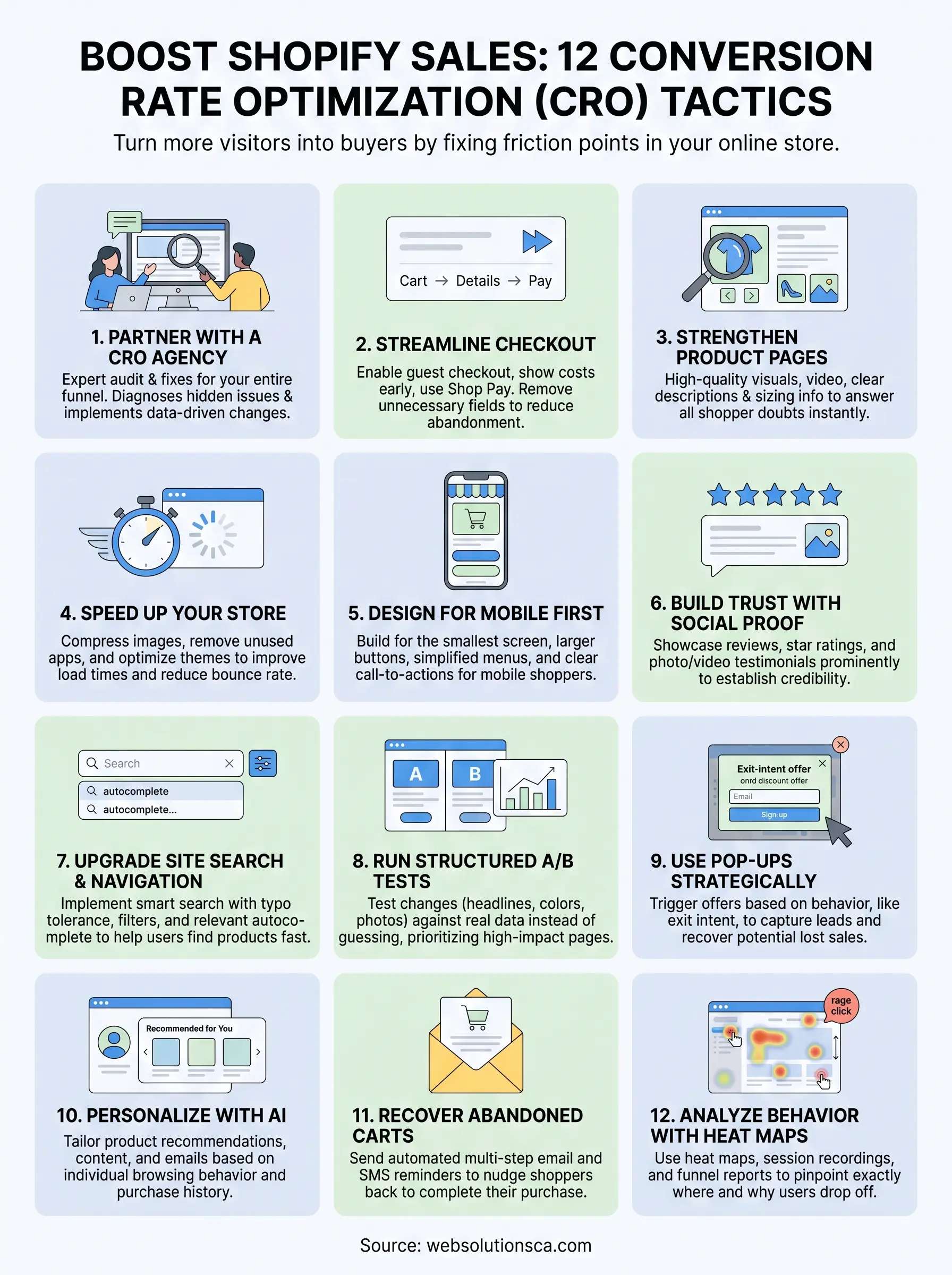
We've built and optimized enough Orange County e-commerce sites at Web Solutions CA to know which fixes actually move the needle and which ones just look good in a case study. Below are 12 tactics you can start testing on your store this week, covering everything from checkout friction to mobile speed to trust signals that turn hesitant browsers into paying customers.
1. Partner with a Shopify CRO and design agency
Sometimes the fastest way to fix a leaky Shopify store is to stop guessing and bring in someone who audits stores for a living. A Shopify CRO and design agency looks at your entire funnel, from the first ad click to the thank-you page, and finds the exact spots where shoppers lose interest or trust. This isn't about a full redesign every time. It's about diagnosing what's actually broken before you spend money on more traffic that hits the same leaks.
How it works
An agency typically starts with a conversion audit, reviewing your analytics, session recordings, and checkout funnel to spot drop-off points. From there, they prioritize fixes based on impact and effort, things like rewriting product copy, restructuring your homepage, or simplifying navigation. At Web Solutions CA, we follow a four-step process: we learn how your business actually makes money, plan changes around conversions rather than aesthetics, design and launch the fixes, then measure results and keep refining. That last step matters most, because shopify conversion rate optimization isn't a one-time project. It's an ongoing cycle of testing and adjusting as customer behavior shifts.
A good CRO partner treats your store like a business problem to solve, not a design project to finish.
Most agencies also handle the technical side that store owners tend to overlook: schema markup, page speed, mobile rendering, and analytics tracking that actually captures the data you need to make decisions. If your Google Business Profile and local SEO aren't feeding qualified traffic into that improved funnel, the CRO work only goes so far, which is why pairing it with broader digital marketing support tends to compound results.
Who it's best for
This route makes the most sense for store owners who have decent traffic already but a conversion rate stuck below 1.5%, or anyone who's tried a few DIY fixes without seeing movement. It's also the right call if you're too busy running the business to spend evenings testing button colors and reading heat maps. Local service-based sellers and small e-commerce brands in Orange County, the kind we work with most often, usually see the biggest lift here because their sites were built quickly on a tight budget and never revisited once traffic started arriving.
Typical cost
Pricing varies a lot depending on scope, but here's a general range you'll see across the industry:
| Service Level | What's Included | Typical Monthly Cost |
|---|---|---|
| Basic audit + fixes | One-time audit, checkout and page tweaks | $500 - $1,500 (one-time) |
| Ongoing CRO retainer | Monthly testing, reporting, iteration | $1,000 - $3,000/month |
| Full growth package | CRO + SEO + paid ads + automation | $2,500+/month |
Web Solutions CA's website design packages start at $299.99, with monthly SEO service beginning at $499.99, and custom packages that combine web design, CRO, ads, and automation for stores that want everything managed under one roof. We quote based on what your store actually needs rather than pushing a fixed package, which keeps costs predictable for small business budgets.
2. Streamline your checkout process
Checkout is where good intentions go to die. Shopify's own research shows the average cart abandonment rate sits around 70%, which means most people who add something to their cart never actually pay for it. A clunky checkout, a surprise shipping fee, or a forced account creation screen can undo everything your ads and product pages worked to build.
How it works
Start by cutting every unnecessary step between "add to cart" and "order confirmed." Guest checkout should always be an option since forcing account creation is one of the most common reasons shoppers bail. Show shipping costs and estimated delivery dates earlier in the process, not as a surprise on the final screen, and enable Shop Pay, Apple Pay, or Google Pay so returning customers can check out in one tap. Progress indicators also help, since shoppers are more likely to finish a three-step checkout when they can see exactly how close they are to done.
Every extra field or click in checkout gives a shopper one more reason to leave.
Audit your checkout on a phone first, since that's where most of your traffic likely converts or drops off. Look specifically at autofill support, button size, and whether error messages actually tell shoppers what to fix.
Who it's best for
This tactic matters most for stores with high traffic but a checkout completion rate below the 70-75% benchmark most healthy Shopify stores hit. If your analytics show people adding to cart but bailing before payment, this is your highest-leverage fix, and it's usually cheaper and faster to implement than a full site redesign.
Tools and typical cost
Shopify's built-in checkout already supports Shop Pay, Apple Pay, and dynamic checkout buttons at no extra cost on any plan. Beyond that, most stores add:
| Tool | Purpose | Typical Cost |
|---|---|---|
| Shopify Payments | Native, no extra fees beyond plan | Included |
| ReConvert or similar upsell apps | Post-purchase upsells | $0 - $30/month |
| Shopify Plus checkout customization | Custom fields, branding | Enterprise pricing |
For most small businesses, checkout fixes are configuration changes rather than paid tools, which makes this one of the cheapest tactics on this list to implement.
3. Strengthen your product pages
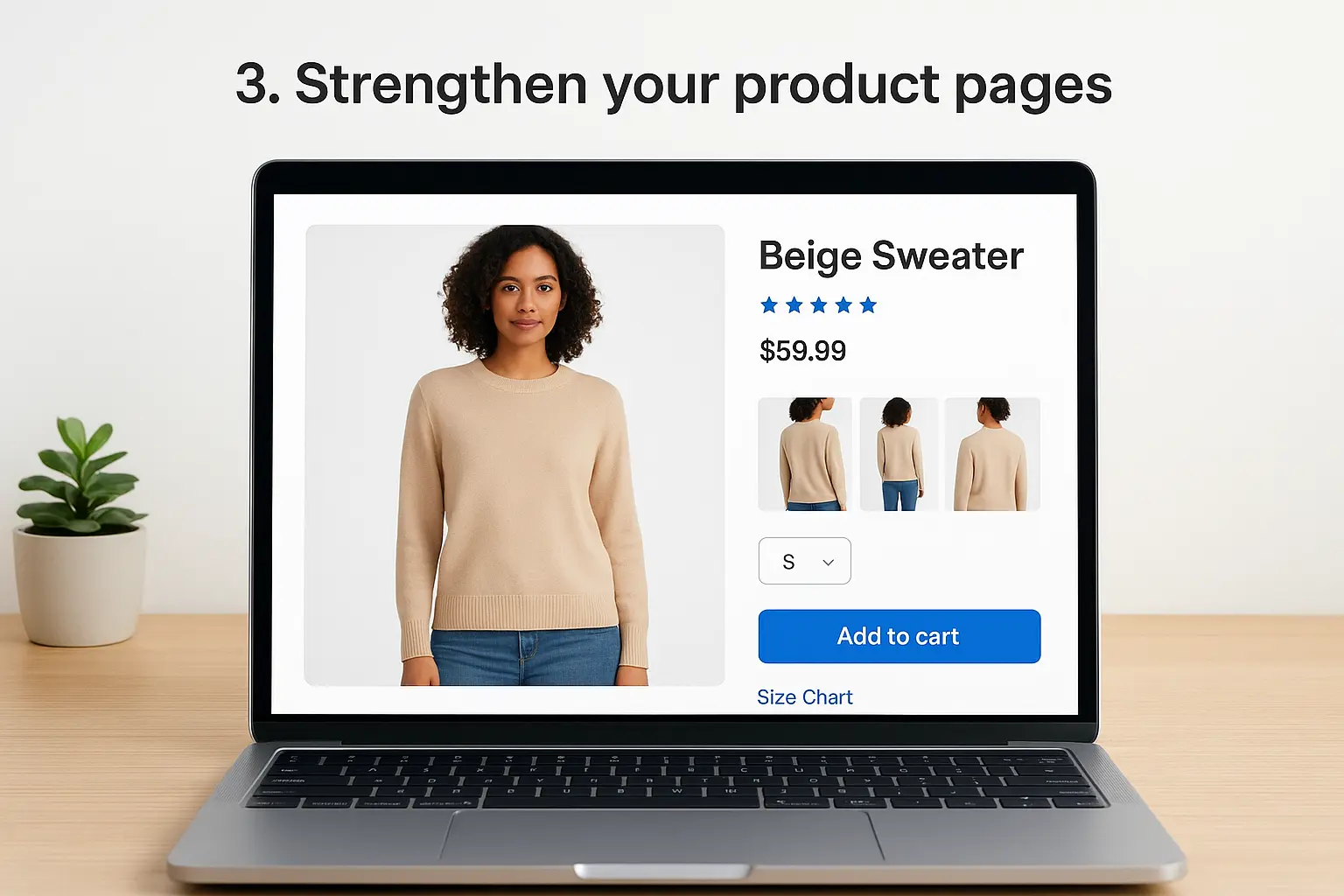
Your product page carries the entire weight of the sale. A shopper who lands there has already clicked an ad or a search result, so the page's only job is to answer every doubt fast enough that they don't leave to compare you against a competitor. Weak product pages, generic descriptions, blurry photos, no size chart, are one of the biggest reasons decent traffic never turns into revenue.
How it works
Start with photos: show the product from multiple angles, in use, and at a scale the shopper can understand, since product images do more selling than copy ever will. Write descriptions that answer real questions, not just list features; a shopper wants to know what it feels like, how it fits, or what problem it solves, not a spec sheet copied from the manufacturer. Add specific details like materials, dimensions, and care instructions above the fold so shoppers don't have to scroll and hunt. Video works even better than static images for anything with texture, movement, or complex assembly, since it removes the guesswork that static photos leave behind.
If a shopper still has an unanswered question after reading your product page, you've already lost the sale.
Bundle in clear return policies and shipping timelines directly on the page rather than burying them in a footer link, since uncertainty about returns is a quiet conversion killer.
Who it's best for
This tactic matters most for stores selling products with any complexity, apparel, furniture, electronics, or anything where fit, size, or quality is hard to judge from a thumbnail. If your bounce rate on product pages is high but your homepage traffic looks healthy, weak product pages are usually the culprit.
Tools and typical cost
| Tool | Purpose | Typical Cost |
|---|---|---|
| Shopify's native image/video uploads | Multi-angle photos, video | Included |
| Loox or similar review apps | Photo/video reviews on product pages | $10 - $40/month |
| Professional product photography | High-quality shoot | $200 - $1,000+ one-time |
Most stores can improve product pages with better copy and existing photos before spending anything on new photography.
4. Speed up your Shopify store
Speed isn't a technical detail you can leave to your developer and forget about. Every extra second your store takes to load costs you sales, and Shopify shoppers are especially quick to bounce since they're often comparing you against a dozen other stores in open tabs. A slow Shopify store speed problem quietly kills conversion rate optimization efforts before a shopper even sees your product page.
How it works
Google's own research shows that as page load time goes from one second to five seconds, the probability of a bounce increases by 90 percent, according to Google's page speed research. Start by compressing images, since oversized product photos are the most common speed killer on Shopify stores. Remove unused apps, since every installed app adds its own script to your page load even if you're not actively using it. Switch to a lightweight theme if yours is bloated with animations and carousels that don't actually help shoppers decide. Lazy-loading images below the fold and minimizing third-party tracking scripts also shave real seconds off load time.
A one-second delay in load time can cost you conversions before a shopper even sees what you're selling.
Run your store through Google's PageSpeed Insights monthly, not just once after launch, since new apps and theme updates creep back in and slow things down over time.
Who it's best for
Any store with a load time over three seconds on mobile needs this fix immediately, regardless of how good the rest of the funnel looks. This tactic matters most for stores that have added several apps over the years without ever auditing what's actually still needed, which describes most Shopify stores that have been running for more than a year.
Tools and typical cost
| Tool | Purpose | Typical Cost |
|---|---|---|
| Google PageSpeed Insights | Free speed audit | Free |
| TinyIMG or similar image compression apps | Automatic image optimization | $0 - $20/month |
| Theme cleanup or lightweight theme swap | Reduce script bloat | $0 - $350 one-time |
Fixing speed issues usually costs little to nothing beyond an hour of app cleanup, making it one of the highest-return tactics on this list.
5. Design for mobile shoppers first
More than 70 percent of Shopify traffic now comes from phones, yet plenty of stores still design for desktop and squeeze the mobile version in afterward. That backwards approach shows up in tiny tap targets, text that requires pinch-zooming, and checkout buttons buried below three scrolls of content. Mobile-first design flips the process: you build for the smallest screen first, then scale up, which forces every element to earn its place.
How it works
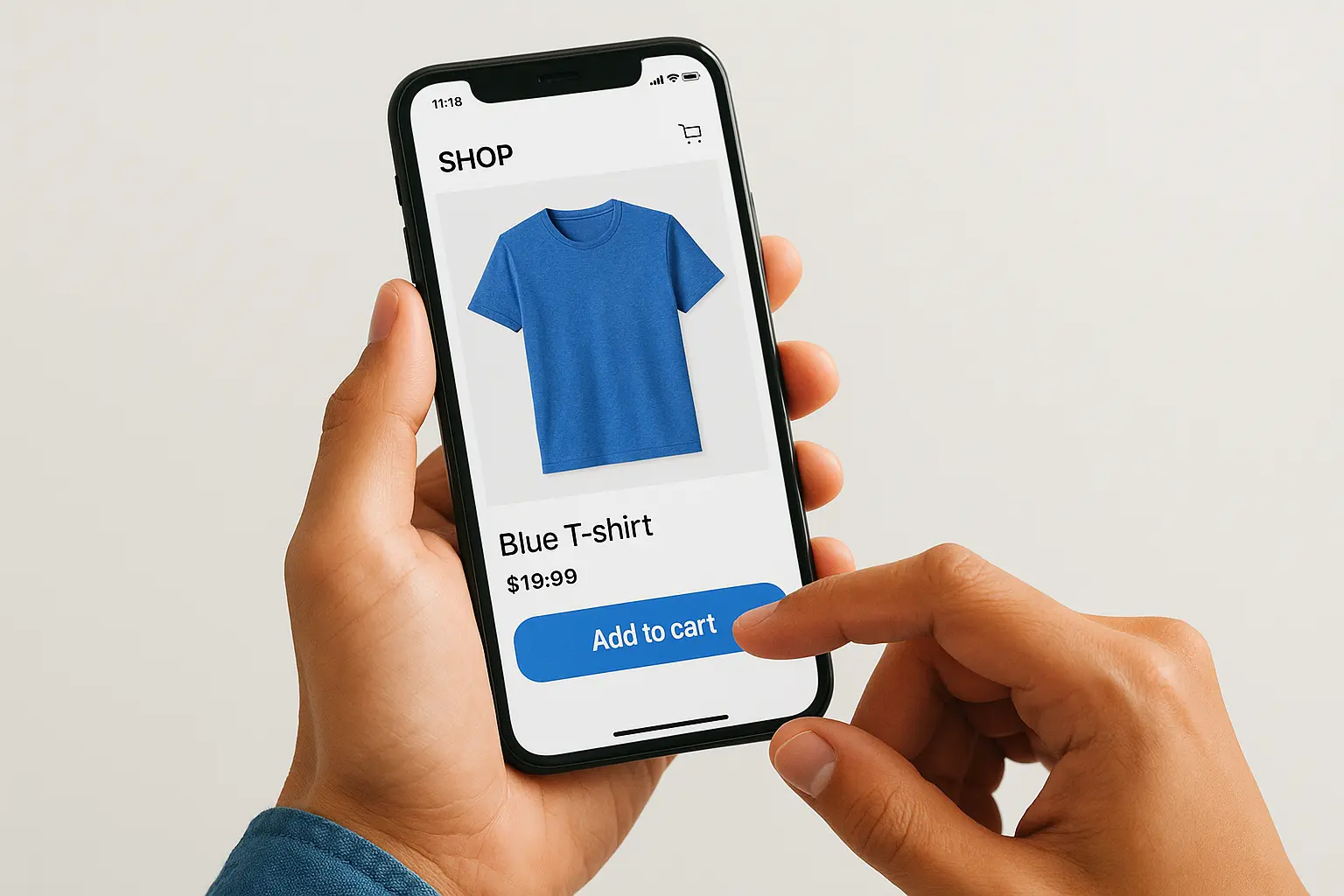
Begin by testing your actual store on your own phone, not a desktop browser resized smaller, since emulators miss real issues like slow 4G loading or thumb reach. Make buttons at least 44 pixels tall so shoppers don't mis-tap, and keep your main call-to-action visible without scrolling. Simplify menus into a single hamburger with clear categories instead of nested dropdowns that are painful to navigate with a thumb. Sticky add-to-cart bars that follow shoppers as they scroll through product details tend to lift conversions noticeably, since they remove the need to scroll back up once someone decides to buy.
If you haven't bought something from your own store on your phone recently, you don't actually know how it feels to shop there.
Font size matters more than most owners assume; anything under 16px forces zooming, and zooming is where impatient shoppers give up and leave.
Who it's best for
This fix applies to nearly every Shopify store, but it's most urgent for anyone whose analytics show a mobile bounce rate significantly higher than desktop. Fashion, beauty, and impulse-buy categories see the sharpest gains here since those shoppers browse casually on phones during downtime rather than sitting down at a desktop with intent already locked in.
Tools and typical cost
| Tool | Purpose | Typical Cost |
|---|---|---|
| Shopify's mobile preview | Built-in testing before publishing | Included |
| PageFly or GemPages | Mobile-specific page building | $0 - $50/month |
| Sticky add-to-cart apps | Persistent CTA on scroll | $0 - $15/month |
Most mobile fixes come from adjusting existing theme settings rather than buying new software, so budget mainly for the time spent testing.
6. Build trust with social proof and reviews
Shoppers don't trust your product descriptions, they trust other shoppers. Social proof closes the gap between "this looks nice" and "I'm buying this," especially for a store a visitor has never heard of before. Reviews, star ratings, and user photos do the convincing work your copy can't, because a stranger's honest opinion carries more weight than anything a brand says about itself.
How it works
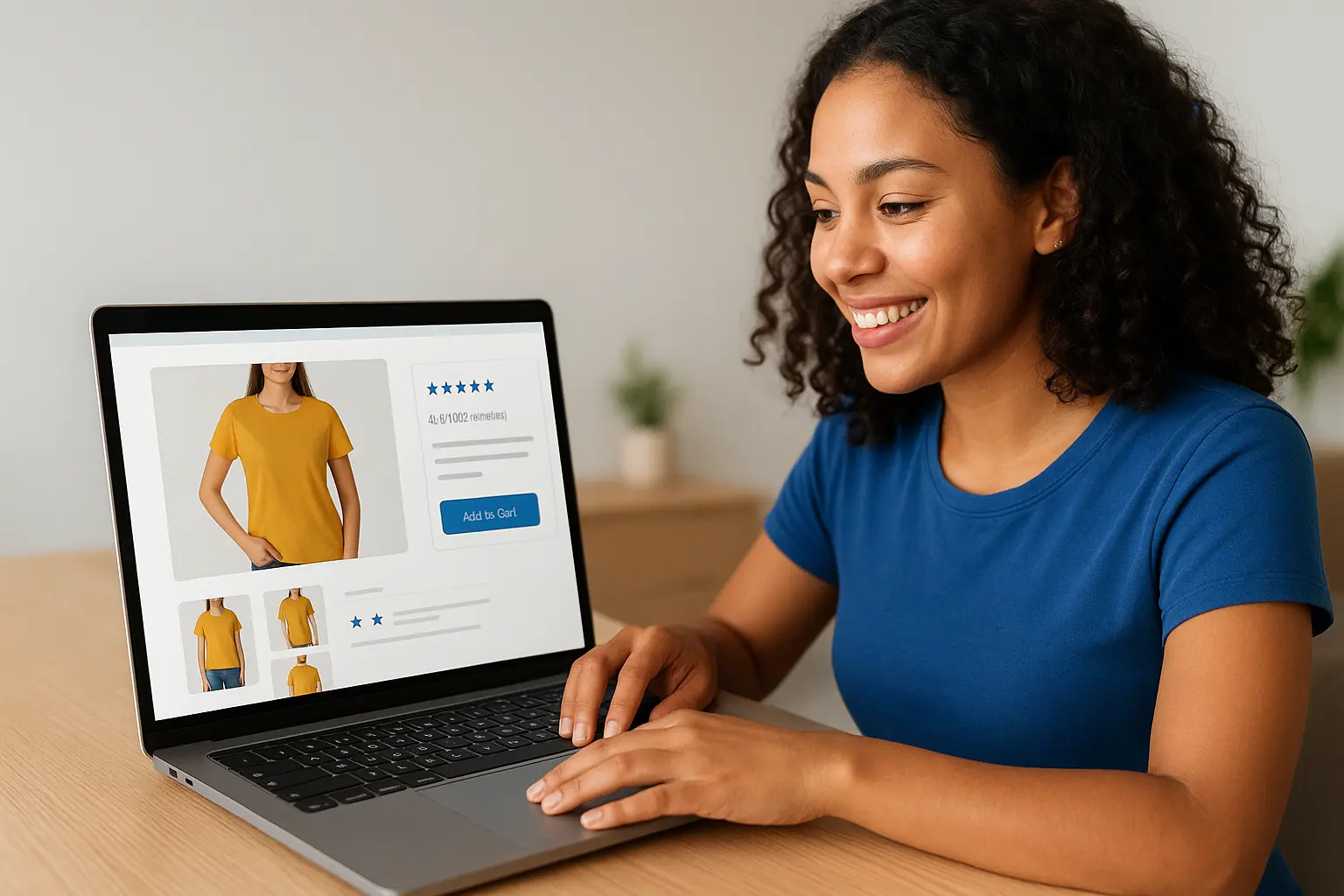
Collect reviews automatically after every order using post-purchase email flows, and ask specifically for photos, not just star ratings, since photo reviews convert far better than text alone. Display review counts and average ratings near the buy button, not buried at the bottom of the page, so shoppers see proof before they scroll away. User-generated content from Instagram or TikTok, embedded directly on product pages, works especially well for apparel and beauty brands where fit and texture matter. Trust badges, secure checkout icons, and real customer counts ("2,400 orders shipped this month") add small but measurable lifts too.
A product page with zero reviews asks shoppers to take a risk that a competitor with reviews doesn't.
Highlight negative reviews occasionally rather than hiding them, since a perfect 5-star record actually looks less credible than a mix with thoughtful responses from the seller.
Who it's best for
New stores with little brand recognition benefit the most here, since trust is the exact thing they're missing. Established stores with decent traffic but a stalled conversion rate should also check whether reviews are visible enough, since burying them low on the page wastes their impact.
Tools and typical cost
| Tool | Purpose | Typical Cost |
|---|---|---|
| Judge.me | Reviews with photos, free tier available | $0 - $15/month |
| Loox | Photo/video reviews, referral integration | $10 - $40/month |
| Yotpo | Reviews plus loyalty and UGC | $15 - $100+/month |
Most stores see a return on a review app within the first month, since it's one of the cheapest tactics on this list relative to its impact on conversions.
7. Upgrade your site search and navigation
Shoppers who use your site search are often your most motivated buyers, they already know what they want and just need to find it fast. If your site search returns zero results for a typo or a synonym, you've lost someone who was ready to pay. Confusing navigation causes the same problem for browsers who don't know exactly what they're looking for but give up before they stumble on it.
How it works
Swap Shopify's default search for a smarter tool that handles typos, synonyms, and partial matches, since native search struggles the moment a shopper misspells a product name. Add filters for size, color, price, and category so shoppers can narrow results without scrolling through everything you sell. Autocomplete suggestions that show product thumbnails as someone types cut the time between searching and clicking, which matters because every extra second of hunting increases the odds they leave. Your top navigation should mirror how customers actually think about your products, not how your inventory is organized internally, and a "no results found" page should always suggest alternatives instead of dead-ending the visit.
A search bar that returns nothing for a common misspelling is quietly turning away buyers who were ready to purchase.
Check your search analytics regularly for common zero-result queries, since these reveal missing products, mislabeled tags, or terminology your customers use that you haven't accounted for yet.
Who it's best for
Stores with large catalogs, more than a couple hundred SKUs, benefit the most here, since browsing alone becomes impractical past a certain size. Any store where search analytics show frequent zero-result queries needs this fix regardless of catalog size, because it signals shoppers who wanted to buy and couldn't find a path to checkout.
Tools and typical cost
| Tool | Purpose | Typical Cost |
|---|---|---|
| Shopify Search & Discovery | Native filters and search improvements | Free |
| Searchanise | Advanced search with typo tolerance | $0 - $60/month |
| Boost AI Search & Filter | AI-powered search and merchandising | $25 - $100+/month |
Smaller catalogs can often get by with Shopify's free native app, while stores with heavy traffic and large inventories usually see the upgrade pay for itself within a month or two.
8. Run structured A/B tests
Guessing which headline or button color performs better wastes time you could spend testing it properly. A/B testing lets you run two versions of a page, a headline, or a checkout flow against real traffic and let the data decide instead of your personal preference. Most Shopify owners skip this step entirely and just make changes based on gut feeling, which means half their shopify conversion rate optimization efforts never get measured against what actually happened before the change.
How it works
Start with one variable at a time, a product photo, a headline, a button color, or a shipping message, rather than redesigning an entire page and hoping something in the mix works. Run the test long enough to reach statistical significance, usually a couple weeks minimum depending on traffic, since ending a test early on a lucky day skews results. Prioritize tests on high-traffic pages first, your homepage, your best-selling product page, or your checkout, since a small lift there moves more revenue than the same lift on a page nobody visits. Document every test, win or loss, so you're not repeating experiments six months later because nobody remembers the outcome.
A test that never reaches significance tells you nothing, no matter how good the early numbers look.
Treat losing tests as useful data too, since knowing what doesn't work narrows down what will on the next attempt.
Who it's best for
Stores with enough traffic to reach meaningful sample sizes within a few weeks get the most value here, roughly a few thousand monthly visitors or more. Lower-traffic stores can still test, but expect longer test windows and should focus on bigger, more obvious changes rather than subtle tweaks that need large samples to detect.
Tools and typical cost
| Tool | Purpose | Typical Cost |
|---|---|---|
| Shopify's built-in theme editor | Manual A/B via duplicate themes | Free |
| Intelligems | Native Shopify A/B testing, pricing tests | $50 - $300/month |
| Google Optimize alternatives (VWO, Convert) | Full-funnel testing | $100 - $500+/month |
Smaller stores can test manually with duplicate theme versions before investing in dedicated software.
9. Use pop-ups and hello bars strategically
Most pop-ups annoy shoppers because they show up too fast, ask for too much, or block content nobody's finished reading yet. Used well, pop-ups and hello bars do the opposite: they catch a shopper at the exact moment they're deciding whether to buy, sign up, or leave, and nudge them toward the action that helps both of you. The difference between an annoying pop-up and a profitable one usually comes down to timing and offer, not the tool itself.
How it works
Trigger pop-ups based on behavior instead of a fixed timer, since a discount offer that appears the second someone lands on your homepage feels desperate rather than helpful. Exit-intent pop-ups, which fire when a cursor moves toward the browser's close button, catch shoppers right before they abandon a cart, and offering a small discount or free shipping at that moment recovers sales that would otherwise disappear entirely. Hello bars work best for simple, low-friction messages like free shipping thresholds or a limited-time sale, pinned to the top of every page without interrupting browsing.
A pop-up that interrupts browsing before a shopper has even seen your product looks desperate, not helpful.
Keep the ask small: an email address in exchange for a discount converts far better than a multi-field form nobody wants to fill out on a phone.
Who it's best for
Stores with decent traffic but a high bounce rate before add-to-cart benefit most, since exit-intent offers catch shoppers who were already leaving anyway. New stores building an email list for future promotions also lean on this tactic heavily, since it's one of the fastest ways to capture a lead before someone forgets your brand exists.
Tools and typical cost
| Tool | Purpose | Typical Cost |
|---|---|---|
| Privy | Pop-ups, hello bars, exit-intent offers | $0 - $30/month |
| OptinMonster | Advanced targeting and A/B testing | $16 - $50+/month |
| Klaviyo forms | Pop-ups tied directly to email flows | Included with plan |
Overusing pop-ups across every page tends to backfire, so test frequency and placement before rolling one out site-wide.
10. Personalize the shopping experience with AI
Generic storefronts show every visitor the same homepage, the same bestsellers, and the same offers, regardless of what they actually came looking for. AI personalization changes that by adapting product recommendations, homepage layout, and even email content based on browsing history and past purchases. A shopper who's browsed running shoes twice shouldn't see the same landing page as someone who just bought a jacket, and closing that gap is one of the more underused shopify conversion rate optimization levers available right now.
How it works
Most personalization tools plug into your existing product catalog and order history, then surface "customers also bought" or "recommended for you" blocks that update automatically as a shopper browses. Onsite quizzes work well for categories like skincare or supplements, where a few quick questions narrow thousands of products down to three or four recommendations, which removes decision fatigue that otherwise ends in someone leaving without buying anything. Dynamic homepage content, showing returning visitors different hero banners than first-time visitors, keeps the experience relevant instead of static. Personalized email flows built on browsing behavior, not just purchase history, extend this same logic beyond the storefront and into your inbox marketing.
A store that treats every visitor the same is leaving revenue on the table for shoppers with obviously different intent.
Who it's best for
Stores with a catalog large enough to make recommendations meaningful, generally more than fifty products, see the biggest lift here. Repeat-purchase categories like beauty, supplements, and apparel benefit especially, since personalization compounds as you collect more data on returning customers.
Tools and typical cost
| Tool | Purpose | Typical Cost |
|---|---|---|
| Shopify Search & Discovery | Basic native recommendations | Free |
| Nosto | AI product recommendations, personalized content | $0 - $500+/month |
| Klaviyo | Personalized email based on browsing behavior | Included with plan |
Smaller stores can start with Shopify's free recommendation blocks before upgrading to a dedicated personalization platform once traffic and catalog size justify the cost.
11. Recover abandoned carts automatically
Seventy percent of shoppers who add something to their cart leave without paying, but that doesn't mean the sale is gone for good. Abandoned cart recovery uses automated emails, texts, or push notifications to remind shoppers what they left behind and nudge them back to finish checking out. It's one of the few tactics on this list that runs entirely in the background once it's set up, quietly recovering revenue you'd otherwise write off.
How it works
Set up a sequence rather than a single email: the first message goes out within an hour reminding the shopper what's still in their cart, the second follows a day later with a bit more urgency, and a third can include a small discount or free shipping offer if the first two didn't convert. Cart recovery emails that show the actual product photo and price perform better than generic reminders, since shoppers recognize exactly what pulled them back. SMS recovery messages tend to get opened faster than email, so pairing both channels catches shoppers who ignore their inbox but check texts immediately.
A well-timed reminder recovers sales that a store owner would otherwise never know they lost.
Test your discount threshold carefully, since offering money off too quickly trains shoppers to abandon carts on purpose, waiting for a coupon before they'll complete a purchase.
Who it's best for
Any store collecting email addresses at checkout should have this running, since it costs almost nothing to set up and recovers sales that would otherwise disappear completely. Stores with a cart abandonment rate above the 70% benchmark, or higher average order values where a lost sale actually stings, see the clearest return here.
Tools and typical cost
| Tool | Purpose | Typical Cost |
|---|---|---|
| Shopify's native cart recovery emails | Basic automated reminder | Included |
| Klaviyo | Multi-step email and SMS flows | $0 - $60/month |
| Postscript | SMS-focused cart recovery | $0 - $100+/month |
Most stores recover this tool's cost within the first week, making it one of the easiest tactics on this list to justify.
12. Analyze behavior with heat maps and analytics
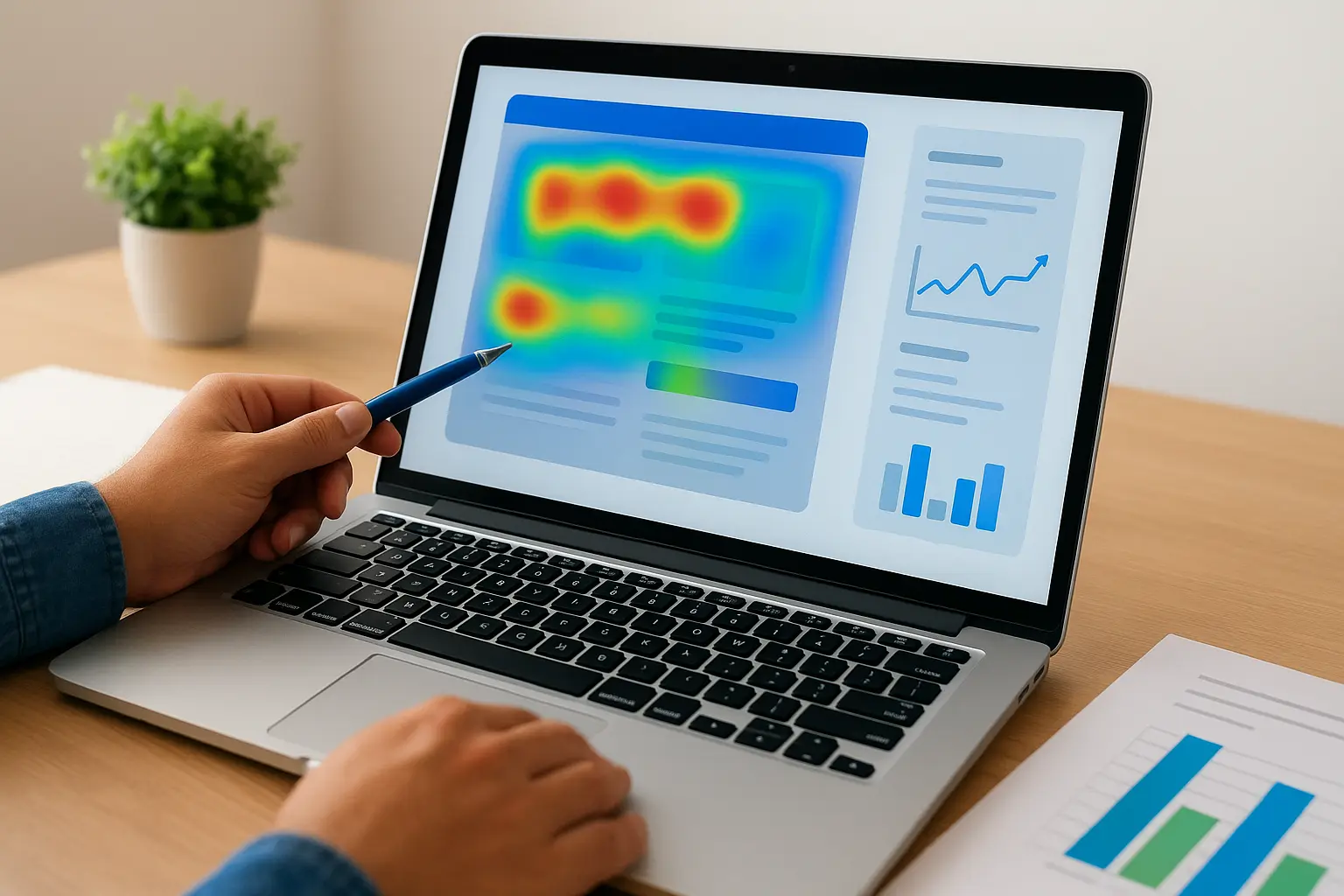
Every tactic on this list works better once you can see exactly where shoppers get stuck instead of guessing. Heat maps and analytics show you the clicks, scrolls, and rage-taps that raw sales numbers never reveal, turning vague hunches into a prioritized list of what to fix first. Without this data, you're optimizing blind, changing things that feel broken instead of things that actually are.
How it works
Install a heat mapping tool alongside Shopify's built-in analytics and Google Analytics 4 to layer qualitative and quantitative data together. Click maps show which buttons and links get ignored, scroll maps reveal how far shoppers actually get before losing interest, and session recordings let you watch real visitors struggle with a form field or miss your add-to-cart button entirely. Rage clicks, where someone taps the same spot repeatedly because nothing happened, are one of the clearest signals of a broken element on your site. Pair this with funnel reports that show exactly where shoppers drop off between product page, cart, and checkout, then fix the highest-drop-off step first rather than spreading effort evenly across the whole funnel.
You can't fix what you can't see, and most conversion problems hide in the gap between what analytics numbers show and what a real shopper experiences.
Review this data monthly rather than once after launch, since new products, theme updates, and seasonal traffic all change shopper behavior over time.
Who it's best for
Any store running multiple tactics from this list needs this to know which ones actually moved the needle, rather than assuming a change worked because sales happened to go up that week. Stores with confusing analytics setups, where nobody's sure which reports to trust, benefit most from cleaning this up first.
Tools and typical cost
| Tool | Purpose | Typical Cost |
|---|---|---|
| Google Analytics 4 | Funnel and traffic reporting | Free |
| Hotjar or Microsoft Clarity | Heat maps and session recordings | Free - $40/month |
| Shopify's native analytics | Built-in sales and conversion reports | Included |
Microsoft Clarity in particular offers full heat maps and recordings at no cost, making this one of the easiest tactics to start with regardless of budget.
Turning these tactics into steady Shopify sales
None of these 12 tactics work as a one-time fix. Shopify conversion rate optimization is a cycle: you test, measure, adjust, and test again as shopper behavior shifts with seasons, trends, and your own catalog changes. Pick the two or three tactics that match your biggest leak right now, whether that's a slow checkout, weak product pages, or zero cart recovery emails, and fix those before spreading effort across all 12 at once.
Small businesses rarely have the time to run audits, build tests, and analyze heat maps on top of actually running the business. That's exactly the gap shopify conversion rate optimization work is meant to close, and it's where a second set of hands pays for itself fastest. If you'd rather have someone else find and fix what's costing you sales, talk to Web Solutions CA about a conversion audit built around your store, your traffic, and your budget.