
Traffic is showing up on your store, but the sales aren't following. That gap is exactly what conversion rate optimization ecommerce strategies are built to close, and it's the most common frustration we hear from Orange County shop owners who've already spent money on ads or SEO to drive visitors to a site that isn't converting them into buyers.
If you're searching for ecommerce conversion rate optimization tactics, you want specific changes you can make this week, not vague advice about "improving user experience." This article gives you ten tactics we've actually used on client sites, covering everything from checkout conversion rate optimization to product page tweaks that reduce hesitation at the moment someone's about to buy.
We'll walk through trust signals, page speed fixes, mobile checkout friction, and pricing presentation, the kind of details that separate a store converting at 1% from one converting at 4%. Whether you're running Shopify and want Shopify conversion rate optimization tactics, WordPress, or need magento conversion rate optimization guidance, these tactics apply across platforms and don't require a full redesign to start seeing results.
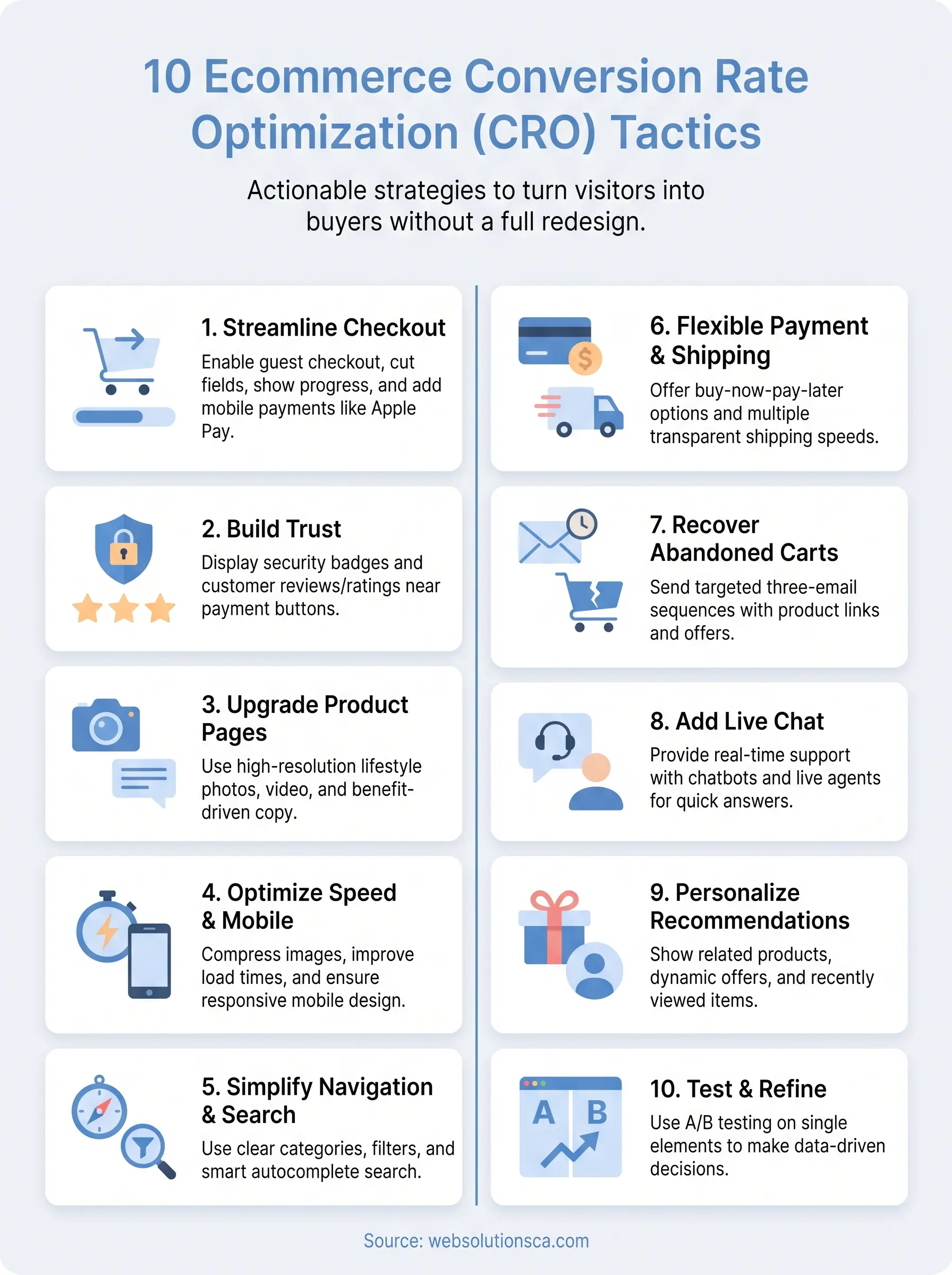
1. Streamline your checkout process
Checkout is where good traffic goes to die. Baymard Institute's research puts the average cart abandonment rate at nearly 70%, and a big chunk of that comes down to a clunky, confusing, or overly long checkout flow rather than the price of the product itself. Ecommerce checkout conversion rate optimization starts with treating every extra field, click, or page load as a tax on your revenue.
How it works
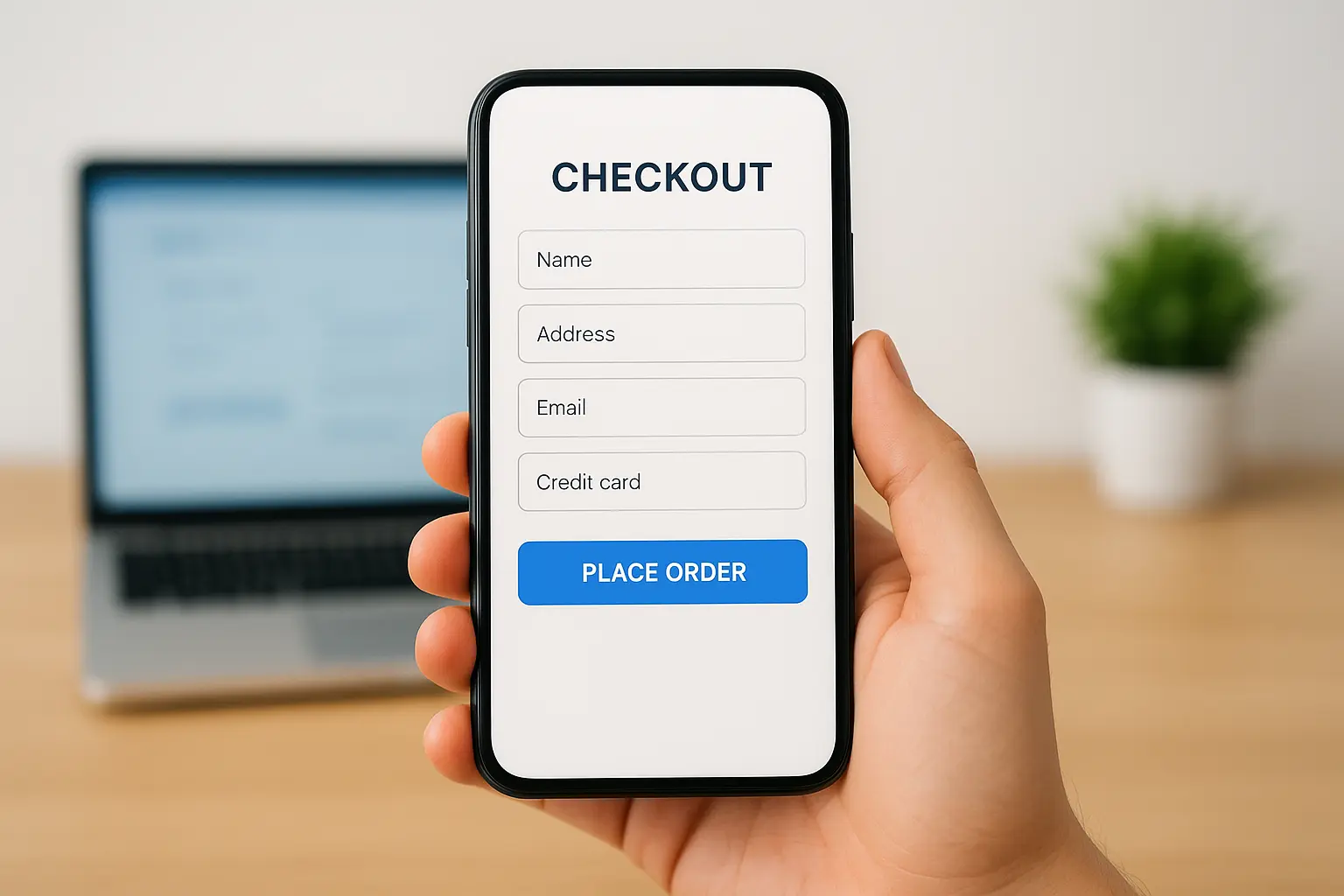
A streamlined checkout removes anything that isn't strictly necessary to complete the sale. That means cutting form fields down to the essentials, offering guest checkout by default, and showing progress through the process so shoppers know how many steps are left. On mobile especially, autofill support and large tap targets matter more than most store owners realize, since a mistyped card number on a small screen is often the last straw before someone bails.
Why it boosts conversions
Every additional step or required account creation gives a shopper a reason to reconsider. Checkout friction compounds fast: a slow-loading payment page, a forced login, or an unclear shipping cost that appears at the last second can each shave off a few percentage points on their own, and together they add up to lost sales you never see in your analytics.
A checkout that takes 90 seconds instead of five minutes converts more, even with the exact same traffic.
How to implement it
Start by auditing your own checkout on a phone, not just a desktop, since that's where most Orange County shoppers are browsing.
- Enable guest checkout and move account creation to after the purchase, not before it.
- Cut form fields to name, address, email, and payment. Use address autocomplete where you can.
- Show a progress indicator so buyers know how many steps remain.
- Display shipping costs early, ideally on the cart page, not buried at the final step.
- Add one-click payment options like Apple Pay, Google Pay, or Shop Pay for mobile buyers.
We've rebuilt checkout flows for clients as part of website redesigns built for conversion uplift and seen abandonment drop noticeably within the first month, simply from removing steps nobody needed in the first place. If your platform makes this hard to do yourself, our Orange County website design services team can rebuild the flow around fewer clicks without touching the rest of your site.
2. Build trust with security badges and reviews
Shoppers who don't recognize your brand hesitate before typing in a credit card number, and that hesitation is often the real reason a cart gets abandoned rather than anything to do with price. Trust signals fill that gap by answering the unspoken question every new visitor has: is this store safe to buy from?
How it works
Security badges from your payment processor, SSL indicators, and recognizable logos like Visa or PayPal near the checkout button reassure shoppers that their payment information is protected. Customer reviews, star ratings on product pages, and photos from real buyers do the same job for product quality, showing that other people already took the risk and were happy with the result.
Why it boosts conversions
People buy based on social proof when they don't have a personal relationship with your brand yet, which describes most first-time visitors to a small ecommerce store. A product page with zero reviews next to one with fifty reviews and a 4.6-star average will convert differently even with identical copy and pricing.
Reviews do the convincing your sales copy can't.
How to implement it
Add a review collection tool that emails buyers automatically after delivery, since manual outreach rarely scales. Place security badges directly beside your payment button, not just in the footer, and show your total review count near the top of product pages so it's visible without scrolling. If you're building this into a broader ecommerce conversion rate optimization plan, our team can wire review requests into your existing automation workflows so they fire automatically after every order.
3. Upgrade product pages with better images and copy
Product pages carry the entire weight of the sale once a shopper lands on them, yet a lot of small ecommerce sites still run with a single stock photo and a two-sentence description copied from the manufacturer. Product page optimization is one of the fastest wins in any conversion rate optimization ecommerce plan because it directly answers the questions a shopper is asking before they click "add to cart."

How it works
Strong product pages combine multiple high-resolution images from different angles, a zoom feature, and ideally a short video showing the item in use. Copy should stop describing features and start answering objections: what problem does this solve, who is it for, and what happens if it doesn't fit or work as expected.
Why it boosts conversions
Shoppers can't touch or try the product, so visual detail replaces the in-store experience they'd normally rely on. Vague copy leaves room for doubt, and doubt is what sends someone back to Google to compare you against a competitor instead of finishing the purchase.
A shopper who can't picture using your product won't buy it.
How to implement it
Rework your top ten best-selling product pages first, since that's where the traffic already is:
- Shoot lifestyle photos, not just white-background shots.
- Rewrite descriptions around benefits and specific use cases.
- Add size guides or comparison charts where relevant.
- Answer common questions directly on the page, not just in a separate FAQ.
4. Speed up and mobile-optimize your site
Speed is the silent killer of ecommerce sales. Google's own research shows that as page load time goes from one second to five seconds, the probability of a mobile visitor bouncing increases by 90%, and most Orange County shoppers are browsing on their phones during lunch breaks or between errands, not sitting at a desktop with patience to spare. Site speed and mobile optimization aren't separate projects anymore, they're the same fix.
How it works
Speeding up a store means compressing images for faster load speed, deferring non-critical scripts, using a content delivery network, and cutting down on bloated apps or plugins that load on every page whether they're needed or not. Mobile optimization layers on top of that: buttons sized for thumbs, forms that don't require pinch-zooming, and a layout that reflows cleanly instead of forcing horizontal scrolling.
Why it boosts conversions
Every second of load time chips away at patience, and mobile shoppers have the least of it since they're often multitasking. A slow, clunky mobile site doesn't just lose the sale, it often loses the visitor's trust in the brand entirely.
A store that loads slow on a phone loses the sale before the shopper even sees the product.
How to implement it
Run your homepage and top product pages through Google's PageSpeed Insights tool, then fix the flagged image and script issues first. If your current build can't hit a fast score no matter what you trim, learning why your website is slow and how to fix it usually points to a technical foundation that needs rebuilding instead of patching symptoms.
5. Simplify navigation and on-site search
Shoppers who can't find what they want don't wait around, they leave. Site navigation problems are invisible to store owners who already know their own catalog by heart, but a first-time visitor doesn't have that map in their head and needs the store to build it for them fast.
How it works
Good navigation groups products into categories that match how customers actually think about them, not how your warehouse is organized, the same principle behind any step-by-step small business website design plan. On-site search backs that up with autocomplete suggestions, typo tolerance, and filters for size, price, and color so a shopper can narrow thousands of products down to the five that matter to them in seconds.
Why it boosts conversions
A confused shopper doesn't ask for help, they just bounce to a competitor's site instead. On-site search is often the highest-intent traffic on your whole store since someone typing a specific product name is close to buying, and a weak search bar that returns zero results kills that intent instantly.
If a shopper can't find the product in three clicks, they'll find it on a competitor's site instead.
How to implement it
Check your search bar's zero-results rate in analytics first, since that number tells you exactly where shoppers are getting stuck.
- Limit main navigation to under seven categories to avoid decision fatigue.
- Add filters for the attributes customers search by most.
- Enable autocomplete with product images in the dropdown.
- Fix or redirect any search terms returning zero results.
6. Offer flexible payment and shipping options
Money sitting in a cart often comes down to one missing option: the payment method or shipping speed a shopper expected just isn't there. Flexible payment options and clear shipping choices remove a last-minute reason to abandon, which matters just as much as anything else in a solid conversion rate optimization ecommerce plan.
How it works
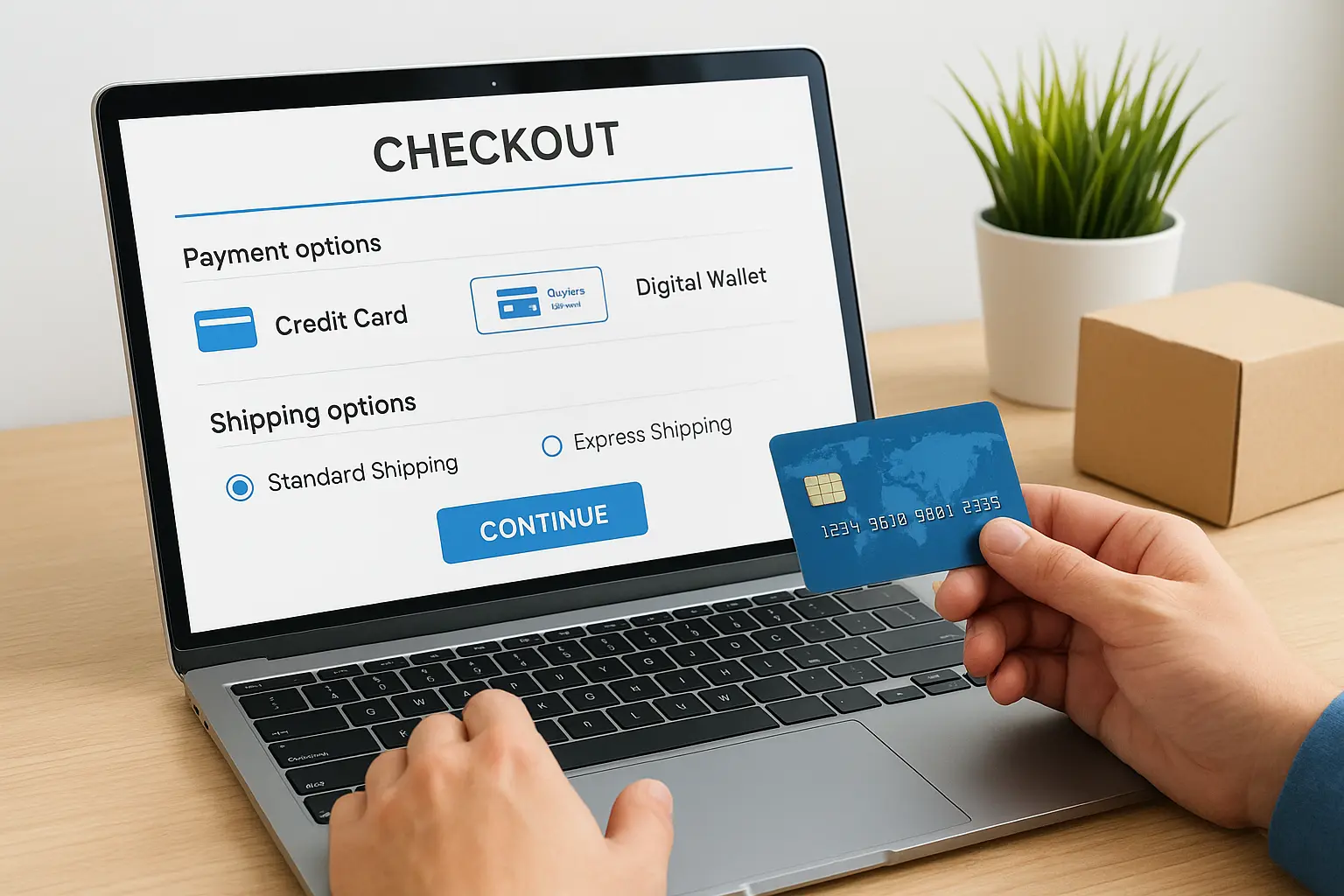
Giving shoppers choice means adding buy-now-pay-later services like Afterpay or Klarna alongside standard credit cards, plus digital wallets for faster mobile checkout. Shipping choice works the same way: a cheap slow option and a paid fast option cover both the budget shopper and the one who needs it tomorrow.
Why it boosts conversions
Splitting a $200 purchase into four payments feels different psychologically than paying it all upfront, even though the total is identical. Shipping cost surprises are one of the top reasons Baymard Institute cites for cart abandonment, so showing real options early keeps shoppers from bailing at the last screen.
Give shoppers a way to pay and ship on their terms, and they stop looking for a reason to leave.
How to implement it
Adding these options usually takes less setup than store owners expect:
- Add a buy-now-pay-later widget at checkout and on product pages.
- Offer at least two shipping speeds with transparent pricing.
- Display shipping costs on the product page, not just at checkout.
- Test free shipping thresholds to nudge average order value up.
If your platform doesn't support these natively, our website design team can integrate them without a full rebuild.
7. Recover abandoned carts with targeted follow-ups
Nearly seven out of ten shoppers leave a cart behind, but that doesn't mean the sale is gone for good. Abandoned cart emails turn a near-miss into a second chance, and they're one of the highest-return tactics in any conversion rate optimization ecommerce plan because you're re-engaging people who already showed intent to buy.
How it works
A cart recovery sequence triggers automatically once a shopper adds items and leaves without checking out. Typically that's a three-email sequence: a gentle reminder within an hour, a second message with a review or FAQ answer the next day, and a final nudge with a small discount or free shipping offer two days later if they still haven't returned.
Why it boosts conversions
These shoppers aren't cold leads, they already picked a product and started the checkout flow. Targeted follow-ups catch them while the intent is still fresh, often within a browser tab they forgot to close, which is why recovery emails convert far higher than any cold marketing send ever will.
The easiest sale you'll make today is to someone who already put your product in their cart.
How to implement it
Most platforms support this without custom development:
- Set up a three-email sequence triggered by cart abandonment.
- Include a product image and direct link back to checkout.
- Add urgency in the final email, like limited stock or an expiring discount.
- Test SMS reminders for mobile-heavy audiences.
We build these sequences into client automation workflows so recovery emails fire without anyone touching a keyboard.
8. Add live chat for real-time support
A shopper stuck on a question about sizing, return policy, or compatibility won't always dig through your FAQ page, they'll just leave and buy from whoever answers faster. Live chat puts a real answer in front of them before that happens, which makes it one of the more overlooked tactics in ecommerce conversion rate optimization.
How it works
A chat widget sits in the corner of every page, ready to answer questions in the moment a shopper hesitates. Many small stores start with a hybrid setup: a chatbot handles common questions like shipping times or return windows, and it hands off to a real person for anything more specific, like whether a product fits a particular use case.
Why it boosts conversions
Hesitation at the product or checkout page is usually a question in disguise, and an unanswered question turns into an abandoned cart. Real-time support closes that gap while intent is still high, instead of losing the shopper to a search for answers elsewhere.
A question answered in thirty seconds keeps the sale; a question left unanswered loses it.
How to implement it
Install a chat widget on product and checkout pages first, since that's where hesitation peaks. Pre-load answers for your five most common questions so the bot handles most traffic without a person watching the queue all day. Route anything complex to a real team member, and set expectations with a visible "reply within minutes" note so shoppers know help is actually coming.
9. Personalize recommendations and offers
A generic store shows the same homepage to everyone, but a personalized one shows a returning visitor the exact product they were eyeing yesterday. Personalized recommendations turn browsing history and past purchases into a shortcut back to the sale, instead of making shoppers dig through your whole catalog again.
How it works
Recommendation engines track what a shopper viewed, added to cart, or bought, then surface related or complementary products on the homepage, product pages, and in email. Dynamic offers work the same way: a first-time visitor might see a welcome discount, while a repeat buyer sees a loyalty perk or a restock alert for something they browsed before.
Why it boosts conversions
A shopper who sees "you might also like" items that actually match their behavior feels understood, not sold to. Ecommerce conversion rate optimization improves fastest when the store adapts to the visitor instead of forcing every visitor down the same path, since a relevant suggestion closes the gap between browsing and buying.
The right product shown at the right moment does more work than any discount ever will.
How to implement it
Most modern platforms include basic recommendation tools out of the box, so this often doesn't require custom development:
- Add "related products" and "frequently bought together" sections on product pages.
- Segment email offers by purchase history rather than sending one blast to your whole list.
- Show recently viewed items on the homepage for returning visitors.
- Trigger restock or price-drop alerts for products a shopper viewed but didn't buy.
We wire this kind of segmentation into client automation workflows so offers reach the right shopper without manual list-building.
10. Test and refine with data-driven experiments
Guessing which change actually helped is how most stores waste months chasing the wrong fixes. A/B testing turns opinions into evidence by running two versions of a page against real traffic and letting the numbers decide, which is the only reliable way to know if a change to your conversion rate optimization for ecommerce plan is actually working.
How it works
Experiments split your traffic between a control page and a variant, changing one element at a time such as a headline, button color, or checkout layout. Conversion rate optimization tools like Google Optimize's successors or built-in platform testing features track which version converts better over a set sample size before you commit to rolling it out everywhere.
Why it boosts conversions
Without testing, you're applying every tactic in this list blind and hoping it helps. Data-driven decisions protect you from rolling out a change that looks good in theory but actually hurts conversions on your specific audience, since shoppers in Orange County don't always behave like the case studies you read online.
If you can't measure it, you're guessing, not optimizing.
How to implement it
Start small and build a habit around testing rather than treating it as a one-time project:
- Test one element at a time so you know what caused the result.
- Run tests until you hit statistical significance, not just a few days.
- Track results in your analytics dashboard monthly to spot trends.
- Document winners so future redesigns don't undo proven changes.
Our Orange County SEO services include the analytics and conversion tracking setup needed to run this kind of testing properly.
Putting these CRO tactics into action
None of these ten tactics require a full site rebuild to start. Pick the two or three that match your biggest leak, whether that's checkout drop-off, slow mobile load times, or a product page with zero reviews, and fix those first. Conversion rate optimization ecommerce work compounds: a faster site keeps more shoppers around long enough to see the trust badges, and a smoother checkout means the abandoned cart emails you send actually convert instead of getting ignored again.
Small Orange County stores don't need every tactic running at once, they need the right ones running well. Testing, tracking, and refining is what separates a store stuck at 1% from one climbing toward 4%, and that takes ongoing attention, not a one-time fix. If you'd rather have a team handle the audit, the build, and the testing together, see the best conversion rate optimization consultants to hire and we'll show you exactly where your store is losing sales.