
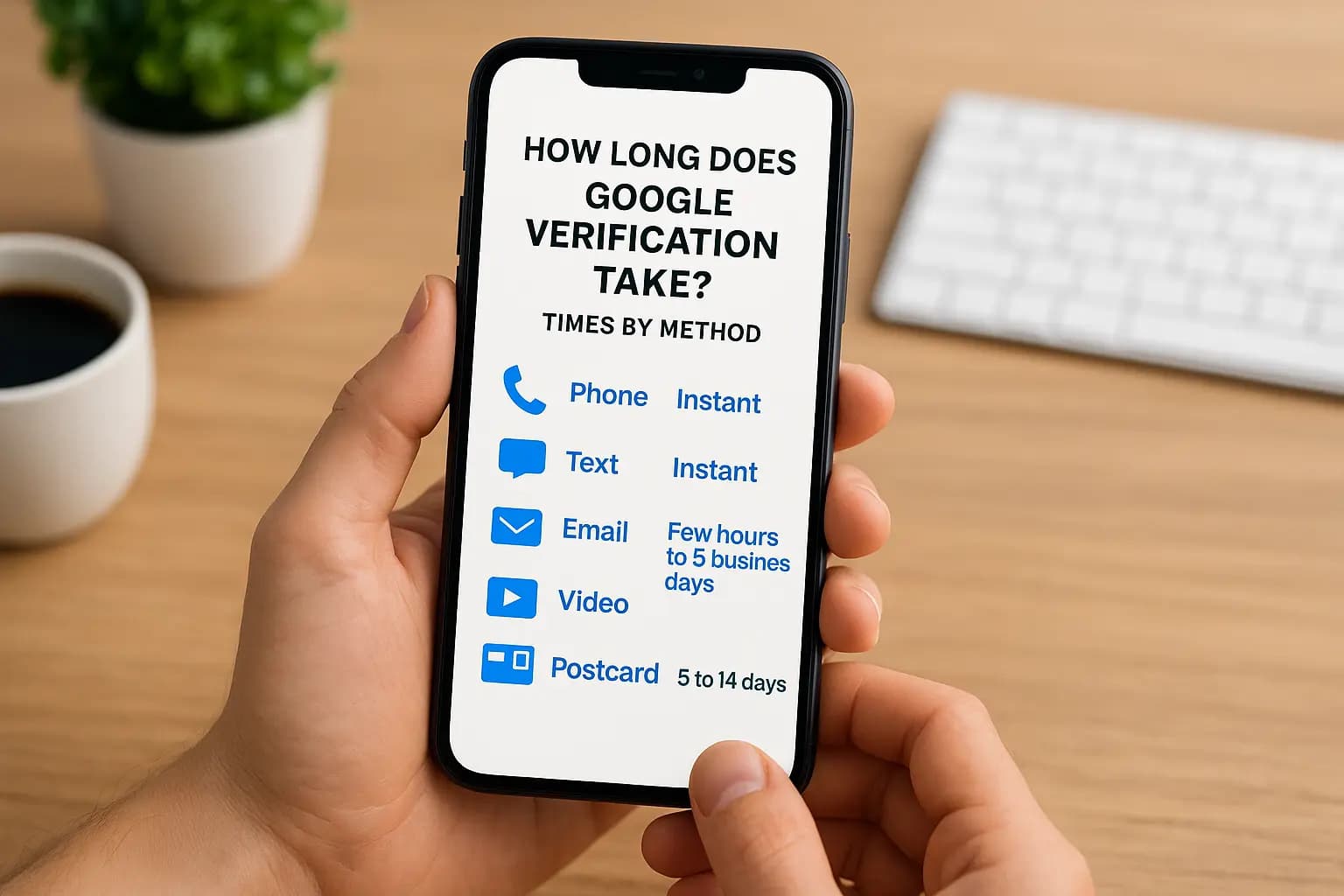
You submitted your business details, picked a verification method, and now you're staring at a status screen that says "processing." It's frustrating, because your listing stays hidden from most customers until Google signs off. So, how long does google verification take? It depends on the method you choose and how clean your business information is.
Here are the typical times. Phone, text, and email verification are usually instant, though they're only offered to some businesses. Video verification usually takes a few hours to 5 business days. Postcard verification takes about 5 to 14 days by mail. If you've waited longer than that, something is probably flagged, and it's fixable.
Below, we break down each method's timeline, the most common reasons verification stalls, and what to do while you wait. At Web Solutions CA, we set up and optimize Google Business Profiles for Orange County businesses every month, so these tips come from real listings we've gotten live. You'll also see what not to do, since the wrong move can reset your clock.
Why Google verification timing matters for your business
What an unverified profile costs you
Until Google approves your listing, you have limited control over your profile and customers see less of it. Google requires verification so only authorized owners can manage a business, as its own verification help page explains. In practice, a week of waiting looks like this:
- Customers searching "plumber near me" see your competitors, not you.
- Reviews from happy clients sit unanswered.
- Calls, direction requests, and website clicks from the profile don't reach you.
- Outdated details, like an old phone number, stay live and you can't fix them.
Delays hit hardest in crowded local markets
Orange County is competitive. A tax preparer in Santa Ana or a window installer in Irvine competes with dozens of nearby listings, and the businesses that are verified first collect the calls. A verified profile also gives you access to performance data, so you can see what customers actually do.
Here is a simple, illustrative example. Say your profile would bring in eight calls a month, and you close three of them at $400 each. A three-week delay costs you roughly $900 in lost revenue. That's before you count the reviews and local trust you didn't build during those weeks.
Every day you wait on verification is a day your competitors answer the calls meant for you.
Timing also shapes launches and decisions
Verification delays rarely hit at a convenient moment. Seasonal businesses and new locations feel it most. If you're opening a storefront in two weeks, or heading into your busy season, you need a realistic timeline before you plan ad spend, print materials, or a grand opening.
There's a second reason timing matters, and it's the one we see cause the most damage. Owners who don't know what's normal start to panic. They resubmit the request, change the business name, or edit the address mid-review, and each of those moves can restart the process or trigger a flag. Knowing what counts as normal for your method keeps you from turning a short wait into a month-long one.
How to estimate your wait by verification method
The honest answer to how long Google verification takes is a range, and your method sets that range. Find your method below, then compare it to the calendar before you decide anything is wrong.
Typical timelines at a glance
| Method | Typical wait | Start to worry when |
|---|---|---|
| Phone or text | Seconds to minutes | No code after a few minutes |
| Minutes | Nothing in your inbox or spam after 10 minutes | |
| Video | A few hours to 5 business days | Day 6 passes with no update |
| Postcard | 5 to 14 days | Day 15 passes with no card |
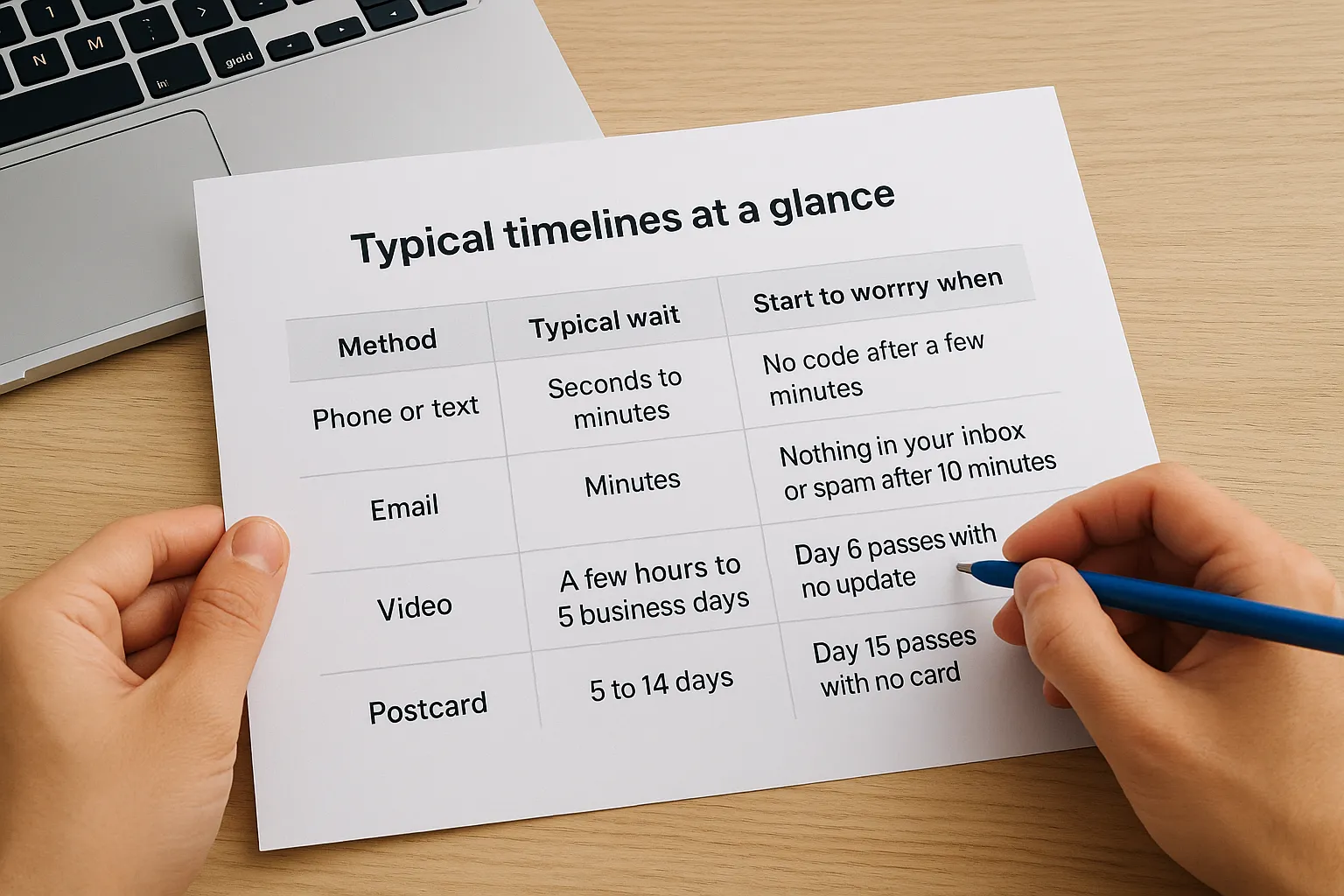
Google only shows the options your business qualifies for. You can't choose instant phone verification if it isn't listed, and most new service businesses end up with video or postcard. Check which options appear in your profile before you plan around a timeline.
Count business days for video and calendar days for postcards before you decide something is wrong.
What pushes you toward the long end
Video reviews are done by people, so weekends and holidays stretch the wait. A request submitted Friday afternoon often won't move until Monday. If your recording is shaky or skips proof, expect a rejection and a second attempt, which adds days.
Postcards ride on regular mail with no tracking, so your address matters more than anything. Suites, shared mailrooms, and home offices in busy Costa Mesa or Irvine buildings can delay delivery. Check with whoever sorts your mail so the card doesn't get tossed as junk. Once it arrives, enter the code right away, because the code doesn't last forever.
How to fix a verification that is stuck or delayed
Read the status before you act
Ask yourself how long does google verification take for your method, then compare that to what your profile shows. A "processing" message inside the normal window means you should do nothing. Past the window, the status tells you where the problem sits.
| Status | What it usually means | Your move |
|---|---|---|
| Processing | Google is reviewing your video or details | Wait out the window, up to 5 business days for video |
| Postcard on the way | The mail is in transit | Wait 14 days, then request a new card |
| Verification failed | Your video or details didn't match | Fix the cause, then resubmit once |
| Suspended | A policy flag on the listing | Appeal through Google's reinstatement form |
Fix the usual causes
Most stalls trace back to a mismatch between what you submitted and what Google can see online. Check these first:
- Your business name matches your signage and legal documents, with no added keywords like "Best Plumber Irvine".
- Your address is a real location, not a P.O. box or a virtual office.
- Your video is one continuous take showing the street, your signage, your tools or equipment, and proof you manage the business.
- Your service-area setting is right. Hide the address if customers don't visit you, but still show your workspace in the video.
Once you correct the problem, resubmit one time and leave the profile alone. Edits made during a review are the most common reason a request goes back to the start, and repeated submissions look like a red flag.
Wait out the normal window, fix what's flagged, then resubmit once.
Contact Google when the window passes
If you're beyond the typical range, contact Google Business Profile support through the Help option on your profile. Chat or email availability varies, so try both. Have your business name, address, and screenshots of the status and any error message ready, which saves a round of back and forth.
For a suspended listing, skip general support and file the reinstatement request form that Google links from your profile. Attach photos of your storefront, signage, and a business license if you have one. Reviews of these requests can take several business days, so don't file a second one while the first is open.
How to speed up verification and avoid resets
Get your details right before you submit
You can't make Google's reviewers work faster, but you can remove every reason for a second attempt. That's how you shorten how long Google verification takes in practice: by passing on the first try. Gather what a reviewer needs to match your business to the real world before you click submit.
- A website or social page showing the same name, address, and phone number as your profile.
- A business license, utility bill, or lease with your business name on it.
- Photos of your exterior sign, entrance, and workspace.
- A Google account you control and will keep, not a former employee's or a web designer's.
Record a video that passes the first time
Lighting and flow matter more than polish. Start outside, showing the street and your signage, then walk through the entrance and show your workspace, equipment, and a document with your business name on it. Hold your phone steady in landscape, and submit early in the week, Monday through Wednesday morning, so a weekend doesn't stall the review.

For a home-based or service-area business, show your vehicle, tools, and branded materials, plus proof you actually operate from that location. A reviewer who sees real work and real equipment has little reason to reject you.
Leave the profile alone while it's under review
Resets usually come from the owner, not from Google. Don't edit your name, address, or category during review, and don't start a second request from a different account. Duplicate profiles for one location also raise flags that can pull a clean listing into a manual check.
Pass on the first attempt, then touch nothing until Google replies.
Postcards need extra care. Request only one, and enter the code the day it arrives. Ordering a new card can invalidate the earlier code, so order a replacement only after the 14-day window has fully passed.
What to do while you wait and after you are verified
Use the waiting time without touching the profile
Even when you know how long Google verification takes for your method, the days still drag. Spend them on work that doesn't touch the listing, so you never risk a reset. Prepare these now:
- Write a business description of up to 750 characters in plain language.
- List your services with short descriptions and starting prices.
- Shoot 10 to 15 photos: exterior, interior, team, and finished work.
- Draft a short message asking happy customers for reviews.
- Check that your website shows the same name, address, and phone number as your profile.
Your first week after approval
Once the status flips to verified, fill in every section of the profile in one sitting. Add your hours (holiday hours too), categories, services, and the photos you prepared. A complete profile gives customers more reasons to call instead of scrolling to the next listing.
Then start collecting reviews. Send your review link to your last 10 to 20 customers, and reply to every review, good or bad, within a couple of days. Check your performance data weekly to see calls, direction requests, and the searches that found you.
Verification gets you in the door, but a complete, active profile is what brings customers through it.
Protect your verified status
Verified does not mean permanent. Big changes, like a new address or business name, can trigger re-verification, and keyword-stuffed names can lead to a suspension. Keep your name matching your signage, update hours when they change, and respond quickly to any Google emails about your listing. If you move, update the address once and expect to verify again.
Key points to remember while you wait
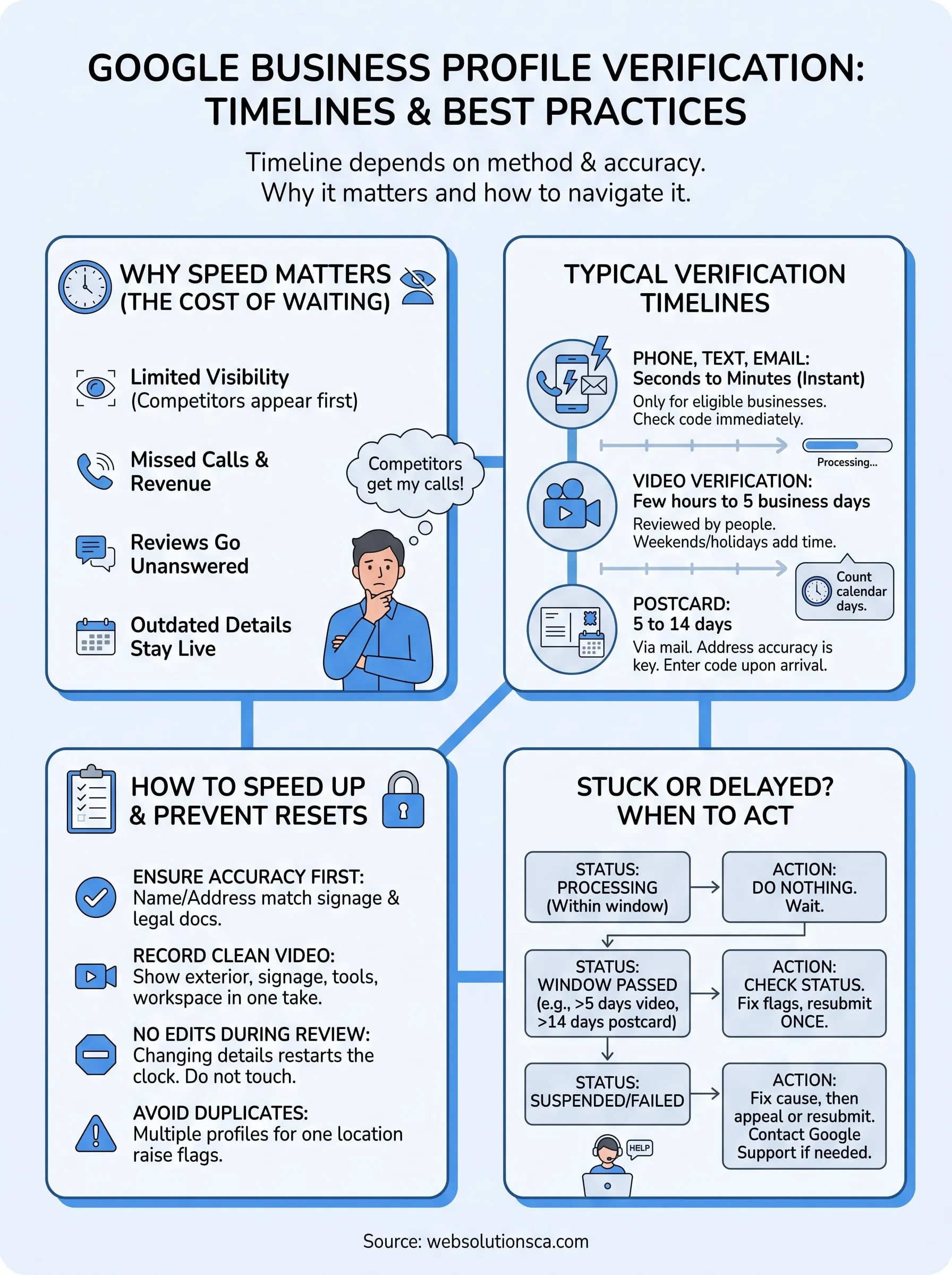
The answer to how long does google verification take comes down to one thing: your method sets the clock. Phone, text, and email are usually instant, video takes up to 5 business days, and postcards take 5 to 14 days.
Delays almost always trace back to mismatched details or owner edits. Match your name and address to your signage, record one clean video, and leave the profile alone while Google reviews it. If the window passes, read your status, fix what's flagged, and resubmit once.
If you'd rather not manage this alone, the Orange County team at Web Solutions CA can help. We can get your listing verified and keep it working for your business long after approval. Reach out today to get help verifying your Google Business Profile.