
If you run a local business in Orange County, you've probably noticed that the competitor with more Google reviews shows up above you in the map pack, even if your website looks better. That's not a coincidence. Google reviews local SEO signals are one of the strongest factors Google uses to decide who ranks in local search results, alongside proximity and relevance. Reviews tell Google's algorithm that real customers trust you, and that trust translates directly into visibility.
So how exactly do reviews move the needle? Google weighs review quantity, quality, and recency, plus how you respond to them, when ranking your Google Business Profile against nearby competitors. A business with 50 recent, keyword-rich reviews will typically outrank one with 10 reviews from two years ago, even in the same neighborhood.
In this article, we'll break down exactly how reviews factor into the local ranking algorithm, what separates a review strategy that works from one that stalls out, and practical steps you can start using this week. We'll also cover common mistakes small business owners make, like ignoring negative reviews or asking for feedback the wrong way, so you can build a review profile that actually drives calls and foot traffic, not just star ratings.
Why Google reviews influence your local search rankings
Google has confirmed for years that prominence is one of three core factors in local ranking, alongside relevance and proximity, and reviews are one of the clearest signals that boost local pack rankings Google can measure at scale. Every review adds a data point that tells Google's crawlers this business is real, active, and trusted by actual customers. Local businesses often ask why a competitor with a plain website outranks them, and the answer usually sits in how their Google Business Profile is built for local SEO, including review count and recency, not their web design.
The three ranking factors Google weighs
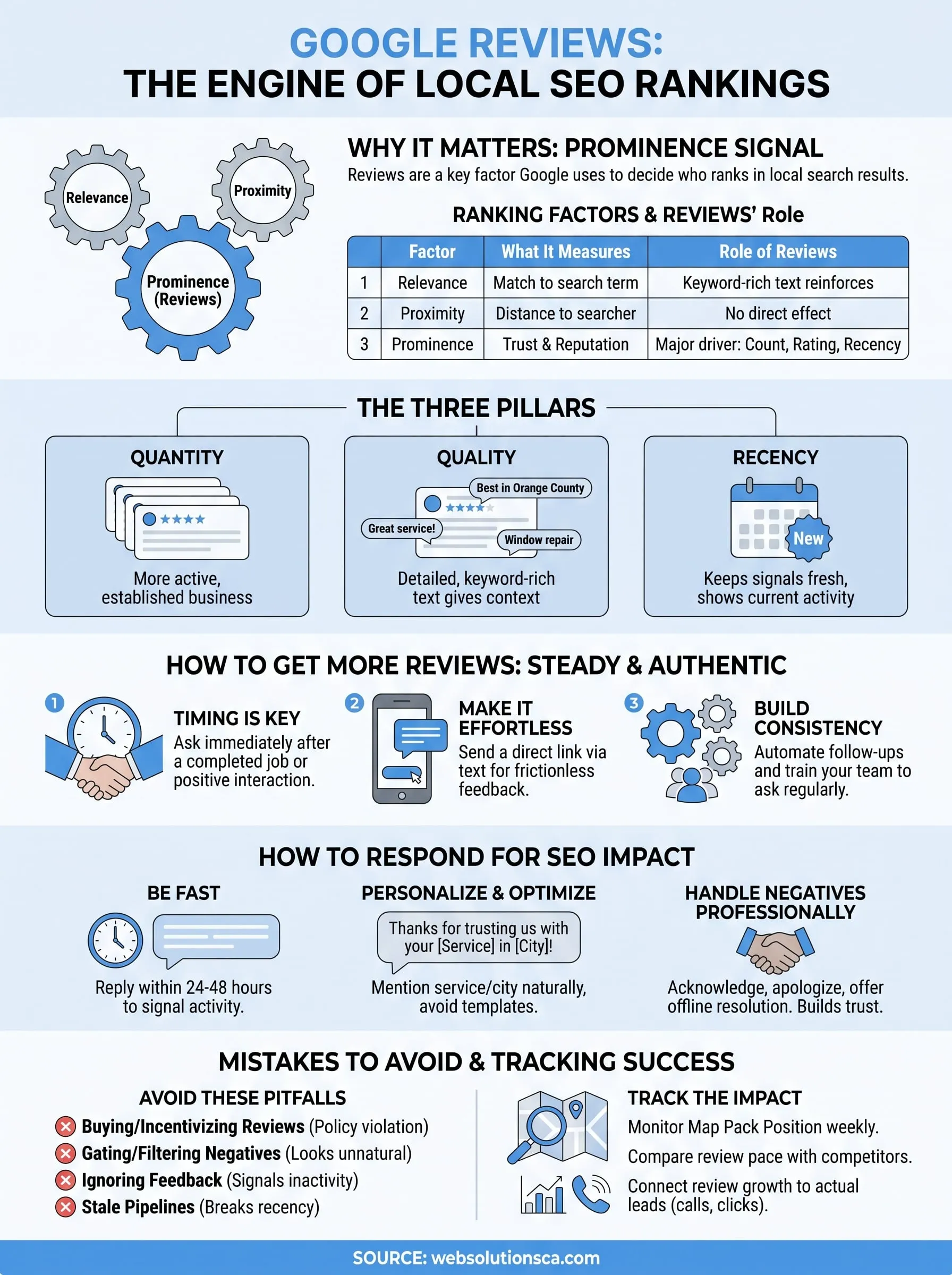
Relevance measures how well your profile matches a search query. Proximity measures distance between the searcher and your business. Prominence measures how well-known and trusted your business is, and reviews sit at the center of that third factor. Google's own Local Search Ranking guidance explains that review count and score factor into local rankings, along with information found across the web.
| Ranking Factor | What It Measures | Role of Reviews |
|---|---|---|
| Relevance | Match between your listing and the search term | Keyword-rich review text reinforces relevance |
| Proximity | Distance from searcher's location | Reviews don't affect this factor directly |
| Prominence | Overall trust and reputation | Review count, rating, and recency drive this heavily |
More recent, detailed reviews tell Google your business is active right now, not just active once.
Quantity, quality, and recency all matter differently
Quantity gets you noticed. A profile with 80 reviews signals more real-world activity than one with 8, and Google's algorithm treats that volume as evidence of an established, ongoing business. Recency keeps that signal fresh. A business that stopped collecting reviews two years ago looks stagnant compared to a competitor adding new ones every week, even if the older business has a higher total count. Quality ties everything together. Detailed reviews that mention specific services, neighborhoods, or products give Google contextual clues about what you offer and where you operate, which strengthens relevance matching for related searches.
Reviews influence more than the map pack
Engagement doesn't stop at ranking position. Reviews shape click-through rate, because searchers scanning the map pack on Google Maps almost always click the listing with the highest star count and the most reviews first. Businesses that ignore this pattern lose clicks to competitors with weaker services but stronger review profiles. Studies on consumer behavior consistently show that shoppers trust reviews nearly as much as personal recommendations, which means your review profile functions as both a ranking signal and a conversion tool at the same time.
Why keyword-rich reviews carry extra weight
Google's algorithm scans review text for language that matches the local search terms your customers actually use. When customers naturally mention your service type, city, or specialty in their reviews, that repeated language reinforces the same signals your website and Google Business Profile already send. A tax preparation service in Santa Ana that collects reviews mentioning "tax preparation in Santa Ana" builds a stronger topical footprint than one with generic five-star ratings and no descriptive text. This is why encouraging detailed feedback, rather than a quick star click, pays off far more in local SEO terms.
How to get more Google reviews for your business
Timing decides whether a customer leaves a review at all. Ask right after a completed job, a delivered service, or a positive interaction, while the experience is still fresh in their mind. Waiting a week for a follow-up email drops your response rate significantly, because most customers forget the details or simply lose the motivation to write anything. Businesses that build the ask into their standard checkout or closing process, rather than treating it as an afterthought, consistently see higher review volume month over month.
The best time to ask for a review is the moment your customer is happiest, not three weeks later.
Make the process effortless
Customers abandon review requests that require too many steps. Send a direct link straight to your Google Business Profile review form instead of asking them to search for your business name and click through several menus. Text messages tend to outperform email for this because people read texts almost immediately, and a short message with a clickable link removes nearly all friction from the process.
Automate the follow-up without sounding robotic
Manually remembering to ask every customer doesn't scale once you're juggling a full schedule. This is where workflow automation for follow-ups pays off. A simple automated sequence, triggered right after a job is marked complete or an invoice is paid, can send a personalized text or email requesting a review without you lifting a finger. Here's a basic template many local businesses use:
Hi [First Name], thanks for choosing [Business Name]!
We'd love to hear about your experience.
Could you leave us a quick review here: [Google review link]
It only takes 30 seconds and really helps our small business. Thank you!
Train your team to ask consistently
Staff members often forget to ask because it feels awkward or isn't part of their routine. Reinforce it during onboarding and again during team check-ins, and give employees a simple script they can say out loud, like "If you have a minute, we'd really appreciate a Google review." Consistency across every team member matters more than any single clever tactic, because Google's algorithm rewards steady, ongoing review volume over sporadic bursts tied to a single promotion or campaign.
How to respond to reviews in a way that helps SEO
Responding to reviews signals to Google that your business stays active and engaged, which feeds directly into the prominence factor we covered earlier. Every reply you post adds fresh content to your profile, and Google's crawlers treat that ongoing activity as another sign your listing deserves visibility. Businesses that reply to every review, good or bad, within a day or two consistently outperform competitors who let feedback sit untouched for weeks.
A business that replies to reviews looks alive to both customers and Google's algorithm.
Use natural keywords in your replies
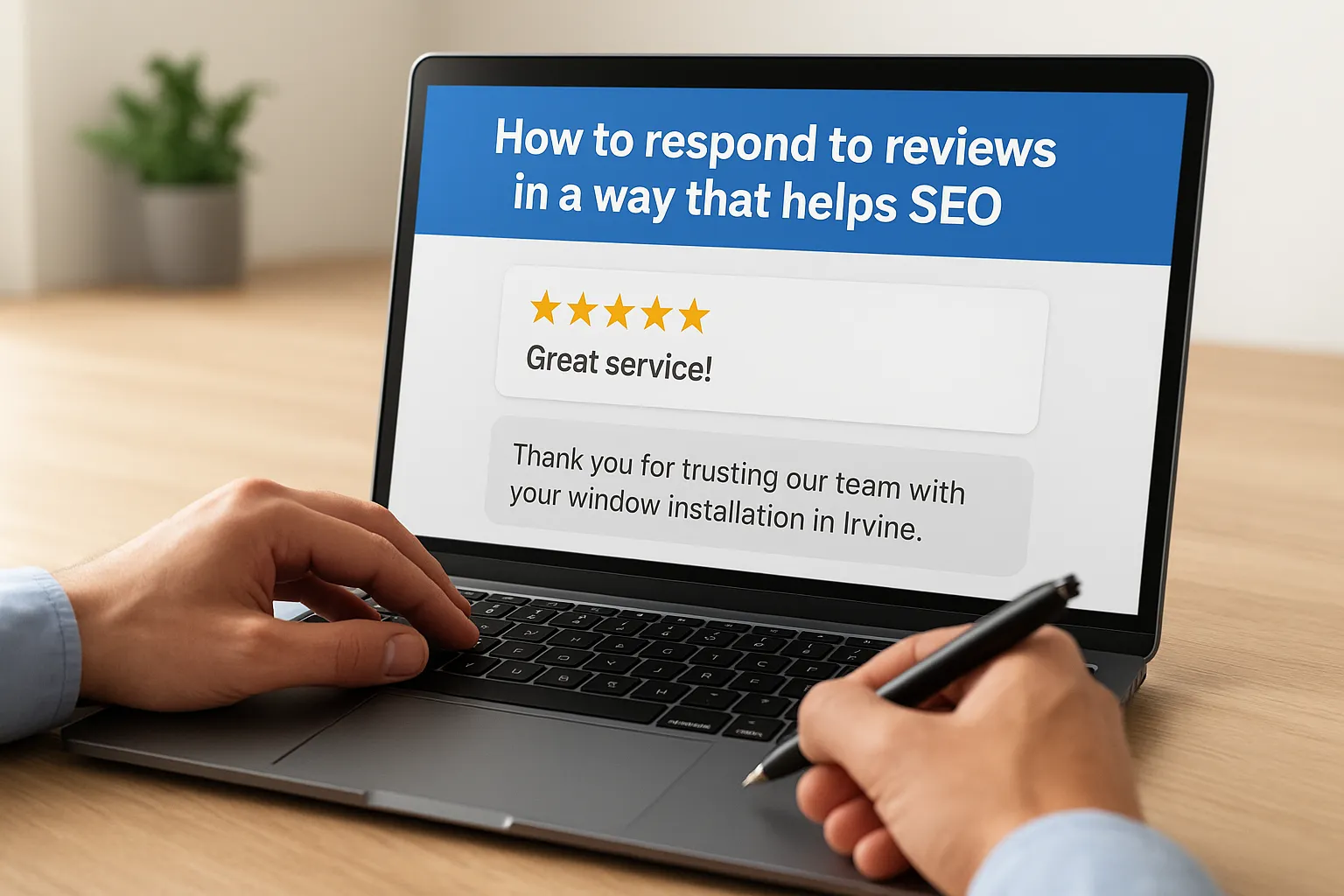
Google scans your responses the same way it scans the review text itself, so a reply that mentions your service and city reinforces relevance for related searches. Instead of writing "Thanks for the kind words," try something like "Thanks for trusting our team with your window installation in Irvine." This kind of specific language strengthens the same local seo reviews signals that customer-written reviews already send, without sounding forced or stuffed with keywords.
Keep responses personal, not templated
Copy-pasting the same three sentences under every review looks lazy to anyone scrolling through your profile, and it likely reads the same way to Google's systems too. Reference something specific from the customer's experience, whether that's a technician's name, a product they bought, or the neighborhood they live in. Owners who personalize replies tend to build stronger trust with future customers reading those same reviews before they call.
Respond to negative reviews just as carefully
Negative feedback deserves the same attention as five-star praise, maybe more. Acknowledge the issue directly, apologize where it's warranted, and offer a way to resolve it offline, such as a phone number or email address. Prospective customers scanning your profile pay close attention to how you handle criticism, and a calm, professional reply often does more to build trust than a wall of perfect ratings ever could.
Set a response routine you can actually keep
Consistency matters more than speed alone. Here's a simple checklist small business owners use to stay on top of replies:
- Check your Google Business Profile dashboard every 48 hours
- Reply to negative reviews first, then positive ones
- Mention your service and city naturally in each response
- Never copy the same reply twice in a row
Review mistakes that can hurt your rankings
Some business owners chase review volume so hard they end up doing damage instead of building trust. Buying reviews or offering incentives like discounts or gift cards in exchange for a five-star rating violates Google's review policies outright, and Google's review policy guidelines explicitly ban this. If Google's spam detection flags a pattern of incentivized reviews, it can wipe out the reviews entirely or leave you with a suspended Google Business Profile to appeal, undoing months of work in a single algorithm sweep.
One flagged batch of fake reviews can cost you far more ranking ground than a slow, honest review pipeline ever would.
Filtering out negative feedback
Gating, where you only send review requests to customers you already know were happy, feels safer but backfires over time. Google's algorithm expects a natural mix of ratings, and a profile with zero critical reviews often reads as suspicious rather than flawless. Genuine businesses get the occasional three-star review, and hiding from that reality makes your profile look curated instead of credible.
Ignoring reviews for weeks at a time
Silence sends its own signal. Owners who let reviews, especially negative ones, sit unanswered for weeks tell both customers and Google that the profile isn't actively managed. Prospective customers scrolling past an unanswered complaint from three months ago will often choose a competitor who at least responded, even if that competitor's overall rating is slightly lower.
Letting your review pipeline go stale
Running one review campaign and then stopping creates a spike followed by a long flat line, and Google's systems notice that pattern. Recency carries real weight, so a business that collected 40 reviews last spring and none since looks less active than a competitor adding two or three every week.
| Mistake | Why It Hurts Rankings |
|---|---|
| Buying or incentivizing reviews | Violates policy, risks profile suspension |
| Gating out negative reviews | Looks unnatural, damages trust signals |
| Ignoring reviews for weeks | Signals inactivity to Google's crawlers |
| One-time review pushes | Breaks the recency signal Google rewards |
Avoiding these missteps matters just as much as running a strong outreach strategy, since a single policy violation can undo months of steady, honest review growth.
How to track your reviews' impact on local seo
Tracking review activity without connecting it to ranking movement leaves you guessing whether your effort is paying off. Google Business Profile Insights gives you a starting point, showing how many people found your listing through direct searches versus discovery searches, plus how many clicked for directions, called, or visited your website. Watching these numbers shift alongside your review count over a few months tells you whether your review strategy is actually moving the needle or just padding your star rating.
If your review count climbs but your map pack position doesn't, something else in your profile needs attention too.
Watch your map pack position weekly
Open an incognito browser window and search your main service keyword plus your city once a week, or lean on a tool built to monitor local rankings, then note where your listing lands in the three-pack. Pair that with a quick log of your review count and average rating on the same day. Over eight to ten weeks, you'll usually see a pattern: ranking improves within days of a burst of new reviews, then levels off until the next batch arrives.
Compare review velocity against competitor profiles
Successful tracking isn't just about your own numbers. As part of a broader competitor analysis for local search, check the review count and posting frequency of the two or three competitors who consistently outrank you, and compare that pace to your own. This comparison tells you whether you're falling behind on volume, recency, or both.
| What to Track | Where to Find It | Why It Matters |
|---|---|---|
| Review count and rating | Google Business Profile | Core prominence signal |
| Map pack position | Manual search or rank tracker | Shows real ranking movement |
| Calls and direction requests | Google Business Profile Insights | Ties reviews to actual leads |
| Competitor review pace | Competitor profiles | Reveals if you're falling behind |
Connect reviews to actual leads
Numbers on a dashboard mean little if they don't translate into phone calls or form submissions. Pairing your Google Business Profile data with call tracking or SEO reporting shows you whether review growth correlates with more inquiries, not just higher visibility. Small business owners who review this data monthly catch stalls early, instead of realizing six months later that their review pipeline quietly dried up.
Making reviews part of your local seo routine
Google reviews local SEO isn't a one-time project you finish and forget. It's an ongoing habit built into how you close jobs, follow up with customers, and respond to feedback every week. Businesses that treat reviews as part of their regular operations, not a seasonal push, build the steady volume and recency that Google's algorithm rewards month after month.
Start small if you need to. Pick one change from this article, whether that's texting a review link right after checkout or replying to every review within 48 hours, and build the habit before adding the next one. Small, consistent steps beat one big campaign that fizzles out after a few weeks.
If managing review requests, responses, and rank tracking on top of running your business feels like too much, you don't have to handle it alone. Talk to Web Solutions CA about local SEO services for Orange County businesses that keep your reviews, rankings, and leads growing together.