

If you run a plumbing, HVAC, cleaning, or contracting business without a storefront, you already know Google treats you differently than a business with a physical address. Local SEO for service area businesses works nothing like standard local SEO, and copying advice meant for storefronts usually backfires, sometimes triggering a Google Business Profile suspension.
This guide answers the real question you're searching for: how do you rank in multiple cities when you don't have a location in any of them? You'll learn how to configure your Google Business Profile service areas correctly, how many cities you can realistically target without spreading yourself thin, and how to build location pages that actually convert instead of reading like duplicate spam.
We've set up dozens of service area profiles for plumbers, window installers, and consultants across Orange County, so this comes from what actually works, not theory. You'll get a step-by-step approach covering profile setup, service area business SEO for your website structure, citation building, and review generation, everything you need to start showing up when someone nearby searches for what you do.
Why local SEO works differently for service area businesses
Storefront businesses win local rankings mostly through proximity. Someone searches "coffee shop near me," and Google shows the three closest cafes with a physical address. Service area businesses don't get that shortcut. You might drive from Santa Ana to Laguna Beach on any given day, so Google can't use your address as a ranking signal the same way, and if you try to fake a presence in every city you serve, you risk a suspended profile.
The hidden address changes everything
Google Business Profile lets service area businesses hide their street address, which is exactly what most plumbers, cleaners, and contractors should do if they don't meet clients at their office. But hiding the address also removes the main proximity signal Google normally uses to rank you. Instead, Google leans harder on three things that sit near the top of every list of local pack ranking signals: the service areas you've listed in your profile, the content on your website that matches those areas, and the citations and reviews that reinforce them. Miss any one of these, and you'll rank fine in your home city but disappear everywhere else you claim to serve.
A hidden address means Google has to learn where you work from your content, not your location.
One profile, many cities, one set of rules
Google explicitly limits how many service areas you can list and how they should relate to your business base, according to Google's own guidelines for service area businesses. The areas need to be places you genuinely travel to for jobs, not a wish list of every zip code within a two-hour drive. Agencies that ignore this and stuff 40 cities into a profile usually see rankings collapse across the board, because Google's spam systems flag the pattern as an attempt to game the map pack rather than serve real customers.
Why keyword and content strategy has to shift
Since you can't rely on "near me" proximity matching, your website has to do heavier lifting than a storefront's would, which starts with city-level keyword research. Location pages need to name the actual neighborhoods and landmarks you serve, not just the city name, because Google's algorithm cross-references your on-page content against your Business Profile service areas to confirm you're not just claiming territory you don't actually cover. This is where local SEO for service area businesses diverges most from standard advice: you're building topical and geographic relevance through content and citations, since you don't have the built-in trust signal of a physical door someone can walk through.
Reviews carry more weight too. A storefront can lean on foot traffic reviews tied to one location. A service area business needs reviews that mention the specific cities or neighborhoods where jobs happened, since that language feeds directly into how Google decides which of your listed areas you're actually credible in. Get these fundamentals wrong early, and every later step, from citations to review generation, ends up reinforcing a weak foundation instead of building on a strong one.
Step 1. Set up your Google Business Profile as a service area business
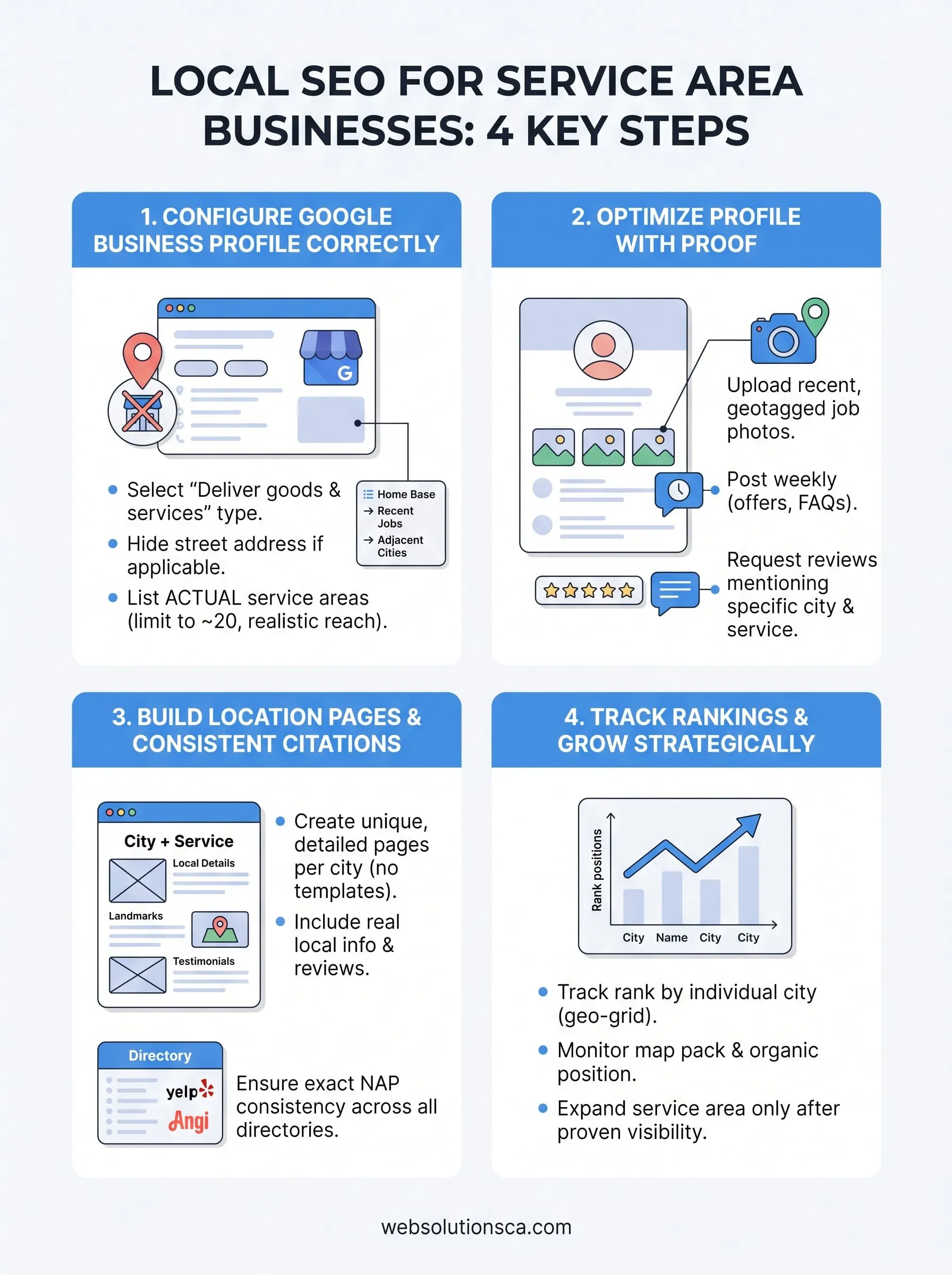
Before you touch a website or write a single page, get your Google Business Profile service areas configured correctly, since everything else in this guide builds on top of it. If you haven't yet created a Google Business Profile, start there, then log into your profile, go to the business information tab, and switch your business type from a storefront listing to "I deliver goods and services to my customers," which unlocks the service area fields and lets you hide your street address if you don't meet clients there.
Pick a category before you pick cities
Google uses your primary category as the first filter for which searches you're even eligible to rank for, so get this right before adding a single service area. A window installer that picks "Contractor" instead of "Window Installation Service" is competing in a category that doesn't match how people actually search. Add secondary categories only if they describe services you genuinely offer, not ones you're hoping to grow into.
List service areas you can actually serve
Google caps service area businesses at 20 areas, and cramming your profile full of every nearby city rarely pays off. Follow this order when building your list:
- Add your home base city first, even with a hidden address, since it anchors your profile.
- Add cities where you've completed real jobs in the past 12 months.
- Add adjacent cities only if you can realistically respond to a same-day service call there.
- Skip any city more than 30 to 45 minutes from your base unless you have a documented reason to serve it.
Every city you list should be a place you've actually worked, not a place you wish you worked.
Once the profile reflects where you truly operate, seo for service area business growth becomes a matter of reinforcing that footprint with content and citations, not stretching the profile to cover ground you haven't earned yet. If you'd rather have someone audit this setup for you, our profile optimization walkthrough catches these mistakes before they cost you rankings.
Step 2. Optimize your profile with photos, posts, and reviews
Once your Google Business Profile service areas are locked in, the profile itself needs enough activity and proof to earn Google's trust. A bare-bones listing with a logo and a phone number won't outrank a competitor who's uploading job photos every week and racking up reviews that mention real neighborhoods. This step is where you turn a correctly configured profile into one that actually moves in the map pack.
Photos that prove you show up
Upload photos from actual job sites, not stock images of trucks or tools. Google's algorithm and human reviewers both weigh recent, geotagged photos as evidence you're doing real work in the areas you claim. Aim for at least four to six new photos a month, upload them at the image dimensions Google recommends, and caption them with the city or neighborhood where the job happened whenever the platform allows it.

Posts that keep your profile active
Google Business Profile posts function like a mini blog attached to your listing, and an inactive one signals a business that's coasting. Post weekly with a mix of these formats:
- Job spotlight: a before/after photo with a one-line description of the service and city
- Seasonal offer: a discount or promotion tied to a specific service
- FAQ answer: a common customer question answered in two or three sentences
Each post is a small chance to reinforce the geographic and service keywords Google already sees in your profile.
Reviews that name the cities you serve
Reviews carry more ranking weight for service area businesses than almost anything else on the profile, because they're one of the few signals that confirm you actually completed work where you say you do. Request reviews within 24 hours of finishing a job, while the experience is fresh, and ask customers directly to mention their city or neighborhood.
A review that says "great plumber in Irvine" does more for your rankings than ten generic five-star reviews.
Set up a simple text or email template you send after every job:
Hi [Customer Name], thanks for choosing us for your [service] in [City]!
If you have a minute, we'd really appreciate a quick review here: [Google review link]
Do this consistently and your profile starts building the exact evidence Google needs to rank you across every city you've listed, not just your home base.
Step 3. Build location pages and local citations for every area
With your profile active, your website needs to back up every city you've listed. City pages that rank and convert give Google the on-site proof that matches what your Business Profile already claims, and skipping this step is the number one reason service area businesses plateau after ranking well at home but nowhere else. Each page should read like it was written for that specific city, not spun from a template with the city name swapped out.
Structure each page around real local detail
Skip generic pages that just repeat your homepage copy with a new city name pasted in. Google can tell, and so can readers. Build each location page with:
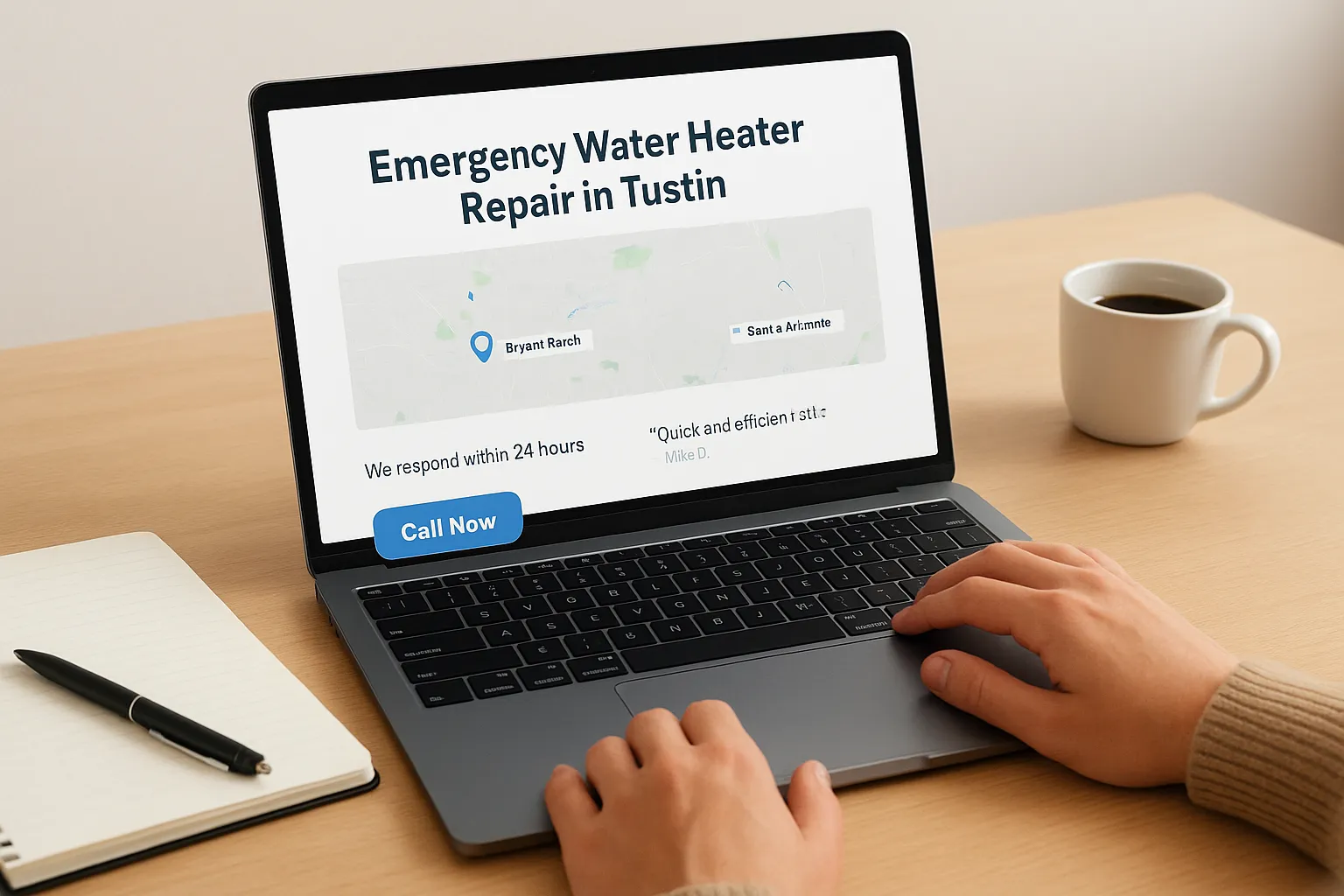
- A headline naming the city and the specific service, like "Emergency Water Heater Repair in Tustin"
- Two or three neighborhoods or landmarks you actually service within that city
- A short note on response time or availability specific to that area
- At least one review or testimonial from a customer in that city
- A clear call to action, like a phone number or booking link
A location page should prove you work in that city, not just claim it.
Our lead-focused website builds put this exact structure into every service area site we launch, since templated pages rarely hold up once Google starts comparing your content against your profile.
Match your citations exactly, down to the punctuation
Local citations, meaning your business name, address, and phone number listed on directories like Yelp, Angi, and the Better Business Bureau, need to match your Google Business Profile precisely. Inconsistent formatting, like "Suite 100" on one site and "Ste. 100" on another, confuses Google's algorithm and weakens the trust signal citations are supposed to build. Prioritize directories that let you list service areas rather than just one address, since that reinforces the same geographic footprint you built into your profile and location pages. Local seo for service area businesses depends on this consistency across every listing, not just the ones that feel important.
Step 4. Track your rankings and grow your service area over time
Once your profile and pages are live, you need proof they're working, not a gut feeling. Local SEO for service area businesses only improves when you measure rank city by city, since an average position across your whole territory hides the cities where you're actually invisible. Check your Google Business Profile insights weekly and pull rank tracking reports monthly for every city on your list, not just your home base.
Track rank by city, not just overall position
Set up a simple spreadsheet or pick one of the rank tracking tools that support geo-grid checks, since a single search from your office won't show you how you rank from a customer's location across town. Track these three numbers for every city monthly:
| Metric | What it tells you |
|---|---|
| Map pack position | Whether you show in the top 3 for that city |
| Organic position for your location page | Whether your content is earning trust separate from the map pack |
| Review count and average rating | Whether local proof is accumulating |
If you're not tracking rank by city, you're guessing which parts of your service area are actually working.
Expand only after you've proven demand
Growing your service area business seo footprint works best in small steps, not a sudden jump from 8 cities to 20. Add a new city only after your existing ones show consistent map pack visibility for at least 60 days, and only if you've already completed real jobs there. Jumping ahead of real demand is exactly the pattern that gets profiles flagged.
Review your citation listings quarterly too, since directories occasionally revert edits or duplicate old addresses. If tracking and adjusting this much data feels like more than you can manage alongside running jobs, our SEO services include monthly reporting built specifically around this city-by-city approach.
Keeping your local SEO strategy on track
Getting local seo for service area businesses right isn't a one-time setup, it's a cycle you repeat as your business grows. Configure your Google Business Profile honestly, back it up with location pages and citations that match, and keep feeding the profile with reviews and photos that prove real work in real cities. Skip any one piece and the rest of your effort just props up a weak foundation.
Nothing here requires a huge team or budget, just consistency applied to the cities you actually serve. Rankings follow proof, not wishful thinking, so treat every new city as something you earn through completed jobs, not something you claim on paper.
If you'd rather have someone build and manage this system for you, from the profile setup through the monthly rank tracking, Web Solutions CA offers a monthly SEO plan for service area businesses and has done it for service businesses across Orange County.