
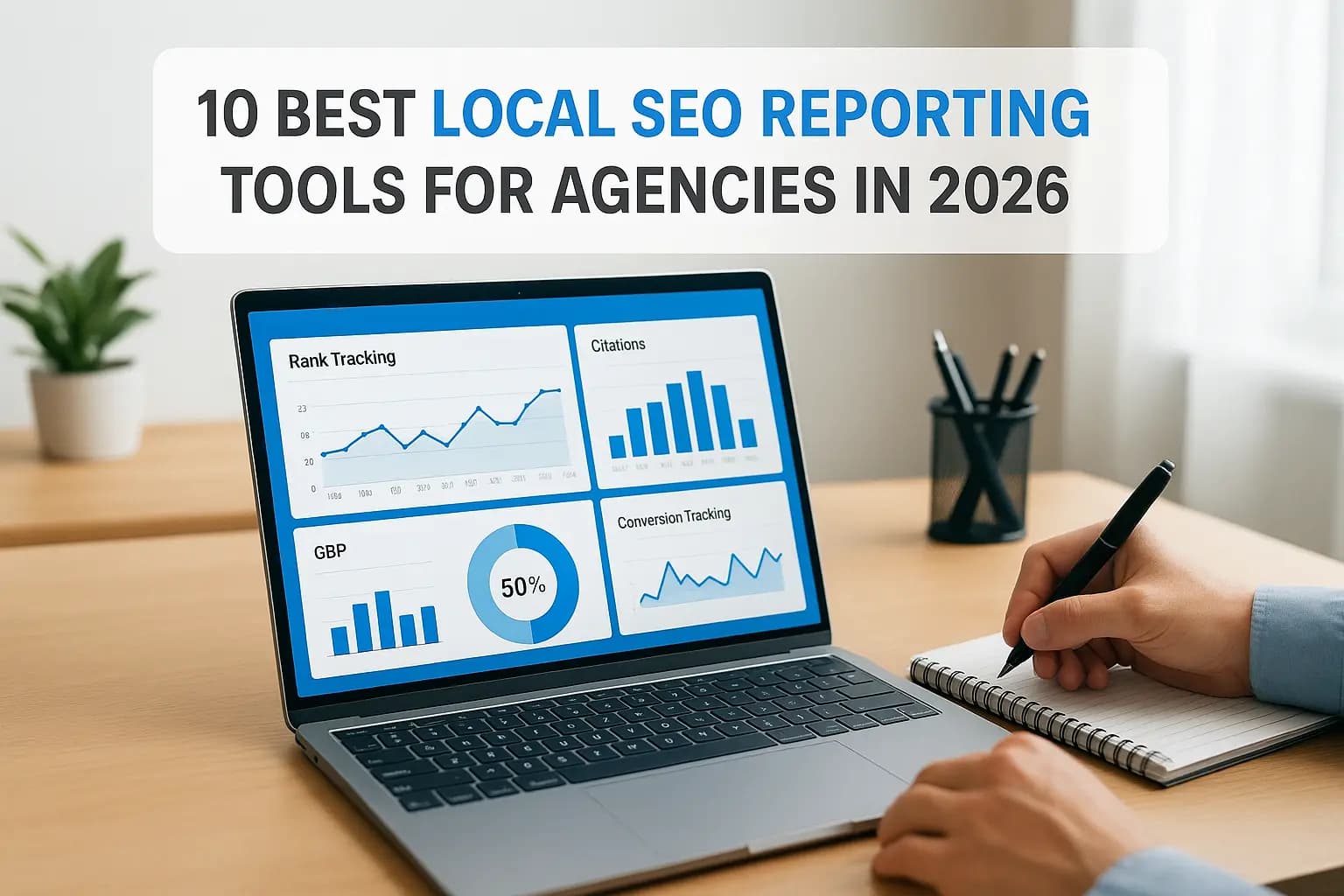
If you run an agency or manage local SEO for a handful of clients, you already know the pain of building reports every month. Screenshots from five different dashboards, manual rank checks, and a client asking why their Google Business Profile views dropped last week. The right local seo reporting tools turn that scramble into a repeatable process, and picking the wrong one wastes hours you don't have.
This list answers a simple question: which platforms actually track local rankings accurately, pull in Google Business Profile data, and automate client reporting without you stitching together spreadsheets every Friday. We tested each tool against real agency workflows, not just marketing claims, looking at rank tracking precision for map pack and organic positions, citation monitoring, how the best tools for monitoring local rankings compare, and how easy it is to white label a report a client will actually read.
Below you'll find ten tools ranked by what matters most for 2026: accuracy, automation depth, and pricing that makes sense for small and mid-size agencies. We built websites and manage SEO for local businesses across Orange County every day, so this comparison reflects hands-on experience with reporting tools, not a rehash of feature lists pulled from vendor sites.
1. Web Solutions CA: done-for-you local SEO reporting
Most tools on this list hand you dashboards and expect you to build the report yourself. Web Solutions CA takes a different approach: we manage the entire local SEO reporting process for you, so you get a finished, client-ready report instead of another login to babysit. If you're a small business owner or a solo operator running SEO for a handful of local clients in Orange County, this matters more than another feature-packed dashboard you don't have time to configure.
How it works
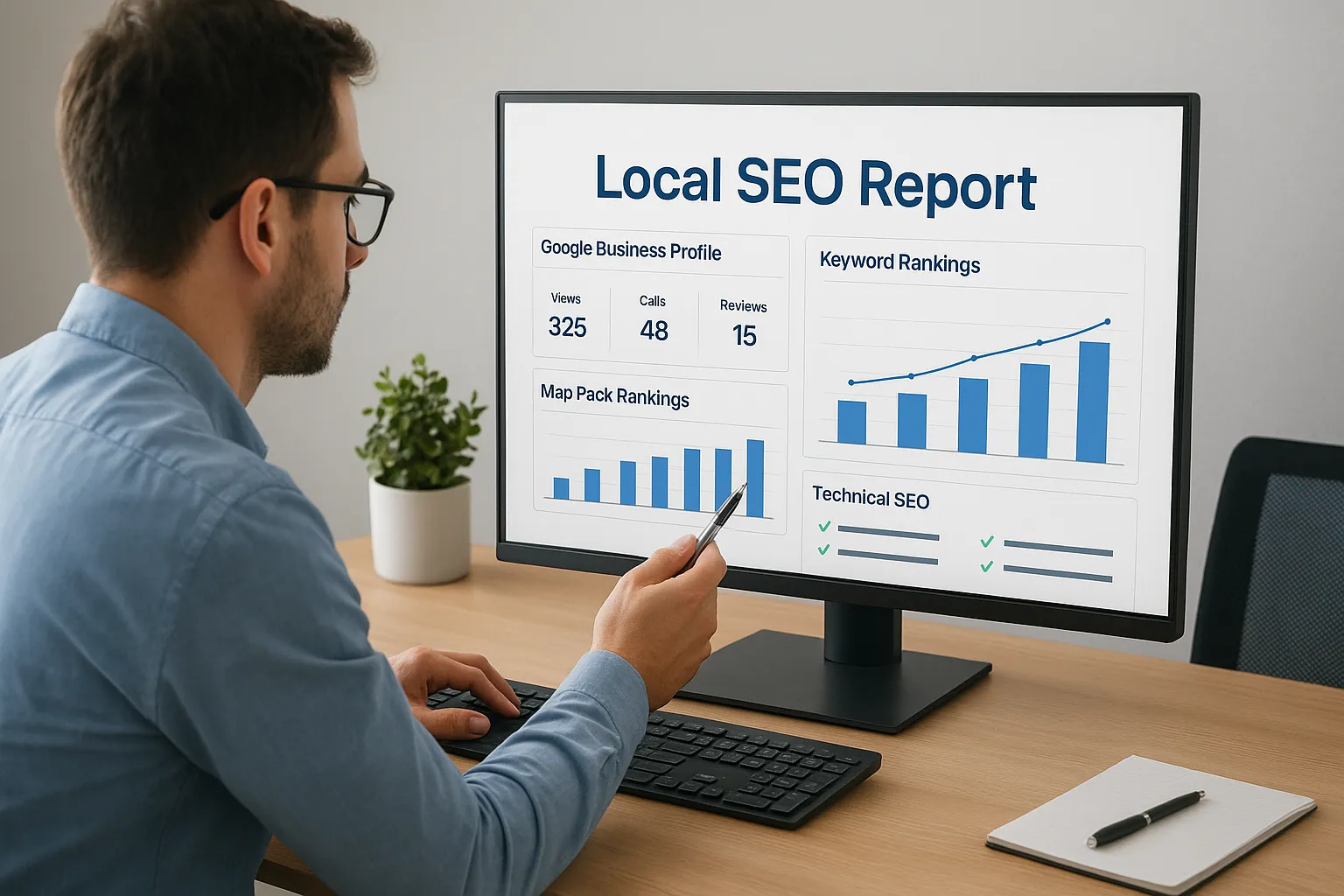
We start with a full audit of your local search presence covering your Google Business Profile, citations, and current map pack rankings, then set up tracking for the keywords that actually drive calls and form fills, not vanity terms nobody searches for. From there, our team monitors ranking movement, GBP performance, and technical SEO health on an ongoing basis and compiles that data into a monthly report you or your client can actually understand. There's no software to learn, no guesswork about which local keywords are worth targeting, and no export-and-format routine eating your Friday afternoon.
A good report should answer one question: is this SEO work making the phone ring, and our reporting is built around that question, not vanity metrics.
Because we also build and manage websites, our reporting connects ranking data to real conversion signals like form submissions and call tracking, something most standalone local seo reporting tools simply can't do because they never touch your website's backend.
Key features
- Map pack and organic rank tracking for the specific service areas and neighborhoods your business targets, not just city-wide averages
- Google Business Profile monitoring, including views, calls, direction requests, and review activity month over month, backed by ongoing profile optimization work
- Technical SEO fixes built into the reporting cycle, so issues get flagged and repaired instead of just documented
- Local citation management to keep your NAP (name, address, phone) consistent across the directory listings that shape local rankings and map pack visibility
- Conversion tracking tied to your actual website analytics, so you see leads and calls, not just impressions
- Plain-language monthly reports delivered by a real person you can call with questions, not an automated PDF drop
Pricing
Our monthly SEO service, which includes reporting as a built-in part of the engagement, starts at $499.99. There's no separate reporting tool subscription to buy on top of that. If you also need a new website or a redesign to support your SEO efforts, our Orange County website design and development starts at $299.99, and we offer custom packages that combine web development, SEO, paid ads, and workflow automation for businesses that want everything under one roof.
| Service | Starting Price | Reporting Included |
|---|---|---|
| Monthly SEO service | $499.99/mo | Yes, done-for-you |
| Website design | $299.99 | N/A |
| Custom growth package | Custom quote | Yes, done-for-you |
Unlike per-seat SaaS pricing that scales against you as you add clients or locations, our pricing is built around the actual work involved, which tends to be more predictable than most budget-friendly local SEO plans for small agencies and single-location businesses alike.
Best for
Small business owners and local service providers who want results without becoming a part-time SEO analyst fit best here. Owners in Costa Mesa and nearby cities, along with Irvine, Santa Ana, Newport Beach, and the rest of Orange County, who need someone to just handle rankings, GBP, and reporting end to end tend to get the most value from this option. If you'd rather spend your time running your business than configuring dashboards, our monthly SEO plans for Orange County businesses are built to fill that gap. Agencies managing dozens of clients across the country may still want a self-serve platform lower on this list, but for a hands-off, accountable partner, this is where we'd start.
2. BrightLocal
BrightLocal has been the default choice for agencies doing local SEO reporting for years, and it earned that reputation. This is a self-serve platform built specifically for local search, which means you're the one setting up campaigns, checking dashboards, and exporting reports rather than handing the work off. For agencies with an in-house SEO person who already knows how to run rank tracking software, this is a solid, proven option.
How it works
You create a campaign for each client location, add target keywords, and connect their Google Business Profile. BrightLocal then pulls local rank tracking data on a schedule you set, daily, weekly, or monthly, and layers in citation audits, review monitoring, and GBP insights into one dashboard. Reports get built from templates you customize with your agency's branding, then scheduled to email clients automatically.
A reporting tool is only as good as the time it saves you, and BrightLocal saves real time once you've built out the templates.
Key features
- Local rank tracker that shows map pack position by ZIP code or radius, not just a single city-wide number
- Citation Tracker and Citation Builder to audit and fix NAP inconsistencies across major directories
- White label reports with your logo, colors, and custom domain for client-facing delivery
- Google Business Profile Audit tool that scores profile completeness and flags gaps
- Reputation Manager for review monitoring and response tracking across multiple platforms
Pricing
BrightLocal runs on tiered monthly plans based on the number of locations and keywords tracked, starting around $39/month for a single-location plan and scaling into the hundreds for agencies managing many client campaigns. Add-ons like citation building are billed separately, which can push the real monthly cost higher than the base plan suggests.
| Plan Type | Starting Price | Best For |
|---|---|---|
| Single Location | ~$39/mo | Solo consultants |
| Agency/Multi-Location | ~$79/mo+ | Small agencies |
| Add-ons (citations, GBP tools) | Billed separately | Scaling needs |
Best for
Agencies with someone dedicated to managing SEO software day to day will get the most out of BrightLocal. It rewards agencies that invest time in setting up campaigns correctly and building report templates once, then reusing them across dozens of clients. If you don't have that bandwidth, or you're a single-location business owner without SEO staff, you'll likely spend more time configuring the tool than acting on what it tells you, which is exactly the gap a done-for-you service is built to close.
3. SE Ranking
SE Ranking built its reputation as an all-in-one SEO platform, and its local reporting features have caught up to the bigger names on this list without the bigger price tag. Unlike BrightLocal, which focuses almost entirely on local search, SE Ranking bundles local rank tracking with backlink monitoring, technical audits, and content tools, so agencies that handle both local and broader SEO for a client can run everything from one login instead of juggling separate subscriptions.
How it works
You set up a project for each client domain, add target keywords tagged by location, and connect Google Business Profile and Google Analytics for a fuller data picture. SE Ranking then checks rankings on a schedule, tracks map pack position alongside organic results, and generates a white label report you can send on autopilot or export as a branded PDF. The dashboard groups everything into one client-facing view, which cuts down on the tab-switching that eats up so much time when you're using local seo reporting tools built for a single narrow task.
The best local SEO tools save you time by combining tasks, not by adding another dashboard to check.
Key features
- Local rank tracker with map pack visualization by grid point around a business location
- White label reporting with scheduled delivery and full branding customization
- On-page and technical audit tools that flag site issues alongside ranking data
- Backlink monitoring for agencies that pair local SEO with broader link building work
- Competitor tracking to compare a client's visibility against nearby competitors over time
Pricing
| Plan | Starting Price | Notes |
|---|---|---|
| Essential | ~$65/mo | Good for a small client roster |
| Pro | ~$151/mo | Adds white label reporting |
| Business | ~$300/mo+ | Built for larger agencies |
White label reporting, the feature most agencies actually need, is locked behind the Pro tier and above, so budget for that when comparing plans against competitors.
Best for
Agencies juggling local SEO alongside broader organic and technical work will find the most value here, since one subscription covers both without paying twice for overlapping features. Solo local business owners without an SEO background will likely find the interface more complex than they need, since much of the platform is built for tasks outside pure local search.
4. Local Falcon
Local Falcon takes a different approach than the rest of this list. Instead of tracking a handful of keywords from a single point, it maps how a business ranks across a grid of locations surrounding its address. If you've ever had a client ask why they rank first at their office but nowhere ten minutes away, this is the tool built to answer that exact question, though fixing it still takes real Google Maps optimization work. Agencies that specialize in local rank tracking for multi-location businesses or service-area businesses tend to gravitate here first.
How it works
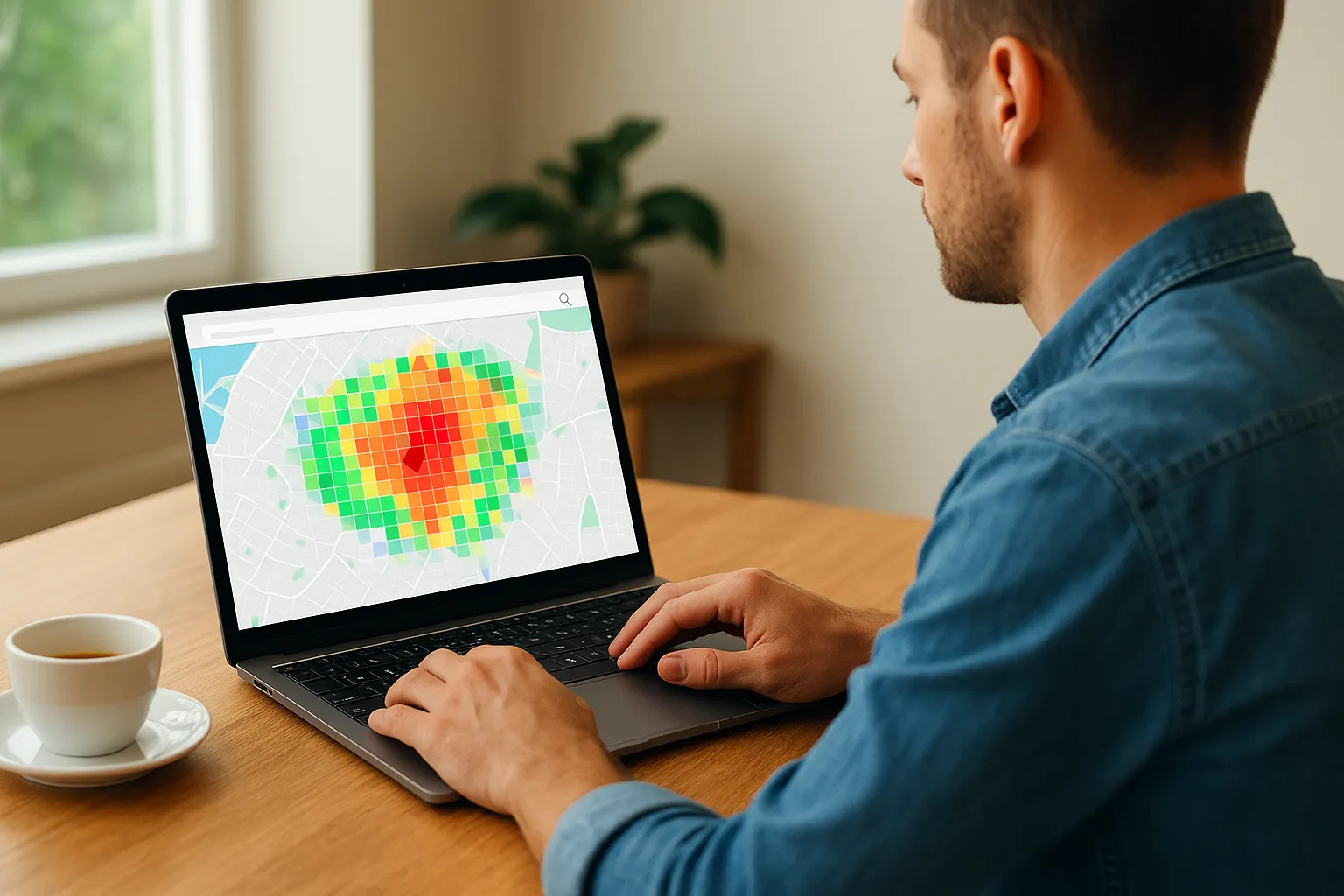
You drop a pin on the client's Google Business Profile location, choose a keyword, and Local Falcon generates a grid of search points around that pin, anywhere from 5 to over 100 points depending on the plan. Each point runs a real search and shows the map pack ranking at that exact spot, producing a heat map that shows visually where a business dominates and where it disappears. You can schedule these scans to run automatically and export the results as a shareable report or screenshot, which makes it easy to show a client tangible proof of coverage gaps.
A single rank number tells you almost nothing about local visibility, but a grid map shows exactly where you're winning and where you're invisible.
Key features
- Grid-based rank tracking that visualizes map pack position across dozens of points around a business location
- Local Falcon AI, which analyzes the signals behind map pack placement and suggests specific fixes for underperforming areas
- Competitor grid comparison showing which nearby businesses dominate the map pack in a given radius
- Google Business Profile audit tools built into the same dashboard as the grid scans
- Scan history and reporting so you can track improvement over months, not just a single snapshot
Pricing
| Plan | Starting Price | Notes |
|---|---|---|
| Pay-as-you-go | ~$0.02-0.05 per scan | Good for occasional checks |
| Falcon Guard | ~$29.99/mo | Ongoing monitoring, one location |
| Scale/Agency plans | ~$99/mo+ | Multiple locations, more scans |
Costs scale with scan volume, so agencies running frequent grid scans across many clients should budget carefully rather than assume a flat monthly fee.
Best for
Agencies and multi-location businesses that need visual proof of map pack coverage, rather than a single ranking number, will get the most value from Local Falcon. It works best paired with a broader reporting tool, since it specializes narrowly in grid tracking rather than citations, GBP monitoring, or full client dashboards.
5. Whitespark
Whitespark built its name on citation building before most agencies even had local SEO reporting on their radar, and citations are still where it shines brightest. If your client's map pack rankings are stuck because their business name, address, and phone number are inconsistent across dozens of directories, Whitespark is the tool built to find and fix that specific problem. It pairs citation work with local rank tracking, giving you a narrower but deeper toolset than the all-in-one platforms higher on this list.
How it works
You start by running a citation audit, which scans directories, data aggregators, and industry-specific listings for your client's business and flags every inconsistency it finds. From there, Whitespark's rank tracker monitors map pack and organic positions on a schedule, and its Reputation Builder tool automates review requests to customers by email or text. Everything feeds into a client-facing report you can white label, though the reporting layer feels more utilitarian than the polished dashboards you get from BrightLocal or SE Ranking.
Rankings rarely improve without clean citations underneath them, and that's the gap Whitespark closes better than almost anything else on this list.
Key features
- Citation Tracker and Local Citation Finder, which locates existing listings and identifies where a business is missing entirely
- Rank Tracker for map pack and organic positions, viewable by specific ZIP code or radius
- Reputation Builder to automate review requests and monitor responses across platforms
- Google Business Profile management tools for updating listings without logging into Google directly
- White label reporting with scheduled delivery, though customization options are more limited than dedicated reporting platforms
Pricing
| Plan | Starting Price | Notes |
|---|---|---|
| Rank Tracker | ~$17/mo | Basic keyword tracking only |
| Reputation Builder | ~$34/mo | Review automation add-on |
| Citation Builder | Custom quote per project | One-time or ongoing citation cleanup |
Because Whitespark splits tools into separate products, agencies often end up paying for two or three subscriptions to get full local SEO reporting coverage, which adds up faster than a single all-in-one plan.
Best for
Agencies dealing with messy citation profiles, especially for older businesses that have moved locations or changed names, will get the most value from Whitespark's citation tools specifically. It works well as a supplement to a broader reporting platform rather than a replacement for one, since its own report builder isn't as robust as competitors built around client-facing dashboards from the start. If citation cleanup isn't your client's biggest problem, you'll likely find better value starting elsewhere on this list.
6. Semrush Local
Semrush built one of the biggest names in SEO software, and its Local add-on brings that same data depth to map pack tracking and listing management. If you're already running Semrush for a client's broader organic strategy, adding Local means you're not paying for a second platform just to handle local rank tracking and citation cleanup. It's less specialized than BrightLocal or Whitespark, but the tradeoff is one login covering keyword research, backlinks, and local visibility together.
How it works
Once you add the Local add-on to an existing Semrush account, you connect the client's Google Business Profile and set up listing management across a network of directories. Semrush then audits existing citations, flags duplicate or inconsistent listings, and pushes corrected data out automatically instead of requiring you to update each directory by hand. Rank tracking runs alongside your existing organic keyword tracking, so map pack position and standard search rankings show up in the same report rather than two separate exports.
Combining local and organic data in one report saves the client from wondering why two different tools show two different rankings for the same keyword.
Key features
- Listing Management that distributes and corrects business data across dozens of directories automatically
- Local rank tracking integrated with Semrush's existing organic and mobile keyword tracking
- Review Management tool that pulls reviews from Google and other platforms into one inbox
- Local SEO reporting templates that combine map pack data with site-wide organic performance
- Position Tracking by location, useful for service-area businesses covering multiple cities
Pricing
| Plan | Starting Price | Notes |
|---|---|---|
| Semrush core plans | ~$139.95/mo | Required base subscription |
| Local add-on | ~$20/mo per location | Adds listing management and local tracking |
| Agency Growth Kit | Custom quote | Bundles white label reporting tools |
Because the Local add-on sits on top of a full Semrush subscription, the real cost is higher than the add-on price alone suggests, which matters if local SEO reporting is your only need.
Best for
Agencies already paying for Semrush for keyword research or competitor analysis get the most value here, since the local features slot in without a separate contract. Solo operators handling local seo reporting tools for a single client rarely need the full Semrush suite, and the combined cost usually outweighs the convenience for anyone managing just one or two local businesses.
7. Moz Local
Moz built its reputation on Domain Authority and link data long before local search became its own discipline, and Moz Local carries that same data-first approach into listing management and rank tracking. If you're looking for local seo reporting tools with a simpler learning curve than Semrush or SE Ranking, Moz Local trades some depth for a cleaner interface that a small agency team can pick up in an afternoon. It leans harder into listing distribution than grid-based rank tracking, which makes it a good fit for agencies whose clients struggle more with inconsistent directory data than with map pack visibility.
How it works
Once you connect a client's Google Business Profile, Moz Local scans a network of directories and data aggregators, then automatically pushes corrected NAP data out to fix duplicate or inconsistent listings without you logging into each site individually. Rank tracking runs alongside this, checking map pack and organic positions on a set schedule and rolling everything into a dashboard you can share with clients or export as a report. Listing accuracy scoring gives you a single number to show progress over time, which tends to land well with clients who don't want to parse a dozen separate metrics.
A client doesn't need every metric you track, just proof that the number that matters is moving in the right direction.
Key features
- Automated listing distribution across major directories, data aggregators, and industry-specific sites
- Duplicate listing detection and suppression to remove conflicting business profiles hurting map pack trust
- Rank tracking for local and organic keywords, viewable by location
- Review monitoring across Google, Facebook, and other major platforms in one feed
- Client-facing dashboards with simplified scoring, easier to hand off than raw ranking data
Pricing
| Plan | Starting Price | Notes |
|---|---|---|
| Lite | ~$14/mo per location | Basic listing management |
| Preferred | ~$20/mo per location | Adds review monitoring |
| Elite | ~$44/mo per location | Full reporting and rank tracking |
Pricing scales per location rather than per client account, so agencies managing multi-location clients should map out costs before committing.
Best for
Small agencies handling clients with messy or duplicated online listings will get the most immediate value from Moz Local's automated cleanup. Teams that want simple, client-friendly scores over granular grid data will find the dashboard easier to hand off without extra explanation.
8. Localo
Localo entered the local SEO space more recently than names like BrightLocal or Whitespark, but it built its whole platform around one idea: local rankings change based on where a searcher stands, so a single position number is close to useless. That grid-first mindset puts it in similar territory to Local Falcon, except Localo wraps the grid data into a fuller reporting suite with citations, review tracking, and a local SEO scoring system built for agencies that want one dashboard rather than a narrow scanning tool.
How it works
Setup starts with connecting a client's Google Business Profile and dropping a location pin, then Localo runs grid-based scans across a radius you define, checking map pack position at each point on the map. From there, the platform layers in an AI-generated task list that tells you specifically what to fix, whether that's a missing category, thin GBP posts, or a citation gap, rather than just handing you a ranking chart and leaving the analysis to you. Reports pull all of this into a client-facing view that updates automatically as new scans complete, cutting down the manual export work agencies deal with elsewhere on this list.
A ranking chart tells you what happened, but a task list tells you what to do next, and that's the gap Localo tries to close.
Key features
- Grid rank tracking with visual heat maps showing map pack visibility across a defined radius
- AI task recommendations that translate ranking data into specific fixes for GBP, citations, or on-page issues
- Local SEO score that gives clients a single number to track progress against, similar to Moz Local's approach
- Review monitoring and response tools built into the same dashboard as ranking data
- White label client reports with automated scheduling
Pricing
| Plan | Starting Price | Notes |
|---|---|---|
| Starter | ~$25/mo per location | Basic grid tracking |
| Pro | ~$45/mo per location | Adds AI recommendations |
| Agency | Custom quote | Multiple locations, white label |
Per-location pricing means costs climb quickly for agencies managing many client sites, so run the math against your actual client count before committing.
Best for
Agencies that want grid-based local rank tracking paired with a built-in action plan, rather than raw data they have to interpret themselves, get the most out of Localo. Newer local SEO teams that need guidance on what to fix next will find the AI recommendations more useful than agencies with senior strategists who already know their next move.
9. Google Business Profile and Search Console
Before you pay for any third-party platform, remember that Google gives you two free tools that already hold the most accurate data available: your Google Business Profile dashboard and Search Console. Neither one was built as a dedicated reporting tool, but together they cover map pack performance, organic visibility, and the exact search terms bringing people to a client's site, all without a monthly subscription. If budget is the main obstacle to better local seo reporting tools, start here before shopping for software.
How it works
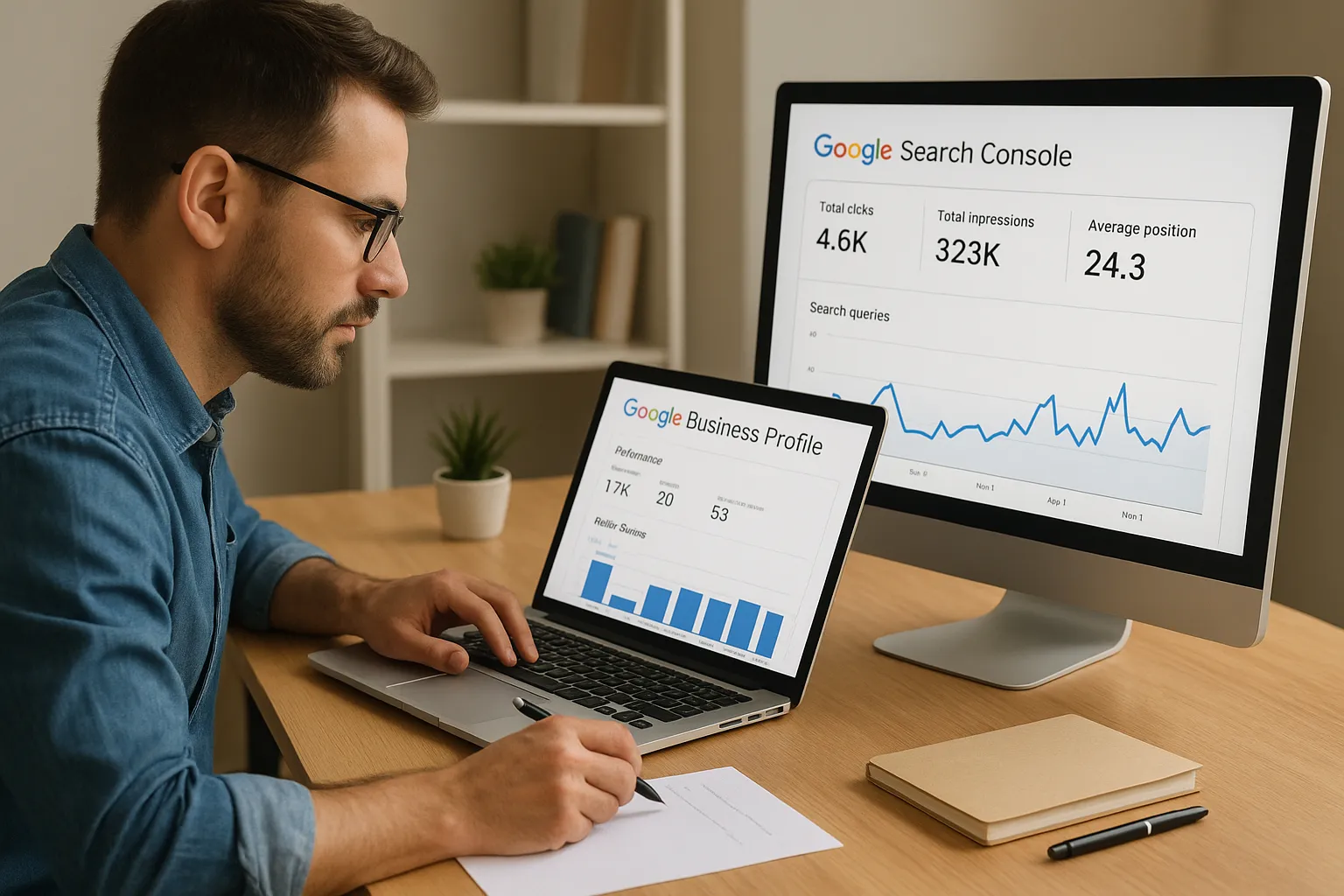
Google Business Profile's built-in insights show views, calls, direction requests, and website clicks broken down by week or month, plus the exact search queries that triggered a profile to appear, which is the same data you use when tuning a profile to perform in local search. Search Console pairs with that by showing organic impressions, clicks, and average position for every query and page, filterable by location if the client's site has location-specific pages. Neither tool tracks map pack rank at a specific address the way Local Falcon does, but both pull data straight from Google, which means no scraping, no estimated positions, and no risk of a third-party tool getting flagged for automated queries.
Free doesn't mean weak here, it means the data comes straight from the source instead of an estimate.
Key features
- Search query reports in GBP showing the exact terms customers used before calling or requesting directions
- Performance metrics in Search Console broken down by query, page, device, and country, filtered further with a Search Console regex builder
- Review and Q&A monitoring built directly into the GBP dashboard
- Index coverage reports flagging pages Google can't crawl or has dropped from the index
- Export options to Google Sheets or Looker Studio for building a custom report template
Pricing
Both tools are completely free, with no tiers, seat limits, or add-ons to unlock reporting features.
| Tool | Cost | Data Source |
|---|---|---|
| Google Business Profile | Free | Direct from Google |
| Search Console | Free | Direct from Google |
Best for
Solo business owners and tight-budget startups who want a reality check before investing in paid software fit best here. Agencies also use these two dashboards to validate what paid tools report, since discrepancies usually mean the paid tool is estimating rather than pulling live data. The tradeoff is manual work: neither tool automates client-ready reports on its own, so you'll need to build templates yourself or pair them with a service that does the reporting for you.
10. Free browser extensions for competitor research
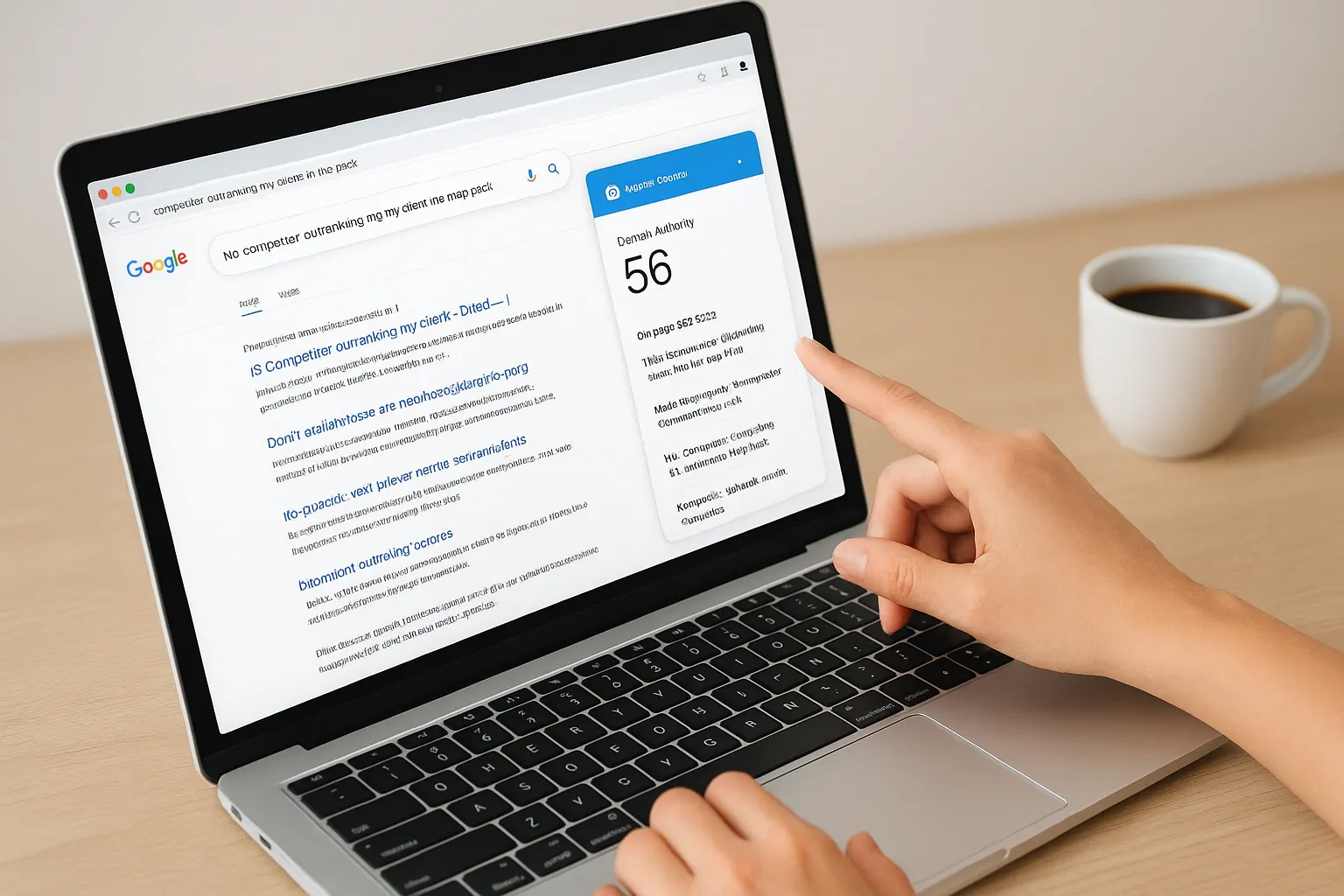
Sometimes you don't need a full platform or a deep dive into a competitor's local search setup, you just need a quick answer to "why is this competitor outranking my client in the map pack?" That's where browser extensions earn their spot on this list. Tools like the Detailed SEO Extension, MozBar, and Keywords Everywhere sit in your Chrome toolbar and pull live on-page and ranking data the moment you land on a page, no campaign setup required. They won't replace dedicated local seo reporting tools, but they fill the gap when you need a fast, free check before deciding whether a client's problem is even worth a paid subscription.
How it works
Installing one takes under a minute, and most work the same way: you visit a competitor's website or a live Google search results page, click the extension icon, and it overlays data directly on the page. MozBar shows Domain Authority and on-page elements for any URL you're viewing, while the Detailed SEO Extension surfaces title tags, headers, schema markup, and word count without opening the page source. Keywords Everywhere adds search volume and related keyword data straight into the Google search results page itself, which helps you spot local keyword gaps while you're already researching a client's competitors.
A browser extension won't build you a client report, but it answers a quick competitive question faster than logging into any dashboard.
Key features
- On-page SEO overlays showing title tags, meta descriptions, headers, and schema directly on any page you visit
- Domain and page authority scores for quick competitive comparisons without a full audit
- Keyword volume and CPC data layered onto live Google search results pages
- SERP position tracking for the page you're currently viewing, useful for spot-checking a single ranking
- Export to CSV on most extensions, letting you pull data into a spreadsheet for manual reporting
Pricing
Most of these extensions run entirely free, with paid tiers unlocking bulk exports or higher search volume limits. Keywords Everywhere charges a small credit-based fee for volume data, usually a few dollars for tens of thousands of searches, but the core browsing overlay stays free.
Best for
Agencies doing quick competitor spot-checks before a sales call, or solo operators without budget for a paid platform yet, get the most mileage here. They work best as a supplement to a full reporting tool, not a replacement for one.
Finding the right fit for your reporting stack
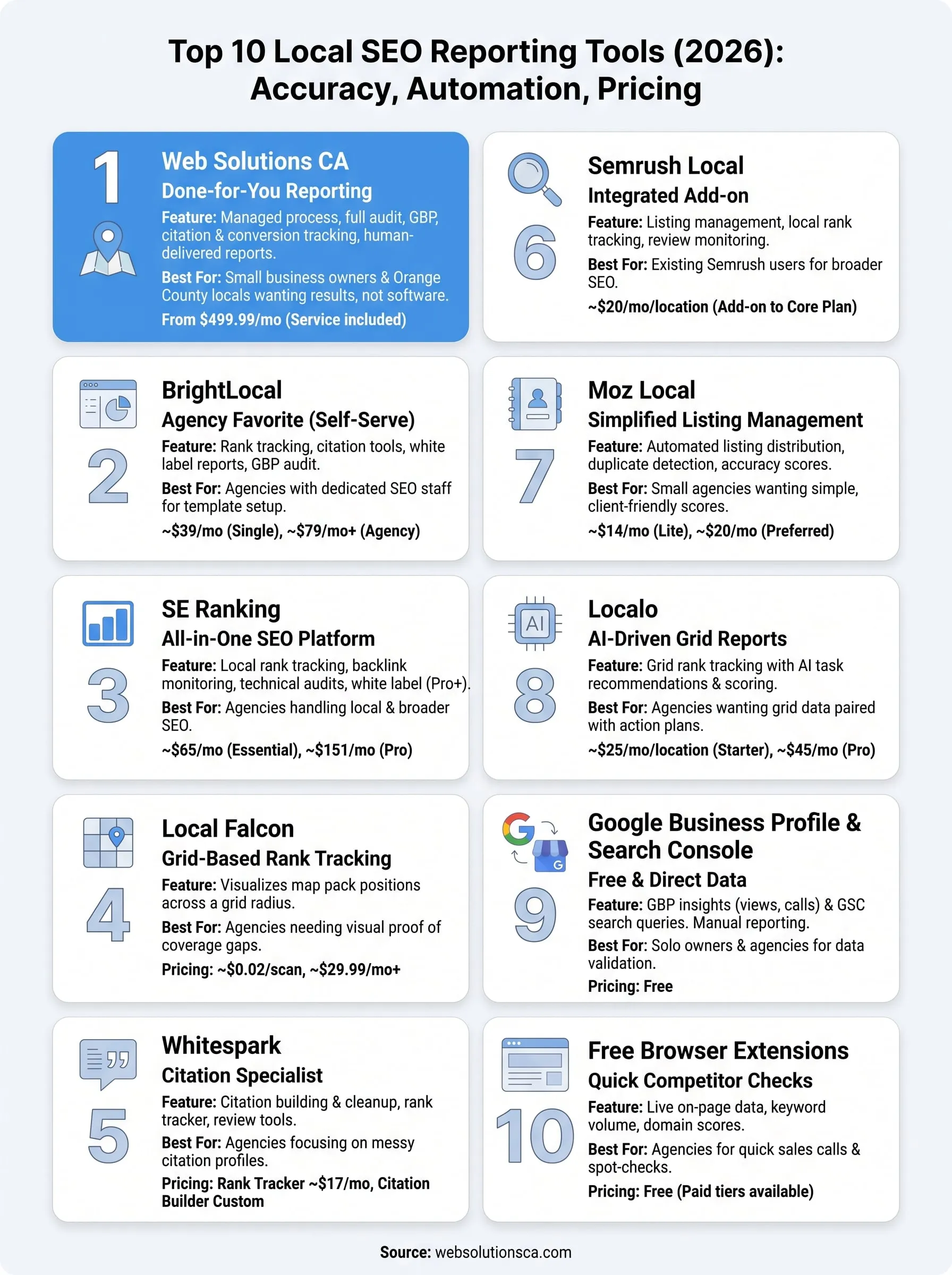
Picking from these ten options comes down to one question: do you want to run the software, or do you want the results? Agencies with a dedicated SEO analyst and time to build templates will get plenty of mileage from BrightLocal, SE Ranking, or Local Falcon. Solo owners and small businesses without that bandwidth usually burn more hours configuring dashboards than acting on what those dashboards show.
Google's free tools deserve a permanent spot in your process regardless of what else you use, since nothing beats data straight from the source. But if you're a small business owner in Orange County who wants ranking movement, GBP performance, and clear monthly reports handled by a real person instead of another login, that's exactly what we built. See how our done-for-you local SEO in Orange County handles rankings, Google Maps visibility, and monthly reporting so you can get your week back.