
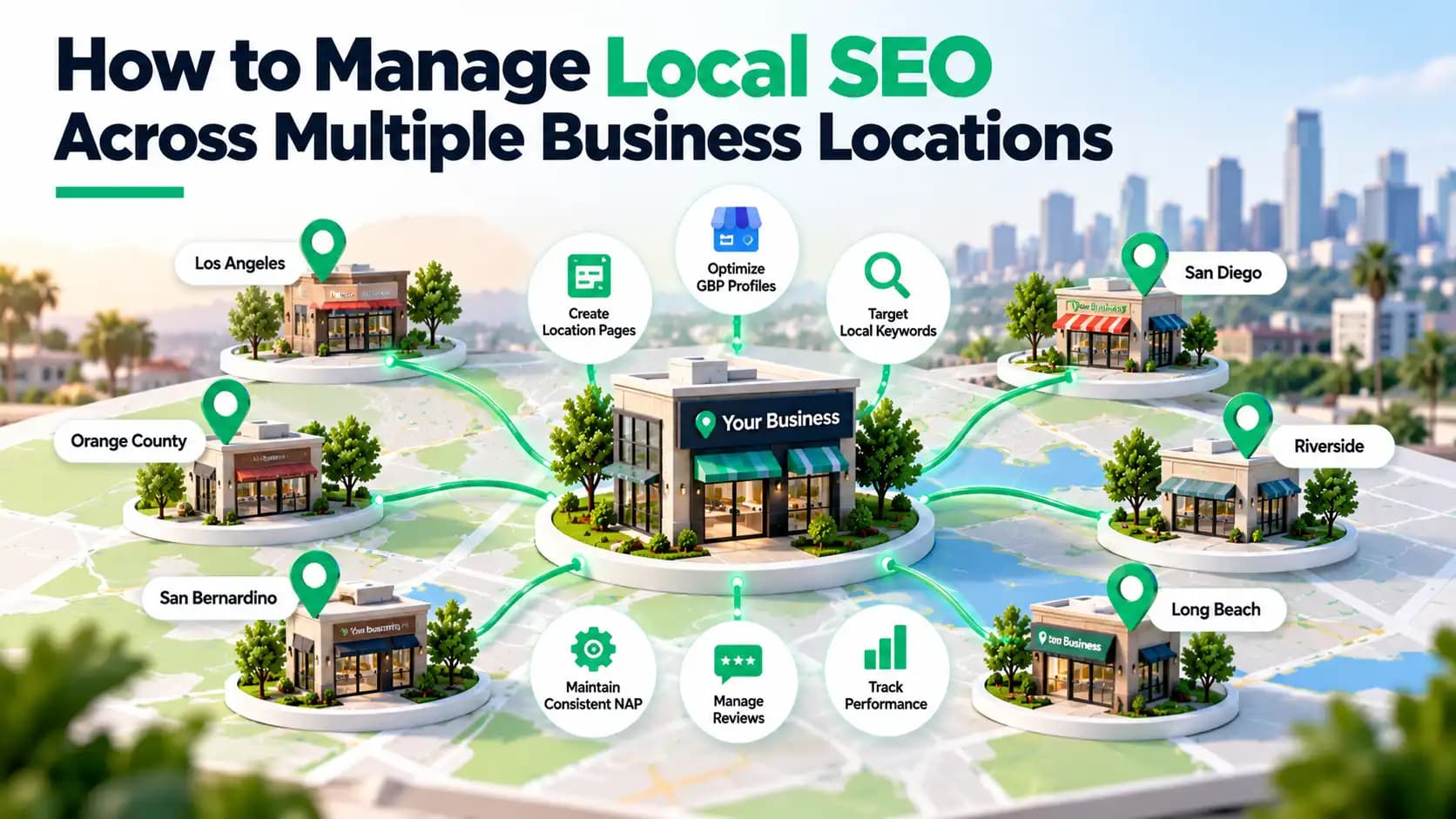
How to Manage Local SEO Across Multiple Business Locations
Managing one business location online is challenging enough. Now imagine keeping your Google Business Profiles, website pages, reviews, and contact details accurate across five, ten, or even twenty branches. One outdated address or poorly optimized location page can make it harder for customers to find the right business.
Local SEO for multiple locations helps each branch appear in relevant local searches while maintaining a consistent brand presence. The key is to manage location-specific information without repeating the same SEO work unnecessarily.
This guide explains how to build a practical multi-location SEO strategy, improve local search visibility, and measure results for every business location.
Understanding Local SEO for Multiple Locations
Multi-location local SEO is the process of optimizing a business's online presence across different physical locations or service areas. Instead of targeting a single city, you optimize individual location pages, Google Business Profiles (GBP), business listings, and local content for the markets you serve.
For example, a dental practice with offices in Irvine, Costa Mesa, and Huntington Beach needs accurate information and relevant content for each office. The goal of local SEO for multiple locations is simple: help nearby customers find the most relevant location when searching on Google Search or Google Maps.
Why Is Local SEO Different for Multi-Location Businesses?
With a single-location business, you usually manage one Google Business Profile and one main local market. Multiple locations introduce different competitors, customer needs, and search patterns. Here are the main reasons multi-location SEO requires a different approach:
- Different local audiences: Each branch targets customers with unique neighborhood-based search habits.
- Location-specific reputation: Reviews and customer feedback vary by branch and need individual attention.
- Consistent business information: Keep addresses, phone numbers, hours, and listings accurate across locations.
- Unique landing pages: Give each branch relevant details, services, and directions instead of duplicated content.
- Track each location: Monitor local rankings separately to identify underperforming branches.
The goal isn't simply to make one business rank in more places. It's to help customers find the right branch, trust the information they see, and take the next step, whether that's calling, booking an appointment, or visiting in person.
Importance of Multi-Location Local SEO for Businesses
A strong local SEO strategy helps each branch compete in its own market while keeping your brand consistent. The key benefits of doing local SEO for businesses with multiple locations include:
- Better local visibility: Help each branch appear in relevant local searches.
- More customer trust: Keep business details accurate and manage location-specific reviews.
- More leads and visits: Make it easier for customers to call, book, or get directions.
- Stronger local competition: Help each branch compete with businesses in its surrounding area.
Local SEO can also work alongside paid advertising to attract customers at different stages of the buying journey. Understanding the differences between SEO vs. PPC for small businesses can help businesses choose the right mix of long-term organic visibility and paid traffic.
It can help you:
- Reach customers searching for services near individual branches.
- Increase relevant website visits, calls, and appointment inquiries.
- Improve the accuracy of business information.
How to Do Local SEO for Multiple Locations
1. Research Local Keywords for Each Business Location
Customers in different cities may search for the same service using different phrases. Start by identifying your core services, then combine them with relevant cities, neighborhoods, and search intent. Here is an example of different target keywords for different business locations:
| Business location | Example target keyword |
|---|---|
| Irvine | Family dentist Irvine |
| Costa Mesa | Dental clinic Costa Mesa |
| Huntington Beach | Emergency dentist Huntington Beach |
Use Google Search Console, keyword research tools, and local competitor research to identify opportunities. Our local keyword research guide explains how to find relevant search terms for your target markets.
2. Organize Your Website Around Individual Locations
Your website should make it easy for visitors and search engines to find each branch. Include a store locator or locations directory that links directly to each branch. Connect relevant service pages to location pages through descriptive internal links. This helps visitors navigate your website without relying entirely on search results.
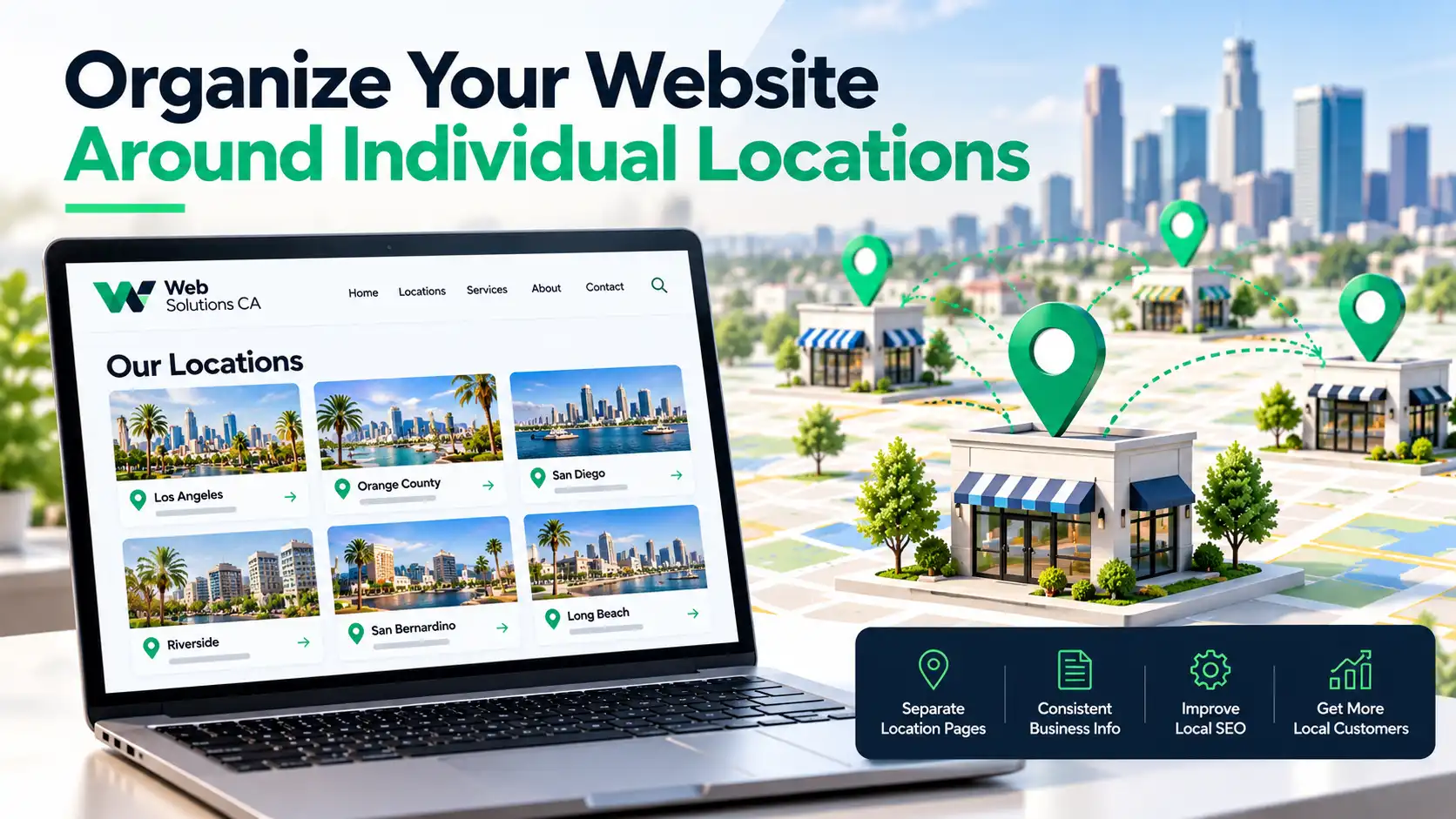
A practical location page architecture might look like this:
| Page | Example URL structure |
|---|---|
| Main locations directory | /locations/ |
| Irvine branch | /locations/irvine/ |
| Costa Mesa branch | /locations/costa-mesa/ |
| Huntington Beach branch | /locations/huntington-beach/ |
The right website platform can also make location management easier as a business grows. Comparing WordPress vs. Wix for small businesses can help determine which platform offers the flexibility needed to manage location pages, update content, and maintain a well-organized website.
Key Takeaway: For most multi-location businesses, one organized website is easier to maintain than separate websites for every branch.
3. Create Unique and Helpful Location Landing Pages
Copying the same content across multiple city pages and changing only the location name provides little value to readers. Each location landing page should explain what makes that branch relevant to its customers.
List of Important Elements in a Landing Page
- The correct address, phone number, and opening hours.
- Services available at that specific location.
- Original photographs and useful local details.
- Directions, parking information, or nearby landmarks.
- A clear call, booking, or contact option.
Use a consistent design, but make the information genuinely useful for each location, with relevant services, local details, and customer needs. Learn more about creating effective local landing pages.
4. Optimize Google Business Profiles for Every Location
Each eligible branch should have its own optimized Google Business Profile (GBP) to help nearby customers find the right branch on Google Search and Google Maps. For each profile, check:
- Business name and primary category.
- Correct address or service area.
- Local contact information and opening hours.
- Relevant services and business attributes.
- Authentic photos and customer reviews.
Effective Google Business Profile optimization starts with accurate business categories, addresses, phone numbers, and operating hours. Link each profile to its corresponding location page rather than the main homepage.
5. Maintain Accurate Business Listings and NAP Information
NAP (name, address, and phone number) must be accurate across Google Business Profile, Bing Places, Yelp, and other directories. Maintain NAP consistency by keeping a central record and regularly checking for outdated details or duplicate listings.
6. Build Local Reviews and Customer Trust
Encourage customers to leave honest reviews on the Google Business Profile of the branch they visited. Share review links, respond professionally to feedback, and address recurring complaints. A consistent approach to getting more Google reviews helps each location build trust and strengthen its reputation.
7. Strengthen Local Authority Through Links and Relevant Content
Build local relevance through backlinks, business mentions, and useful content tailored to each market. Pursue local link building through community organizations, business partnerships, and reputable local publications. Prioritize genuine local value over repetitive pages or low-quality links.
8. Implement Location-Specific Schema Markup
Include the business name, address, phone number, opening hours, website URL, and geographic coordinates where relevant. Ensure the markup matches visible page content and validate it with Google's Rich Results Test or Schema Markup Validator.
When implementing Local Business schema, include relevant properties such as:
- Business name, address, and phone number.
- Opening hours and location-specific website URL.
- Geographic coordinates, where applicable.
Common Multi-Location SEO Mistakes to Avoid
Even a well-organized business can lose valuable local search opportunities through inconsistent management. Review these issues regularly when opening, relocating, or closing branches:
- Publishing nearly identical location pages.
- Creating Google Business Profiles for ineligible locations.
- Leaving outdated addresses in business directories.
- Using the wrong location phone number.
- Ignoring customer reviews at individual branches.
- Tracking overall website traffic without location-level reporting.
How to Track Local SEO Performance Across Locations
Tracking local SEO performance helps you identify which branches attract customers and which need improvement. Rather than relying on overall website traffic, monitor each location separately to measure search visibility, customer engagement, and conversions.
For example, if your HVAC business receives steady traffic in Irvine but few service inquiries, review that location page's content, contact information, and calls to action.
Consistent local rank tracking, combined with monthly performance reviews, helps you identify underperforming branches and focus your SEO efforts where they can generate more customers.
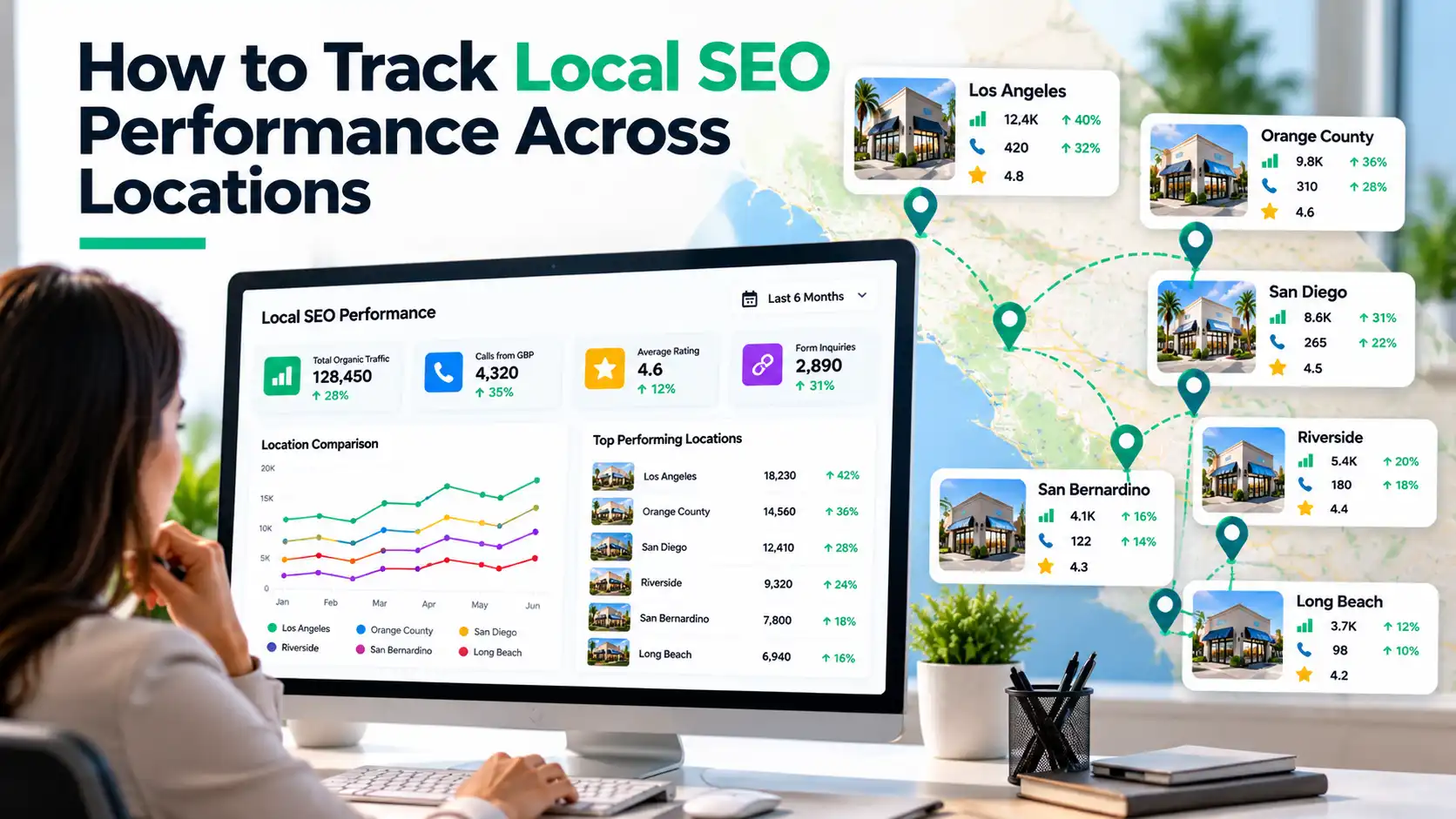
Checklist to Track Local SEO Performance Across Multiple Business Locations
| Checklist | What to Track | Recommended Tool |
|---|---|---|
| ☐ Local search rankings | Keyword positions in Google Search and Maps for each city | Local rank tracking tools |
| ☐ Organic traffic | Clicks and impressions for individual location pages | Google Search Console |
| ☐ Customer engagement | Calls, direction requests, and website clicks | Google Business Profile |
| ☐ Leads and conversions | Form submissions, bookings, and customer inquiries | Google Analytics 4 (GA4) |
| ☐ GBP website traffic | Visits generated by each location's business profile | GA4 with UTM parameters |
How to Scale Local SEO Management as Your Business Grows
As your business expands, managing local SEO across multiple locations becomes harder without a clear system. What works for three branches may not work for thirty. The goal is to keep every location accurate, visible, and competitive without increasing manual work.
- Centralize business information: Maintain one updated record of addresses, phone numbers, operating hours, services, and Google Business Profile access.
- Standardize routine tasks: Create consistent processes for updating listings, managing reviews, publishing location content, and auditing profiles.
- Prioritize locations strategically: Focus on branches with low search visibility, strong local competition, or untapped growth opportunities.
- Use automation wisely: Location management tools can simplify repetitive updates, but regularly review information for accuracy.
Knowing how to choose an SEO agency helps you evaluate potential partners based on their experience, strategy, and ability to meet your business's specific needs.
Final Thoughts on Managing Local SEO for Businesses with Multiple Locations
Managing local SEO for multiple locations isn't about creating more listings or targeting more cities. It's about making every branch easy to find, trust, and contact.
Keep your business information accurate, build useful location pages, strengthen local credibility, and track results individually. With the right strategy, each location can attract relevant searches and turn local visibility into genuine business opportunities.
Want to improve your visibility across multiple locations? Explore our local SEO services in Orange County, learn how to rank higher on Google Maps, or contact Web Solutions CA to discuss a tailored SEO strategy to help each location attract more local customers.
Frequently Asked Questions
Does Every Business Location Need Its Own Google Business Profile?
Generally, each eligible, independently operating location can have its own profile. However, all locations must meet Google's eligibility requirements. Simply serving another city does not justify creating another listing.
Can Multiple Business Locations Share One Website?
Yes. A single website with dedicated location pages and a clear navigation structure is usually a practical approach. It keeps brand information centralized while allowing each branch to target relevant local searches.
How Do You Prevent Location Pages From Competing With Each Other?
Assign distinct geographic targets, use accurate location-specific details, and avoid publishing multiple pages with substantially overlapping purposes. Internal links should direct visitors to the most relevant branch or service page.
How Long Does Multi-Location SEO Take to Show Results?
There is no fixed timeline. Results depend on local competition, existing visibility, website quality, and the improvements made. Monitor performance over several months and evaluate each location separately rather than expecting identical results everywhere.