
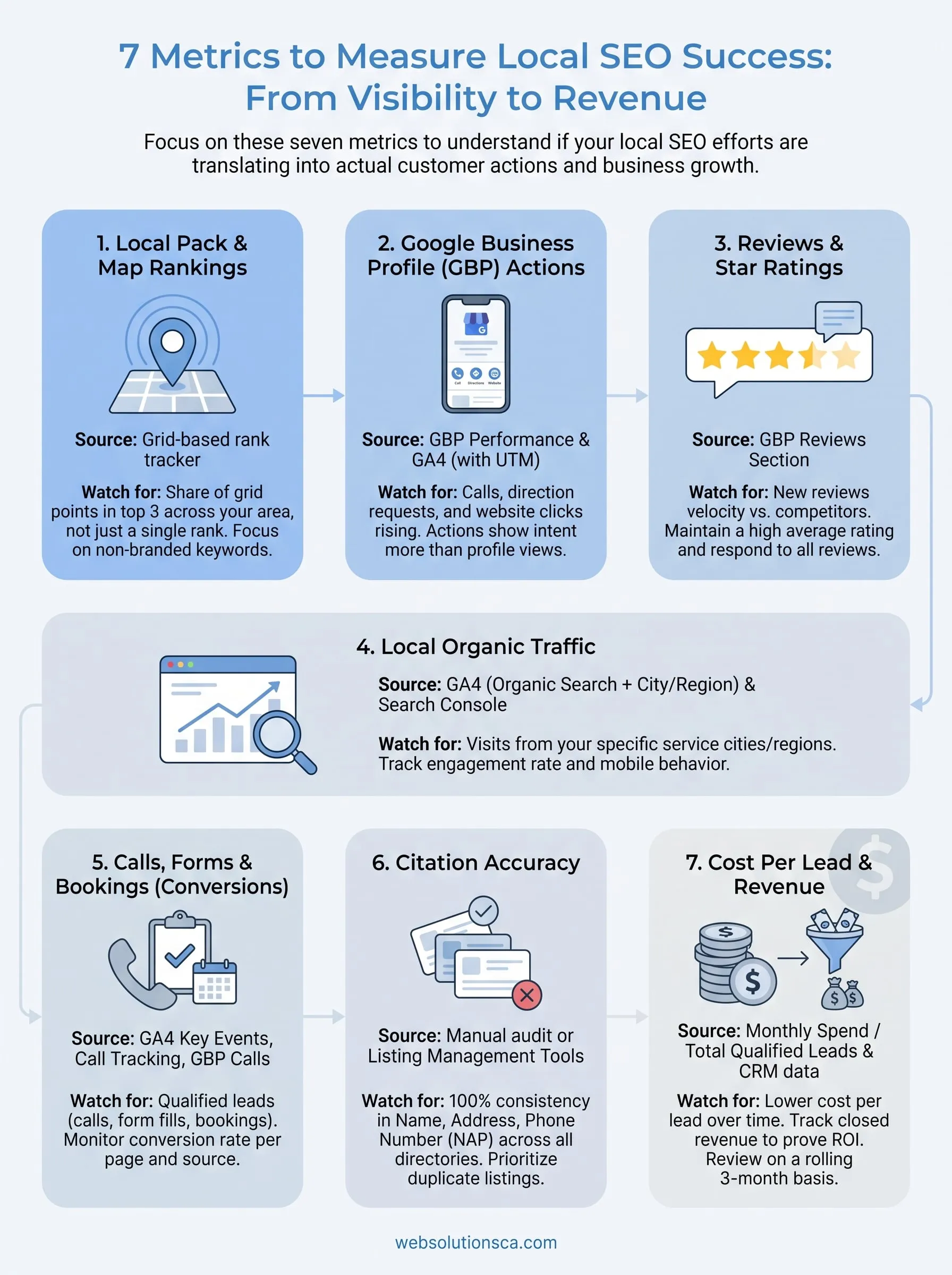
The short answer to how to measure local SEO is to track seven numbers: local map rankings, Google Business Profile actions, reviews, local organic traffic, calls and form leads, citation accuracy, and cost per lead. A good metric comes from a source you can check monthly, and it leads to a decision. If you run a storefront, start with Business Profile actions and reviews. If you drive to customers, start with rankings by area and phone calls. If you pay for SEO, start with cost per lead.
Most owners face a dozen dashboards and no clear answer to one question: is this bringing in customers? Rankings climb while the phone stays quiet, or traffic grows from people three states away. Watching the wrong number can be worse than watching none.
This guide walks through the seven metrics, shows where to find each one, and ends with a monthly report you can build in an hour. It is the same setup we use for Orange County small businesses at Web Solutions CA.
1. Local pack and map rankings
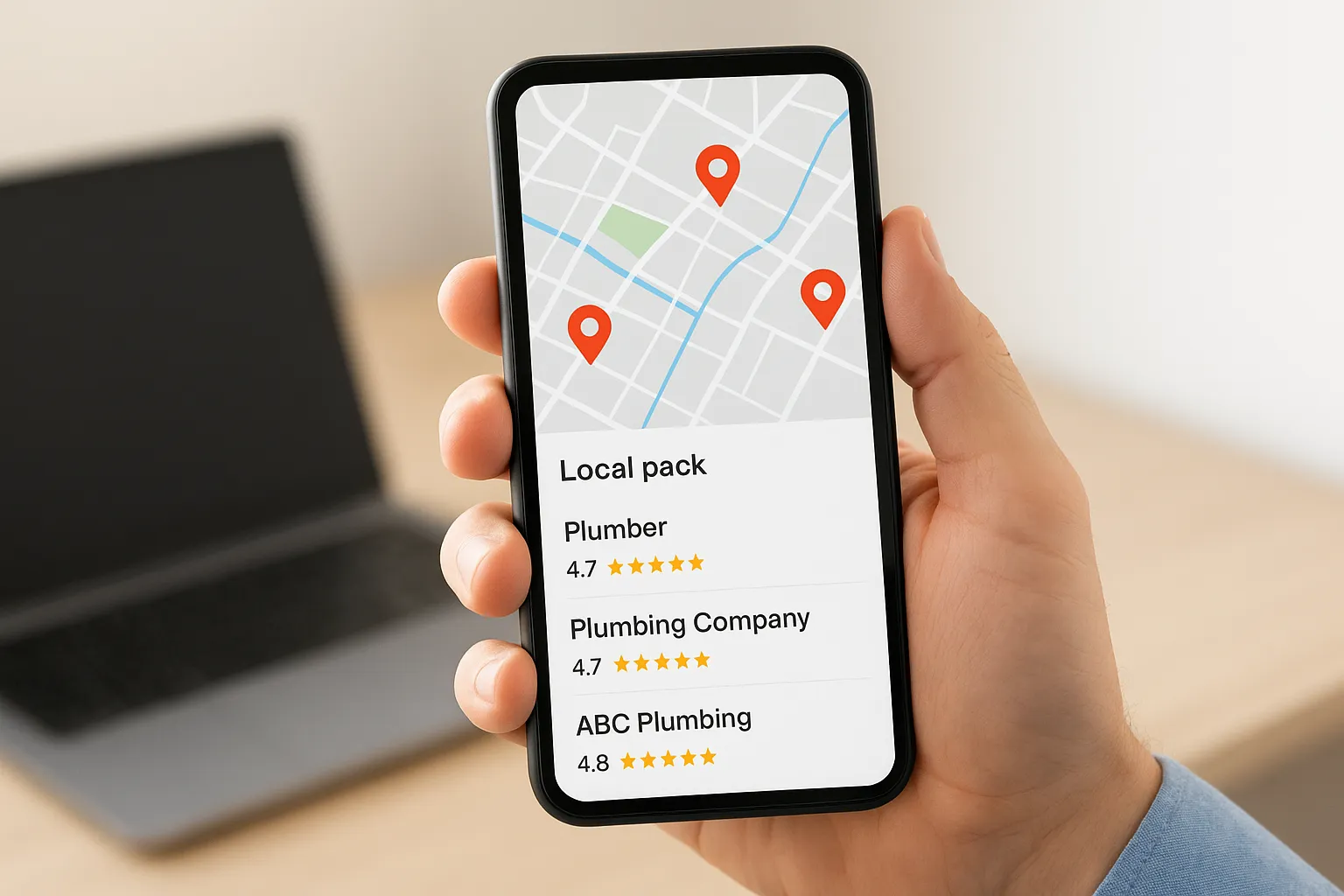
Local rankings show how often customers see you when they search for what you sell nearby. Treat them as a spread across a map, not a single position, because Google changes results with the searcher's location.
What it tells you
Rankings cover two places: the map results (the local pack and Google Maps) and the regular organic results. Google says local results rely mainly on relevance, distance, and prominence. Distance is why a Costa Mesa plumber can rank first for someone near the shop and ninth for someone two cities away.
That is also why a single "I rank #3" claim misleads. Local rankings only make sense when you check them from many points around your service area.
There is no single local rank, only your visibility across the area you serve.
Where to find it
You have three practical sources, and each answers a different question.
- Grid-based local rank tracker: places a grid of points over your service area and records your map position at each point.
- Google Search Console: shows average position, impressions, and clicks for the queries and pages that bring organic traffic.
- Manual spot checks: search from a phone, signed out, at two or three locations to sanity-check what the tools report.
Open the Performance report in Google Search Console, choose Search results, and filter by a service page to see which queries it earns.
What to watch for
Pick five to ten keywords tied to services you sell, such as "AC repair Tustin" or "immigration consultant Santa Ana". Track the same keywords on the same grid each month. The number to report is the share of grid points where you appear in the top three, because it moves slowly and honestly. Leave your business name out of the set, since branded rankings flatter you.
2. Google Business Profile performance
Your Google Business Profile performance data tells you what people do after they find you on Google, which is the closest thing to a direct readout of local SEO. Calls, direction requests, and website clicks are the actions to track.
What it tells you
The profile reports how many people viewed it on Search and on Maps, which search terms surfaced it, and which actions followed. Those actions are more useful than views, because they show intent. When you measure local SEO for a business that takes walk-ins or phone orders, profile actions often matter more than website visits.
| Metric | What it signals |
|---|---|
| Calls | A customer ready to talk or book |
| Direction requests | Walk-in intent, strongest for storefronts |
| Website clicks | Research stage, needs a good landing page |
| Messages and bookings | Direct leads, where you have turned them on |
| Profile views | Reach, not results |
Where to find it
Search your business name on Google while signed in to the account that manages the profile, then open the Performance section. The Business Profile app shows the same data on your phone.
To tie profile clicks to website behavior, add UTM parameters to the website link in your profile. Then those visits appear in your analytics under their own campaign name instead of blending into general organic traffic.
What to watch for
Compare each month with the same month last year, since seasonality distorts month-over-month swings. A sudden drop in calls and directions deserves a same-day check. Look for a suspension, a changed category, edited hours, or a competitor who gained ground. Steady growth in actions with flat views usually means your profile converts better, which is good news.
Profile actions beat profile views, because actions are what customers do before they become customers.
3. Reviews and star ratings
Reviews are measurable on four dimensions: how many you get, how recent they are, your average rating, and how often you reply. Google lists review count and score among the factors in local ranking, so reviews affect both visibility and conversion.
What it tells you
A steady flow of fresh reviews suggests you are serving customers well and asking for feedback. A rating that slips, or a long gap since the last review, signals trouble. It can also mean a competitor is simply collecting reviews faster than you. Review velocity, the number of new reviews per month, is the figure most owners forget to track.
Review text is data too. If customers keep mentioning "same-day service" or "bilingual staff", those phrases show what to put on your service pages.
Where to find it
Everything lives in the reviews section of your Google Business Profile. Record the total count, average rating, and new reviews each month in a simple spreadsheet. Then open the profiles of the top three businesses in your local pack and log theirs the same way. Ten minutes a month gives you a benchmark.
What to watch for
Measure yourself against those competitors, not against an arbitrary target. If they collect eight new reviews a month and you collect two, that gap predicts where map rankings go. Also track your response rate. Replying to every review, including negative ones, costs nothing and shows future customers how you handle problems.
Your review count matters less than how quickly it grows compared with the three businesses you compete with.
4. Local organic traffic
Local organic traffic is the number of website visits from search engines that come from people in your service area. Total traffic is a weaker measure, because visitors from outside your area will never buy from you.
What it tells you
This metric shows whether your service pages and location pages attract the right people. It is also the point where how to measure local SEO differs most from general SEO. A page can double its traffic and be worthless if the visitors live in another state. For a business serving Orange County, the useful number is organic visits from California, and ideally from your target cities.
Where to find it
Use two Google tools together, since neither shows the whole picture.
- In Google Analytics 4, open the Traffic acquisition report and filter to the Organic Search channel.
- Under the User reports, open Demographic details and set the dimension to City or Region.
- In Search Console, filter the Performance report by Country or by a specific page. Search Console does not report by city.
- Compare landing pages to see which service or location pages earn the local visits.
What to watch for
Watch engagement rate and mobile behavior for local visitors, because most local searches happen on phones. A page with strong local traffic and low engagement usually has a slow load, a buried phone number, or content that does not match the search. If a city page gets visits but never leads, fix the page before building more links to it.
Count only the traffic that could realistically walk through your door or call your number.
5. Calls, forms, and bookings
Calls, form submissions, and booking requests are your conversions, and they are the first metric that shows local SEO producing business. Set them up before anything else, because you cannot recover data from the months you did not track.

What it tells you
Conversions show whether the visibility and traffic from the earlier metrics turn into contact. The simple formula is conversions divided by visitors, times 100. If 1,000 local visitors produce 20 leads, your conversion rate is 2%. Compare it by page, device, and source. If organic visitors convert at a lower rate than visitors from ads, the problem is usually the page, not the ranking.
Where to find it
Set up each action separately so you know where it comes from.
- Form submissions: mark the thank-you page or form event as a key event in Google Analytics 4.
- Click-to-call on your site: track taps on your phone number with Google Tag Manager, since this is not captured by default.
- Calls from Google: read them in the Business Profile performance data.
- Calls from other sources: use a call tracking number if you need to separate search from other campaigns.
What to watch for
Beware of counting the same lead twice, for example a profile call and a website call from the same person. Also ask every new customer how they found you and log the answer. Self-reported source catches leads that analytics misses, such as people who saw your Maps listing and called from memory later.
A ranking you cannot connect to a call, form, or booking is a vanity metric.
6. Citation accuracy
Citation accuracy measures how consistently your business name, address, and phone number appear across directories and platforms. It is a health check, not a growth number, so score it as a percentage and review it quarterly.
What it tells you
Citations are mentions of your business on sites like Apple Business Connect, Bing Places, Yelp, Facebook, and industry directories. Conflicting details, such as an old suite number or a retired phone number, confuse both customers and search engines. They also create real costs, like a customer arriving after hours because one listing shows the wrong schedule. Good citation accuracy protects the trust that your rankings and reviews build.
Where to find it
List your ten to twenty most important listings in a spreadsheet and note the name, address, phone number, website, hours, and primary category on each. Then compare each row against your Google Business Profile, which should be the master record. Search your phone number and business name in Google to catch duplicates you did not create. Listing management tools can automate this at scale, but a single-location business can do it by hand.
What to watch for
Calculate accurate listings divided by total listings, and aim for all of them. Pay special attention after any change, such as a move, new hours, a new phone number, or a rebrand. Update the master record first, then every listing. Duplicate listings deserve the most urgency, because they split reviews and can compete with your real profile.
Fix the listing that is wrong, not the one that is easy, and start with duplicates.
7. Cost per lead and revenue
Cost per lead and revenue tell you whether local SEO pays for itself. Every other metric on this list is a stand-in for this one, so measure it even if your numbers are rough.
What it tells you
Divide your monthly SEO spend by the leads it produced. At $500 a month and 10 leads, your cost per lead is $50. Then follow those leads to closed jobs. If four become $600 jobs, that is $2,400 in revenue against $500 spent, a return of 4.8 times. These figures are an illustration, not a benchmark. Your own jobs, close rates, and prices will differ.
This is how you answer whether you need local SEO at all. If customers choose you by searching nearby, and your lead count and revenue stay flat while competitors appear above you, you do.
Where to find it
You need a place that records lead source and outcome. A shared spreadsheet works. A CRM is better. Log the date, source (Google profile, organic website, ads, referral), whether the lead was qualified, and whether it closed. Automation can write each form submission and call into that sheet so nothing depends on memory.
What to watch for
Give the channel time. Local SEO results build over months, so judge cost per lead on a rolling three-month view, not a single month. Separate lead quality from lead volume, because ten unqualified leads are worth less than three buyers. If volume rises but closed revenue does not, the fix is usually targeting or the sales follow-up, not more traffic.
Volume proves activity, but closed revenue proves that local SEO works.
How to report local SEO results each month
A useful local SEO report fits on one page, uses the same metrics every month, and ends with next steps. Build it from the seven metrics above, then add one sentence of explanation per number.
Set a baseline first
Before you change anything, record the current value for every metric. Without a baseline, you cannot say whether the work helped. Capture the grid ranking share, profile actions, review count and rating, local organic visits, monthly leads, citation accuracy, and cost per lead. Save that as month zero, then compare every later report against it and against the same month last year.
Build a one-page monthly report
Use one row per metric and keep the source constant. This layout covers every metric and takes about an hour once it is set up.
| Metric | Source | Check | A good sign |
|---|---|---|---|
| Grid ranking share | Rank tracker | Monthly | More points in the top three |
| Profile actions | Business Profile | Monthly | Calls and directions rising |
| Reviews | Business Profile | Monthly | New reviews at or above competitors |
| Local organic visits | GA4, Search Console | Monthly | Growth from target cities |
| Leads | GA4, calls, CRM | Monthly | More qualified leads |
| Citation accuracy | Listing audit | Quarterly | 100% accurate |
| Cost per lead | Spend and CRM | Quarterly | Falling over time |
Decide what to do with the numbers
You do not need to act on every figure. Apply the 80/20 idea: a few metrics drive most results, and for most local businesses those are profile actions, leads, and reviews. Put those at the top of the report. If rankings rise and leads do not, fix the pages. If leads fall and rankings hold, check your profile and phone tracking first. If you do not have time to track these, ask your SEO provider for a monthly report in this format. A good one will explain what each change means.
Start with three numbers, then add the rest
You now know how to measure local SEO without drowning in dashboards. Track profile actions, leads, and reviews first, because they connect most directly to customers. Add rankings, local traffic, citation checks, and cost per lead as your tracking matures, and review them in one page each month.
If you would rather have someone set up the tracking and explain the numbers, talk to Web Solutions CA about local SEO and monthly reporting. We work with Orange County small businesses and will show you what your results mean in plain language.